Add Connecting Lines Between Block Elements - Connections
| File Size: | 9.75KB |
|---|---|
| Views Total: | 10997 |
| Last Update: | |
| Publish Date: | |
| Official Website: | Go to website |
| License: | MIT |
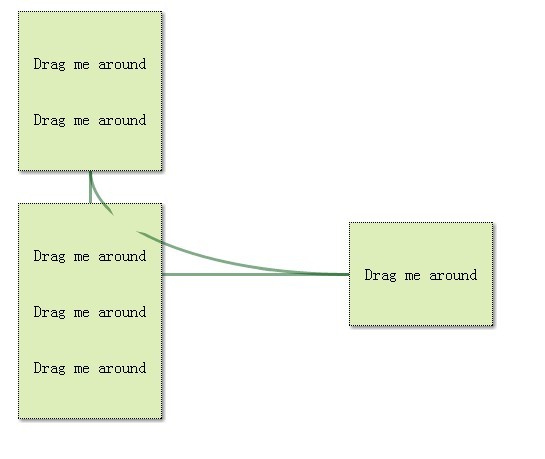
Connections is a jQuery plugin that adds stylable connecting lines using CSS border among block elements of your page, which is good for web based mind map or project flow.
Basic Usage:
1. Include the latest jQuery library and Connections.js in the head section of your web page
<script src="http://code.jquery.com/jquery-latest.min.js"></script>
<script src="jquery.connections.js"></script>
2. Markup
<table>
<th/>
<tr>
<td/>
<th/>
</tr>
</table>
3. Call the plugin (Add connecting lines between th elements)
<script>
	$(document).ready(function() {
		$('th').connections();
	});
</script>
4. Style your connecting lines and block elements
th {
width: 64px;
height: 64px;
background: #f56c29;
border-radius: 15px;
}
connection {
border: 24px solid #b51c29;
border-radius: 31px;
}
More Exampls:
Change Log:
v0.4.0 (2013-03-14)
- Optimize performance
This awesome jQuery plugin is developed by unknown. For more Advanced Usages, please check the demo page or visit the official website.