7 Best JavaScript Confetti Animation Libraries (2026 Update)
JavaScript confetti libraries add celebration effects to success states, CTA buttons, quiz results, coupon reveals, birthday pages, and product milestone screens. The right choice depends on the effect style the UI needs: a full-screen canvas burst, a falling particle animation, a button-only effect, or an interactive mouse-following trail.
This list covers vanilla JavaScript options, CSS-assisted button effects, canvas-based confetti, and jQuery plugins for older projects. The order is based on past-year site download performance, GitHub stars when available, and editorial review of practical usefulness.
Originally Published Mar 31 2022, updated June 02, 2026
Quick Picks:
| Library | Best For | Live Demo |
|---|---|---|
| confetti.js | Canvas-based falling confetti with configurable animation behavior. | Live Demo |
| Bubble Confetti Effect | Button-level celebration effects built with CSS3 and JavaScript. | Live Demo |
| Party.js | Simple page celebration effects and falling confetti animations. | Live Demo |
| Vanilla Confetti | Canvas-based confetti with color, speed, quantity, size, and opacity controls. | Live Demo |
| Confetti Party | Mouse-following confetti particles for interactive pages. | Live Demo |
| jQuery Canvas Confetti.js | Fullscreen jQuery confetti animation rendered on HTML5 canvas. | Live Demo |
| confettiButton.js | Configurable click or hover confetti effects for buttons and CTA elements. | Live Demo |
Table of contents:
- Quick Picks
- What Is a JavaScript Confetti Animation?
- The Best JavaScript Confetti Animation Libraries
- How to Choose a Confetti Library
- FAQ
- Related Resources
What Is a JavaScript Confetti Animation?
A JavaScript confetti animation creates small particles that fall, burst, or follow a pointer on the page. Most web confetti effects use HTML5 canvas, CSS animations, or JavaScript-driven CSS transforms.
Use confetti for short celebration moments. Common examples include success messages, signup completion, quiz results, coupon reveals, birthday greetings, and product launch pages. Tie the animation to a user action or state change so it does not feel like background decoration.
The Best JavaScript Confetti Animation Libraries
1. Confetti Falling Animation In Pure JavaScript - confetti.js
Best For: Developers who need a configurable falling confetti animation in vanilla JavaScript.

confetti.js creates a falling confetti animation with HTML5 canvas. It uses a configuration-based setup and requestAnimFrame animation timing.
Key Features:
- Canvas-based confetti rendering.
- Configurable animation behavior.
- Pure JavaScript implementation.
- requestAnimFrame-based animation loop.
Recommended Use Case: Add a full-page celebration effect after a form submission, checkout step, or success message.
2. Bubble Confetti Effect For Button
Best For: Button-focused celebrations where the animation should stay close to one action element.

Bubble Confetti Effect applies a confetti-style bubble burst to an action button. It combines CSS3 animation with a small amount of JavaScript.
Key Features:
- Button-level confetti effect.
- CSS3 animation support.
- Small JavaScript interaction layer.
- Particle burst attached to a button element.
Recommended Use Case: Add a visual reward to a claim button, submit button, or promotion CTA.
3. Simple Celebrate Confetti Animation In JavaScript - Party.js
Best For: Simple celebration effects that need a quick JavaScript confetti animation.

Party.js creates confetti visual effects and falling confetti animations on a web page. It exposes a direct confetti template for element-based celebration effects.
Key Features:
- Confetti visual effect support.
- Falling confetti animation.
- JavaScript-based page animation.
Recommended Use Case: Trigger a celebration after a user completes a quiz, game action, or account step.
4. Add Canvas Confetti Effects to Any Website with Vanilla Confetti
Best For: Canvas-based confetti where the project needs control over particle color, speed, quantity, size, and opacity.

Vanilla Confetti renders falling confetti particles inside a target canvas element. It uses a configuration object for animation and particle settings.
Key Features:
- Canvas target element support.
- Controls for colors, speed, quantity, size, and opacity.
- Looping confetti option.
- Rectangle, circle, and triangle particle shapes.
- Window resize handling for the animation area.
Recommended Use Case: Build a controlled confetti layer for a landing page, campaign page, or success screen.
5. Mouse-Following Confetti Effect for Your Website
Best For: Interactive confetti that follows the pointer during mouse movement.

Confetti Party uses HTML5 canvas and JavaScript's requestAnimationFrame API to render a confetti effect that follows the mouse. The animation reacts to pointer movement instead of firing one static burst.
Key Features:
- Mouse-following confetti effect.
- HTML5 canvas rendering.
- requestAnimationFrame animation timing.
- Interactive particle movement around the pointer.
Recommended Use Case: Add playful pointer feedback to a campaign page, greeting page, or interactive celebration screen.
6. Confetti Animation Effect With jQuery And Canvas - Confetti.js
Best For: jQuery projects that need a fullscreen canvas confetti animation.
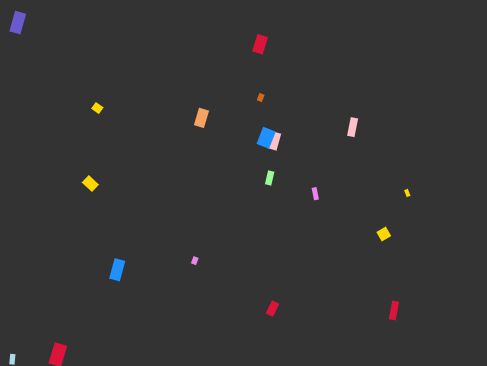
This jQuery plugin uses HTML5 canvas to create a fullscreen confetti falling effect on the page. It runs as a jQuery-based canvas animation.
Key Features:
- Fullscreen confetti animation.
- HTML5 canvas rendering.
- jQuery integration.
- Falling particle effect.
Recommended Use Case: Add a fullscreen celebration state to an existing jQuery site after a completed action.
7. Configurable Confetti CTA Button With jQuery - confettiButton.js
Best For: jQuery CTA buttons that need click-triggered or hover-triggered confetti.
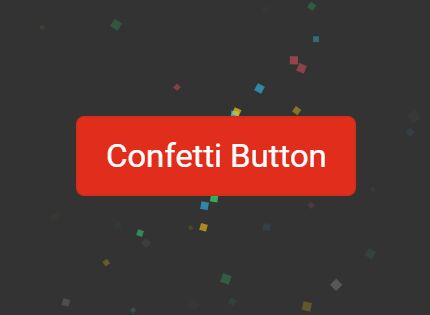
confettiButton.js adds a configurable random confetti effect to buttons and similar elements. It uses CSS3 animations and transforms for the visual effect.
Key Features:
- Click-triggered confetti effect.
- Hover-triggered confetti effect.
- Randomized particle behavior.
- CSS3 animations and transforms.
- Works on buttons and other target elements.
Recommended Use Case: Add a reward effect to a jQuery CTA button, download button, or conversion button.
How to Choose a Confetti Library
Choose confetti.js or Vanilla Confetti when the page needs a canvas-based falling confetti layer with configuration options. Canvas works well for full-page celebration effects and particle-heavy visuals.
Choose Bubble Confetti Effect or confettiButton.js when the effect belongs to a button. Button-level effects keep the animation close to the user action and reduce visual noise on the rest of the page.
Choose Confetti Party when pointer interaction matters. It follows the mouse and keeps the particles tied to cursor movement.
Use the jQuery options, jQuery Canvas Confetti.js or confettiButton.js, for existing jQuery projects. Use the vanilla JavaScript options for pages that do not already load jQuery.
Alternatives & Related Resources:
- Discover More jQuery Confetti Plugins
- Find More Vanilla JavaScript Confetti Libraries
- Confetti Animation Effect With jQuery And Canvas
- Configurable Confetti CTA Button With jQuery
FAQs:
Q: What is the best JavaScript confetti library for a simple website?
A: For a simple falling animation, start with confetti.js or Party.js. Both focus on direct confetti effects rather than a larger animation setup.
Q: Which confetti library should I use for a button click?
A: Use Bubble Confetti Effect for a CSS3 and JavaScript button burst, or use confettiButton.js for a jQuery button effect with click and hover triggers.
Q: Do confetti animations need HTML5 canvas?
A: Many full-page confetti effects use canvas because it can render many particles in one drawing surface. Button-level effects may use CSS3 animations and transforms instead.
Q: Can I add confetti to a React or Next.js project?
A: Yes, but choose a browser-side implementation and load it only where the effect runs. Avoid server-side execution for code that depends on the DOM, canvas, pointer events, or window size.
Q: Is CSS-only confetti enough?
A: CSS-only or CSS-heavy confetti can work for small button effects. Use JavaScript when the page needs dynamic triggers, canvas particles, pointer-following movement, or configurable animation settings.
Q: Should confetti run on every page load?
A: Reserve confetti for meaningful actions and short celebrations. A triggered effect is usually better than an animation that runs on every visit.





