10 Best JavaScript Tree View Libraries & Plugins (2026 Update)
What Is a JavaScript Tree View?
A JavaScript tree view displays hierarchical data as expandable and collapsible nodes. Common implementations include file browsers, category selectors, permission editors, navigation trees, and JSON-backed administration panels.
Best JavaScript Tree View Libraries and Plugins
JavaScript tree view libraries range from compact checkbox selectors to full treegrid components with lazy loading, editing, drag and drop, and keyboard navigation. The options below include established jQuery plugins for existing applications plus treegrid, Bootstrap, checkbox, and file-tree components that do not require jQuery.
Originally Published Feb 27 2018, updated Sep 10 2026
Quick Comparison
| Library | Dependency | Best for |
|---|---|---|
| jqTree | jQuery, jQuery 4 compatible | JSON trees with drag and drop, state saving, and lazy loading |
| Fancytree | jQuery, feature-complete | Feature-heavy trees and treegrids in established jQuery applications |
| jsTree | jQuery | Searchable trees with optional checkbox, context menu, and drag-and-drop modules |
| Radix Tree | jQuery | Large trees with lazy loading, pagination, checkboxes, and keyboard controls |
| zTree | jQuery | Admin trees with async data, checkbox/radio selection, editing, and drag and drop |
| Wunderbaum | Zero dependencies | Treegrids, large datasets, and Fancytree migrations |
| Treejs | Zero dependencies | Checkbox selection and remote data in Vanilla JS, React, or Vue projects |
| Quercus.js | Zero dependencies | Searchable and selectable JSON trees with custom node rendering |
| bs-treeview | Bootstrap 4/5 and Font Awesome | Bootstrap applications that need search, selection, and ARIA attributes |
| file-tree | Zero dependencies, Custom Element | File explorers with asynchronous folder loading and context-menu handling |
Table of Contents
- jQuery Tree View Plugins
- JavaScript Tree View Libraries Without jQuery
- jsTree Alternatives
- Bonus: Pure CSS Tree Views
- Which Tree View Library Should You Choose?
- Related Tree View Resources
jQuery Tree View Plugins
jQuery Plugin for Tree Widget - jqTree
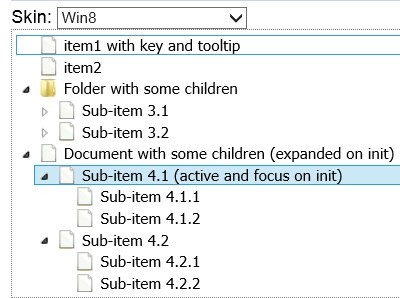
jqTree builds interactive trees from local or remote JSON data and works with jQuery 4. It is a useful choice when node reordering, selection, state persistence, and on-demand loading belong in one jQuery component.
- Local and remote JSON data.
- Drag-and-drop node reordering.
- Keyboard navigation with single and multiple selection.
- State persistence and lazy loading.
Fancytree: jQuery and jQuery UI Dynamic Tree View Plugin
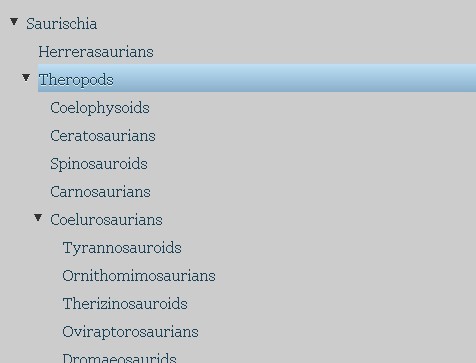
Fancytree handles tree and treegrid UIs with checkboxes, keyboard navigation, lazy loading, filtering, editing, persistence, and drag and drop. The project is feature-complete and receives bug fixes. Its author recommends Wunderbaum as the successor.
- Hierarchical checkbox selection.
- Lazy loading for remote or large datasets.
- Inline editing, filtering, and persistence.
- Treegrid extensions and keyboard navigation.
jsTree: Powerful Dynamic Tree Plugin With jQuery
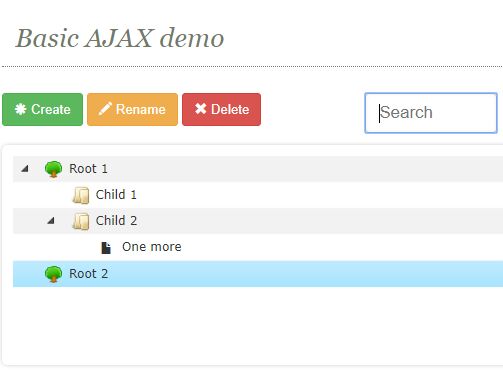
jsTree renders interactive trees from HTML or JSON and extends the core behavior through optional modules. Its plugin set includes checkboxes, context menus, drag and drop, search, sorting, saved state, node types, and full-row selection.
- HTML, JSON, AJAX, and lazy-loaded data.
- Checkbox, context-menu, search, and state modules.
- Drag-and-drop node reordering.
- Custom icons, node types, and inline editing.
Interactive Tree Views with Lazy Loading - jQuery Radix Tree
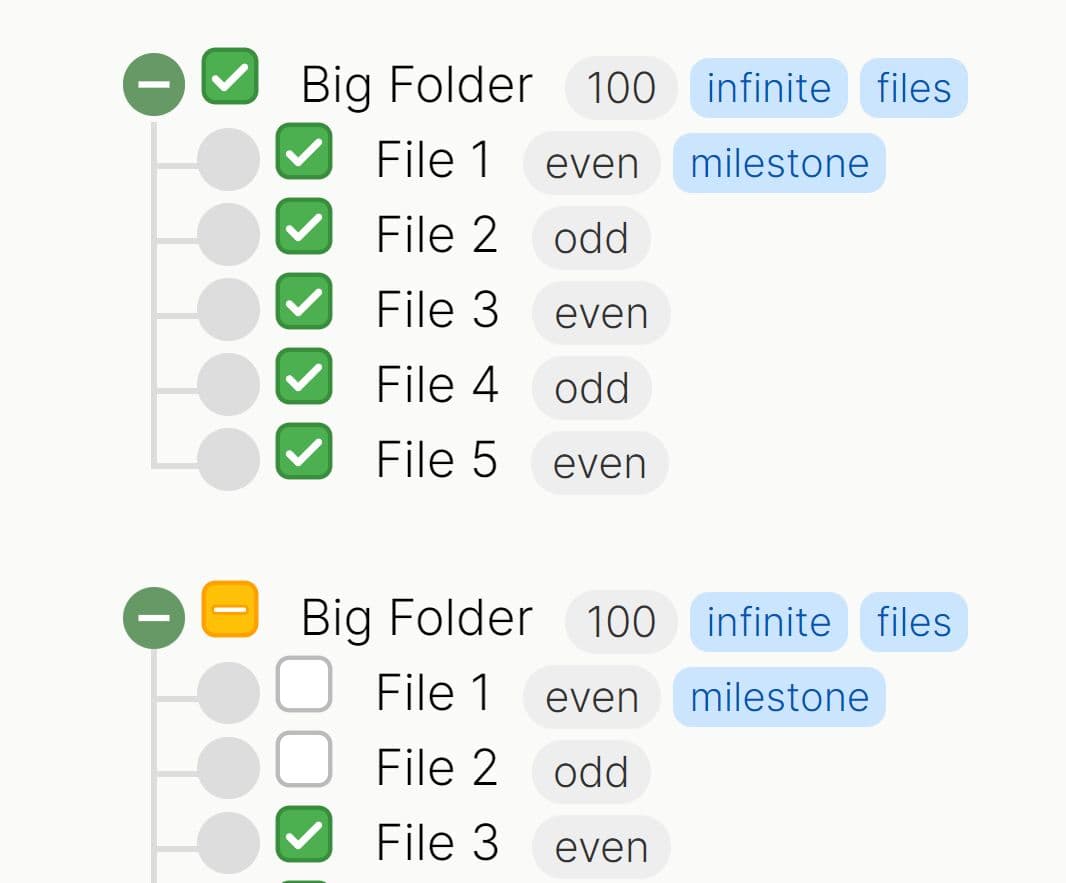
Radix Tree focuses on deeply nested and data-heavy trees. Its loading model includes lazy child requests and paginated loading, while checkbox propagation, disabled nodes, badges, and keyboard controls handle common administration and data-explorer requirements.
- Unlimited nesting depth.
- Parent-child checkboxes with indeterminate states.
- Lazy loading and paginated infinite loading.
- Keyboard navigation, disabled states, badges, and callbacks.
zTree: Powerful and Multi-Functional jQuery Folder Tree Plugin
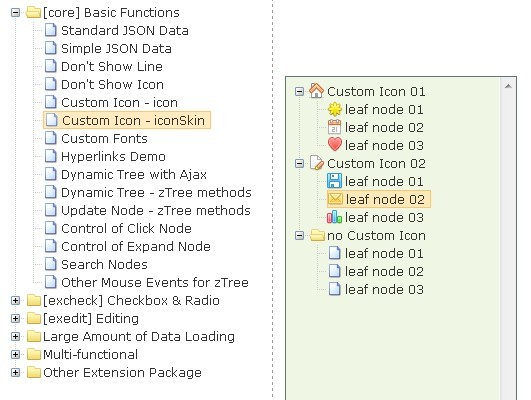
zTree is an established jQuery tree plugin with modular extensions for checkbox and radio selection, editing, drag and drop, and hidden nodes. It accepts nested or simple JSON structures and includes asynchronous data loading for server-backed trees.
- Standard and simple JSON data formats.
- AJAX and asynchronous child loading.
- Checkbox and radio selection extensions.
- Editing, drag and drop, custom icons, and multiple tree instances.
JavaScript Tree View Libraries Without jQuery
Wunderbaum
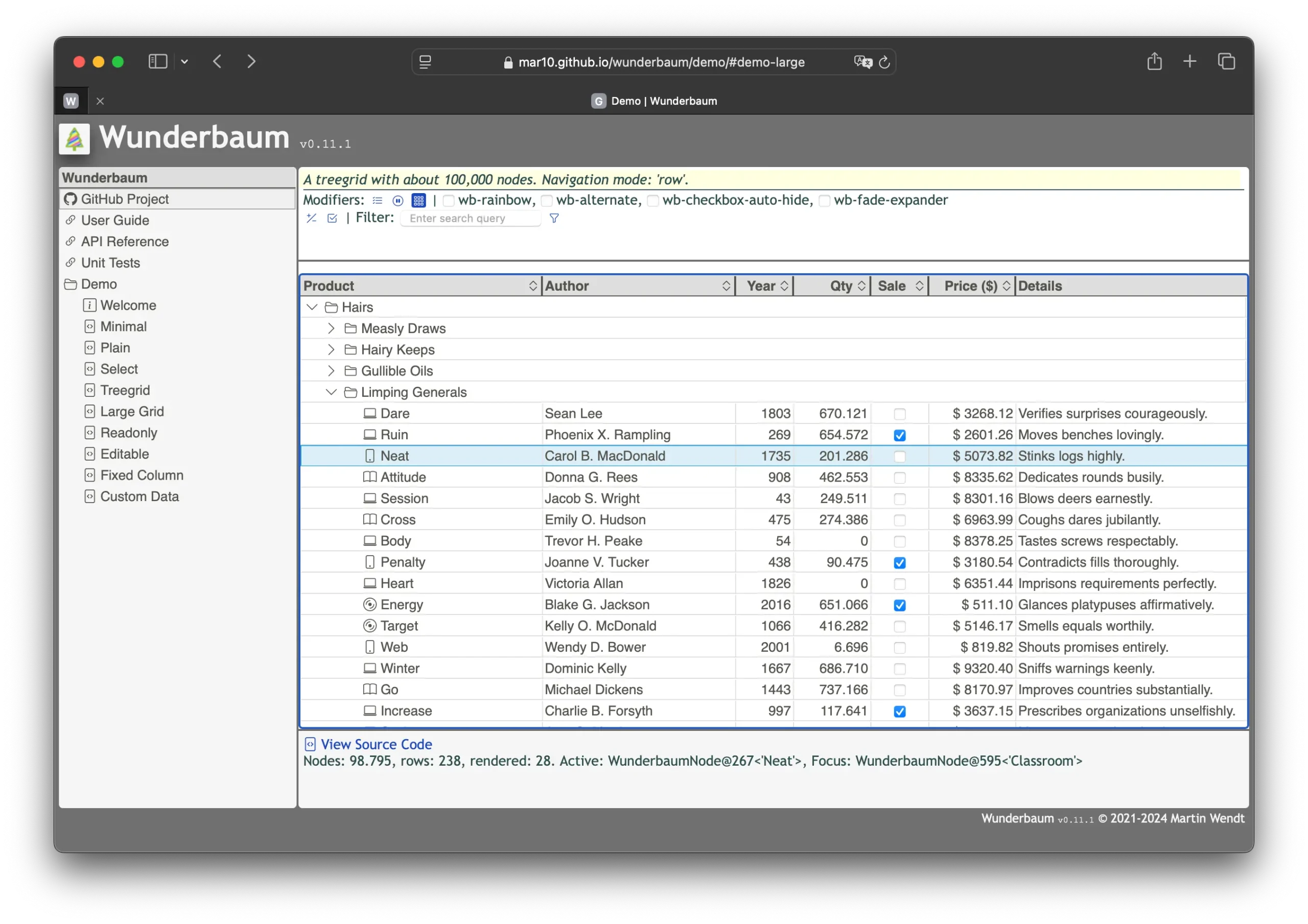
Wunderbaum is the designated successor to Fancytree and provides tree and treegrid controls with zero JavaScript dependencies. It includes drag and drop, editing, filtering, sorting, multi-selection, keyboard control, and lazy data sources. The project documentation marks the API, markup, and styles as beta.
- Tree and treegrid layouts.
- Drag and drop, editing, filtering, sorting, and multi-selection.
- Lazy data sources and large-data handling.
- ES modules, UMD builds, TypeScript source, and keyboard controls.
Dynamic Interactive Tree View With Checkboxes - Treejs
Treejs is a dependency-free tree view library for collapsible, selectable data with checkboxes. It works in Vanilla JavaScript, React, and Vue projects, accepts remote data through GET or POST requests, and exposes events for loading and selection changes. Drag-and-drop reordering is not part of its API.
- Checkbox-based node selection.
- Remote data through GET or POST.
- Expand-all and collapse-all methods.
- Vanilla JavaScript, React, and Vue integration.

JavaScript Treeview Library for Hierarchical Data - Quercus.js
Quercus.js turns nested JSON into searchable and selectable tree views with no external JavaScript dependency. Single and multiple selection, cascading child selection, optional checkboxes, custom node rendering, and programmatic search make it useful for category and permission trees.
- Nested JSON data.
- Built-in search with automatic parent expansion.
- Single, multiple, cascading, and checkbox selection modes.
- Custom node rendering and programmatic data updates.

Interactive and Accessible Tree View JS Library - bs-treeview
bs-treeview is a TypeScript rewrite of the older jQuery Bootstrap Tree View plugin. It removes the jQuery dependency and uses Bootstrap themes plus icon integrations for expandable, searchable, selectable, and checkable trees with ARIA attributes.
- Bootstrap 4 and Bootstrap 5 themes.
- Search, expand/collapse, selection, and checking.
- ARIA attributes for tree interaction.
- JSON data and remote loading through the Fetch API.

Modern File Tree Web Component with Async Loading - file-tree
file-tree is a dependency-free Custom Element for nested files and folders. It handles click, right-click, and keyboard interactions and provides an asynchronous loading state when folder contents come from a server.
- Drop-in
<file-tree>Custom Element. - Nested file and folder structures.
- Click, context-menu, and keyboard interaction.
- Asynchronous folder loading through
event.waitUntil().

jsTree Alternatives
For an existing jQuery application, Fancytree offers checkboxes, lazy loading, editing, filtering, and drag and drop. Wunderbaum is the Fancytree successor and removes the jQuery dependency, while Treejs and Quercus.js focus more narrowly on selectable tree views.
Bonus: Pure CSS Tree Views
Pure CSS trees work best for static hierarchy displays. They do not provide the data loading, selection APIs, editing, or programmatic state management found in the JavaScript libraries above.
Minimalist Tree View In Pure CSS
A small CSS pattern for nested HTML lists with connecting lines and child-node highlighting on hover.

Semantic Hierarchy Tree In Pure CSS - Treeflex
Treeflex renders hierarchy diagrams from nested HTML lists and provides CSS utilities for node spacing and connector styles. It suits static organization, family, and hierarchy diagrams that do not require JavaScript interaction.

Which Tree View Library Should You Choose?
- jqTree for JSON-driven jQuery projects that need drag and drop, saved state, and lazy loading.
- Fancytree for established jQuery applications with complex tree or treegrid requirements.
- Wunderbaum for new dependency-free treegrid projects or planned Fancytree migrations.
- Treejs or Quercus.js for lighter selectable trees with checkboxes.
- file-tree for file and folder browsers built around a Web Component.
Related Tree View Resources
- Free jQuery tree view Plugins
- 10 Best Tree Table Plugins In JavaScript (2026 Update)
- 10 Best Organization Chart JavaScript/CSS Libraries (2026 Update)
- 10 Best Tree View JavaScript Libraries in 2026 (Lightweight & Free)
- Interactive Tree View Component with Drag Support for Shadcn/ui