10 Best JSON Viewer Tools To Format JSON Strings (2026 Update)
Raw JSON is easy to exchange between systems, but it becomes hard to inspect once API responses, config files, and nested objects grow past a few levels. A JSON viewer turns that data into a readable tree or formatted view, so developers can scan keys, values, arrays, and errors faster.
This roundup collects the 10 best, open-source JSON viewer tools for your web development & web design needs, from small jQuery plugins and dependency-free Vanilla JS formatters to path pickers, checkable trees, and full JSON explorers. Use the list to choose the viewer that matches your stack and the way users need to inspect JSON data.
Originally Published July 24 2020, updated May 15 2026
Table of contents:
- Comparison Table
- Best jQuery JSON Viewer Tools
- Best Vanilla JS JSON Viewer Tools
- How to Choose
- FAQ
- Related Resources
Comparison Table:
| Library | Best For | Live Demo |
|---|---|---|
| jQuery JSON Viewer | Basic collapsible JSON trees. | Live Demo |
| jQuery jsontree.js | Selectable JSON tree nodes. | Live Demo |
| pretty-print-json | Colorized JSON formatting. | Live Demo |
| jQuery JVC | Callback driven JSON trees. | Live Demo |
| JSON Path Picker | Click to copy JSON paths. | Live Demo |
| json-view | Plain JS collapsible trees. | Live Demo |
| JSONTree.js | Rich JSON exploration tools. | Live Demo |
| JSONViewer | Minimal dependency-free trees. | Live Demo |
| JSON Formatter | Local and external JSON views. | Live Demo |
| TreeJSON | Line numbers and error hints. | Live Demo |
Best jQuery JSON Viewer Tools:
jQuery Plugin For Easily Readable JSON Data Viewer
Best For: Legacy jQuery pages that need a clear collapsible JSON tree.
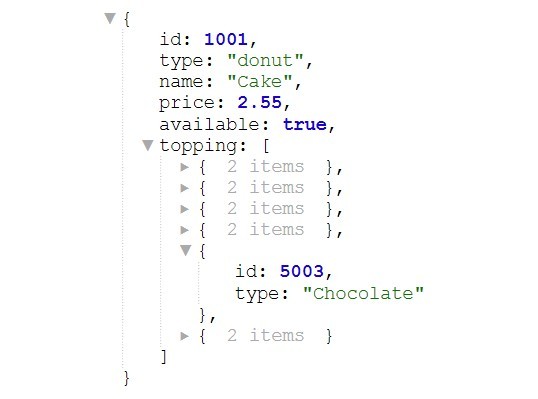
This jQuery JSON viewer is the safest first pick for older jQuery projects that need readable API output inside a page. It turns objects into a tree-style view and keeps the setup small enough for admin panels, debugging screens, and internal tools.
Key Features:
- Renders JSON objects as readable HTML.
- Supports syntax highlighting.
- Lets users collapse and expand child nodes.
- Can make URL values clickable.
- Supports options for quoted keys, root collapse, and big numbers.
Recommended Use Case: Add a stable JSON response viewer to an existing jQuery admin page or API debugging tool.
Display JSON Data As A Checkable Tree - jQuery jsontree.js
Best For: JSON trees where users need to select nodes and read selected values.
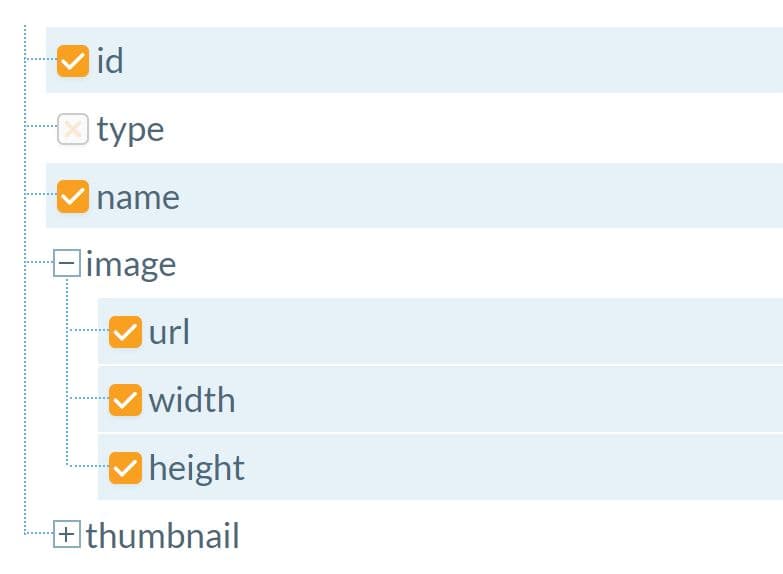
jQuery jsontree.js is good for UI that treat JSON as a selectable hierarchy, not just formatted text. Use it for permission trees, config pickers, data mapping screens, or admin tools where a user must choose part of a nested object.
Key Features:
- Displays complex JSON data as a collapsible tree.
- Supports checkable tree nodes.
- Provides a method for reading selected items.
- Includes selected and unselected item events.
Recommended Use Case: Build a JSON field selector or data mapping UI in a jQuery-based dashboard.
Format JSON Data With Colored Syntax - pretty-print-json
Best For: Formatting JSON into colorized HTML for examples, docs, and debug panels.
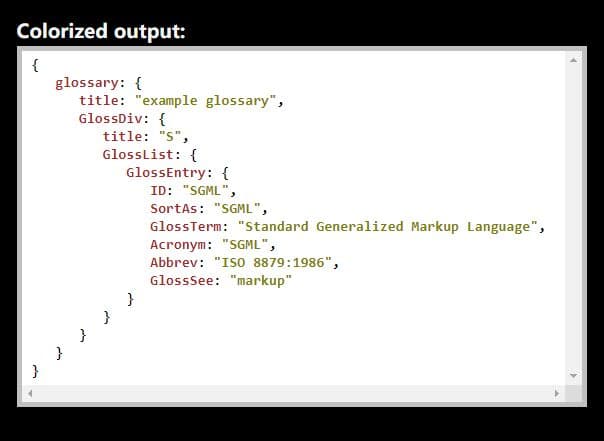
pretty-print-json focuses on readable output rather than a full tree widget. It works well when a page needs a clean JSON formatter with typed color styling, such as API documentation, code examples, or a small developer utility.
Key Features:
- Converts JSON data to highlighted HTML.
- Colorizes values by data type.
- Provides a
prettyPrintJson.toHtml()usage path. - Supports browser and npm based setup paths.
Recommended Use Case: Show formatted JSON examples inside a documentation page, API console, or small JSON beautifier.
Beautiful JSON Viewer With Callback Support - jQuery JVC
Best For: jQuery JSON viewers that need callbacks, setters, and getter methods.
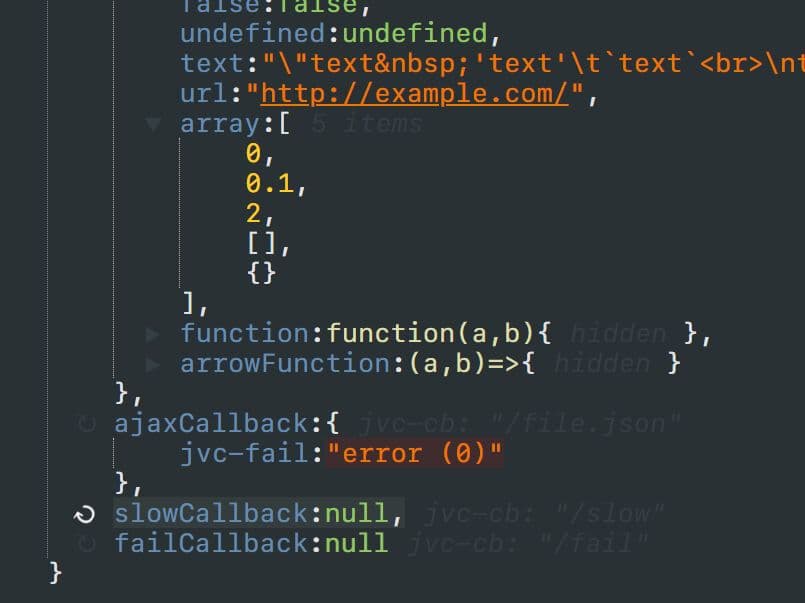
jQuery JVC is the best pick when a JSON viewer must react to user actions. It can render objects, arrays, and strings, and its callback support makes it useful for interactive tools that load or update parts of a JSON tree.
Key Features:
- Renders JSON objects, arrays, and strings.
- Supports collapsed output and quoted keys.
- Can detect links and show JSON output.
- Provides callback, change, setter, and getter hooks.
Recommended Use Case: Create an interactive JSON viewer that needs callbacks for lazy data, custom actions, or tree changes.
JSON Viewer With Path Selection - JSON Path Picker
Best For: Picking object paths from nested JSON data.
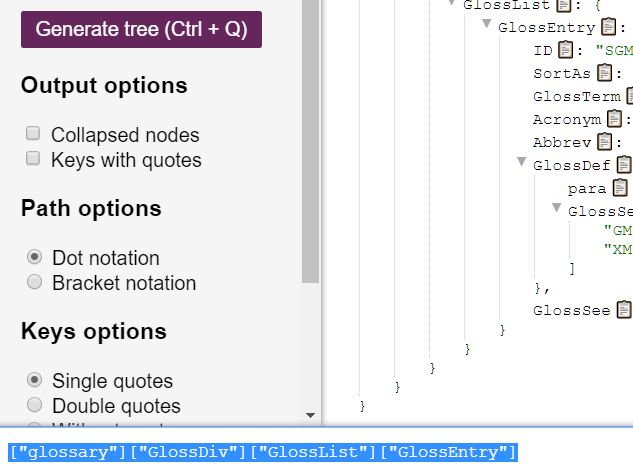
JSON Path Picker solves a more specific problem than a basic viewer. It allows you to inspect a JSON tree and pick the path to a key, which helps with mapping tools, rule builders, form builders, and data extraction screens.
Key Features:
- Displays JSON data as a collapsible tree.
- Outputs the path for the selected key.
- Supports dot and bracket notation.
- Can show keys with quotes.
- Can process or replace key names with regex settings.
Recommended Use Case: Let you click a nested JSON key and copy the matching object path into an input field.
Best Vanilla JS JSON Viewer Tools:
Render JSON Data As A Tree View – json-view
Best For: Plain JavaScript projects that need a basic collapsible JSON tree.

json-view is a Vanilla JavaScript option when a project only needs a readable tree view. It suits documentation pages, static utilities, and small internal screens where adding jQuery would create extra dependency weight.
Key Features:
- Renders JSON data as a tree structure.
- Supports collapsible and expandable nodes.
- Uses plain JavaScript.
Recommended Use Case: Add a simple JSON tree to a static page, internal tool, or Vanilla JavaScript demo.
Visualize JSON Data Like A Pro With JSONTree.js
Best For: Feature-rich JSON explorers with editing, file import, theming, and navigation controls.

JSONTree.js is the most capable Vanilla JavaScript option in this list. Choose it when the viewer is a core part of the product UI and users need more than expand and collapse controls.
Key Features:
- Supports JSON, CSV, and HTML file input.
- Can edit values, properties, and indexes.
- Includes copy to clipboard controls.
- Supports keyboard navigation.
- Provides CSS theming with dark and light themes.
- Can show data types, array sizes, object sizes, and memory size details.
Recommended Use Case: Build a full JSON inspection tool for developers, QA teams, or technical support users.
Minimal JSON Data Formatter – JSONViewer
Best For: Small plain JavaScript pages that need a minimal formatter and tree view.

JSONViewer keeps the scope narrow: render a JSON object in a collapsible tree format. It is a good match for small widgets, demos, and developer pages that need readable output with little UI weight.
Key Features:
- Formats JSON objects for browser display.
- Renders data as a collapsible tree view.
- Uses pure JavaScript.
Recommended Use Case: Add a compact JSON formatter to a demo page or small developer utility.
Beautiful JSON Rendering In Pure JavaScript – JSON Formatter
Best For: Rendering local JSON objects or external JSON files in a clean tree layout.

JSON Formatter works well when your page needs a polished JSON tree for local data or fetched JSON.
Key Features:
- Renders local JSON objects.
- Can display external JSON files.
- Uses a collapsible tree structure.
- Runs with pure JavaScript.
Recommended Use Case: Display API sample responses or config files in a JavaScript documentation page.
Collapsible JSON Viewer with Syntax highlighting and Line numbers – TreeJSON
Best For: JSON viewers that need syntax highlighting, line numbers, and malformed JSON feedback.

TreeJSON is a good fit for JSON input tools where users paste raw data and need readable structure plus error feedback. Its line number support helps when your users need to find malformed JSON in a longer payload.
Key Features:
- Highlights keys, strings, numbers, booleans, and null values.
- Displays nested data in a collapsible tree.
- Shows line numbers that update with collapsed content.
- Highlights specific error lines for malformed JSON.
- Uses Vanilla JavaScript with no external framework dependency.
Recommended Use Case: Build a browser-based JSON formatter, validator, or paste-and-check utility.
How to Choose:
Choose jQuery JSON Viewer when your project already uses jQuery and needs a dependable collapsible viewer. It is the best default option for basic admin panels and API response previews.
Choose jQuery jsontree.js when users must select JSON nodes. It suits mapping tools, rule builders, and screens that need a selected key list.
Choose JSON Path Picker when the path matters more than the display. It works for data extraction tools where a user clicks a key and copies dot or bracket notation.
Choose pretty-print-json when you need formatted JSON examples or highlighted output, not an interactive tree. It is a cleaner fit for documentation and code sample pages.
Choose JSONTree.js for a full JSON explorer. It fits developer tools that need editing, file import, copy controls, theming, and keyboard navigation.
Choose TreeJSON for paste-and-format tools where malformed JSON feedback matters. Line numbers make debugging easier for long JSON strings.
For small Vanilla JavaScript pages, start with json-view, JSONViewer, or JSON Formatter. Pick the one with the demo behavior that best matches your UI.
FAQs:
Q: What is the best JSON viewer for an existing jQuery project?
A: Start with jQuery JSON Viewer for a basic collapsible tree. Use jQuery JVC when your viewer needs callbacks or change hooks.
Q: Which JSON viewer works best with Vanilla JavaScript?
A: json-view is a simple starting point for a plain JavaScript tree. Use JSONTree.js when you need editing, import, copy, and navigation features.
Q: Can these tools format invalid JSON?
A: Most viewers expect valid JSON input before they render the tree. TreeJSON is the best match in this list when users need malformed JSON feedback with line hints.
Q: Which JSON viewer should I use to pick a nested key path?
A: Use JSON Path Picker. It lets your users click a key and output the matching path in dot or bracket notation.
Q: How do I add a JSON viewer to a page?
A: Most entries load a CSS file, load a JavaScript file, create a target container such as a pre or div, then pass a JSON object to the plugin method. Check the linked demo for the exact container and method name.
Q: Which option is best for API documentation?
A: Use pretty-print-json when you need highlighted JSON examples. Use JSON Formatter when readers need to expand and collapse nested sample responses.
Q: Do I need jQuery for a JSON viewer?
A: No. The Vanilla JavaScript section includes json-view, JSONTree.js, JSONViewer, JSON Formatter, and TreeJSON. Use a jQuery plugin only when your existing page already depends on jQuery.
Related Resources:
- jQuery JSON Viewer Plugins
- JavaScript JSON Libraries
- 10 Best Online JSON Data Converters In JavaScript
- 10 Best Form Builder Plugins To Generate Forms From JSON Data
- 5 Best React JSON Viewers To View And Edit JSON Data
- JSON Viewer With Path Selection - JSON Path Picker
- Beautiful JSON Viewer With Callback Support - jQuery JVC
- Collapsible JSON Viewer With Line Numbers - TreeJSON





