Handy jQuery Text Slider with CSS3 Transitions
| File Size: | 2.66 KB |
|---|---|
| Views Total: | 8077 |
| Last Update: | |
| Publish Date: | |
| Official Website: | Go to website |
| License: | MIT |
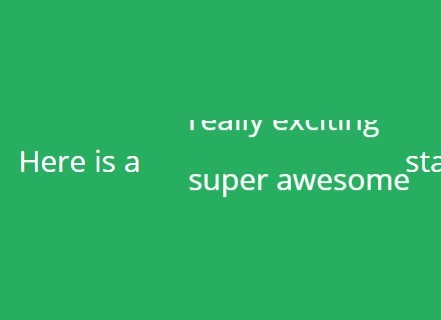
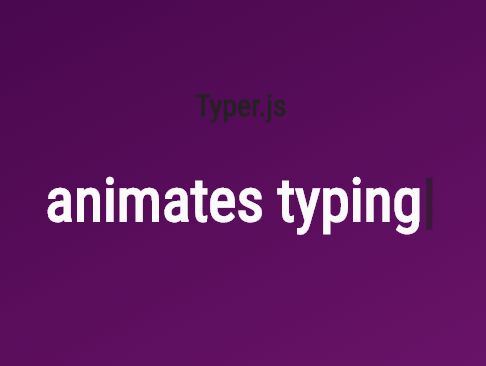
A lightweight jQuery text slider for rotating an array of words or terms of your text with CSS3 animations using transform and transition properties.
How to use it:
1. Add an empty html list into your text.
<ul id="sentence">
  <li id="first">Here is a </li>
  <ul id="textSlider"></ul>
  <li id="last"> statement.</li>
</ul>
2. The required CSS for the text slider.
#sentence {
  overflow: hidden;
  padding: 20px;
}

#sentence > li, #sentence > ul { display: inline; }

#textSlider {
  overflow: visible !important;
  text-align: left;
  display: inline;
  position: relative;
  height: 16px;
}

.adj {
  white-space: nowrap;
  list-style: none;
  position: absolute;
  line-height: .3em;
  -webkit-transform: translateY(60px);
  -ms-transform: translateY(60px);
  transform: translateY(60px);
}
3. Create slideIn & slideOut animations for the text slider using CSS3 transitions and transforms.
.slide-in {
  -webkit-transform: translateY(0);
  -ms-transform: translateY(0);
  transform: translateY(0);
  -webkit-transition: 0.3s;
  transition: 0.3s;
}

.slide-out {
  -webkit-transform: translateY(-60px);
  -ms-transform: translateY(-60px);
  transform: translateY(-60px);
  -webkit-transition: 0.3s;
  transition: 0.3s;
}
4. Include the latest version of jQuery library on your html page.
<script src="//code.jquery.com/jquery-2.1.4.min.js"></script>
5. Create an array of words for the text slider.
var adjs = ["very cool", "really exciting", " super awesome", "jQuery sliding"],
    sentence = $('#sentence'),
    textSlider = $('#textSlider'),
    stop = false;
6. The functions to enable the text slider.
// function to return the most up-to-date
// version of our adjective list
function getList() {
  return $('.adj');
}

// function to build the adjective list
// args: adjective array
function build(arr) {
  for (i=0; i<arr.length; i++) {
    var item = "<li class='adj'>";
    $(textSlider).append(item + arr[i] + "</li>");
  }
}

// function to resize adjective list
// args: adjective list item
function resize(el) {
  $(textSlider).animate({
    width: $(el).width(),
  }, 200);
}

// function to add slide-in transition
// args: element that needs to slide
function slideIn(el) {
  // duration slide is on screen
  var hold = 1000;
  // resize area to sliding element
  resize($(el));
  // add slide-in class
  $(el).addClass('slide-in');
  // after 'hold' duration slide-out current item
  // then slide in next item
  setTimeout(function(){
    // check to see if loop should continue
    if (stop === true) {
      stop = false;
      return;
    }
    // slide current element out
    slideOut(el);
    // slide in next element in queue
    slideIn($(el).next());
  }, hold);
}

// function to add slide-out transition
// args: element that needs to slide
function slideOut(el) {
  // remove current class and add slide-out transition
  $(el).removeClass('slide-in').addClass('slide-out');
  // wait for slide tramsition to finish then
  // call 'change' function
  setTimeout(function(){
    change();
  }, 200);
}

// function to re-arrange adjective list
function change() {
  // store last item index
  var i = adjs.length - 1;
  // detach element that has slide-out class
  // put to the bottom of the list after
  // the last item
  $('.adj:eq(' + i + ')').after($('.slide-out').detach());
  // remove class to send element back to original position
  $('.adj').removeClass('slide-out');
}

// build slider
build(adjs);
// init loop
slideIn(getList()[0]);
This awesome jQuery plugin is developed by mikedevelops. For more Advanced Usages, please check the demo page or visit the official website.