Minimal Text Transition Animation Plugin - textTweener
| File Size: | 111 KB |
|---|---|
| Views Total: | 1130 |
| Last Update: | |
| Publish Date: | |
| Official Website: | Go to website |
| License: | MIT |

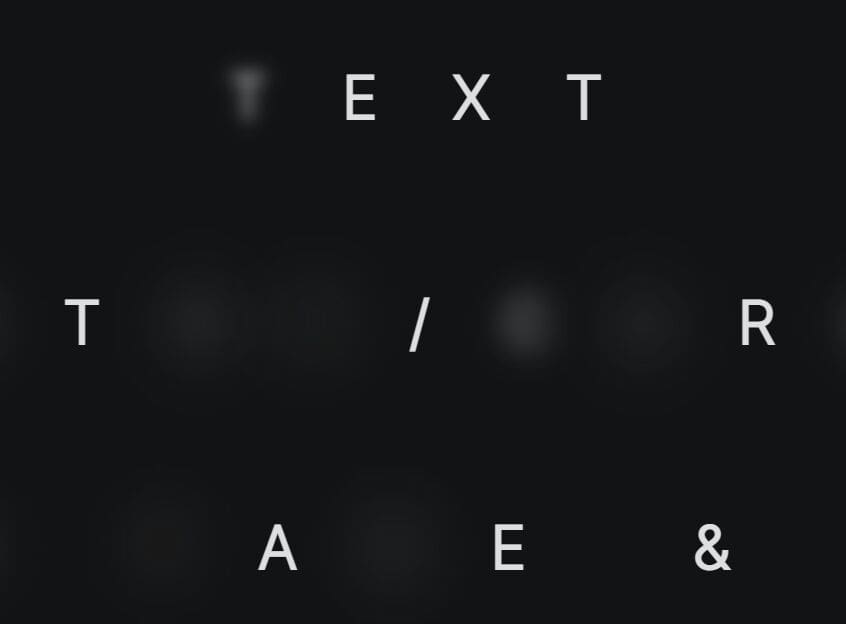
TextTweener is a JavaScript text animation library that animates transitions by morphing individual letters to their new positions. Shared characters physically fly to their new positions in the target string, while unmatched letters fade out as new ones fade in.
This project was originally built in 2016 as a jQuery plugin (v0.2). It has been completely rewritten in 2026 as a modern TypeScript library. It now features zero dependencies, GPU-accelerated animations, auto-sizing, nearest-neighbor matching, and a full API. If you are maintaining legacy projects, you can still find the original jQuery version under the 'v0.2-legacy' folder after you download the package.
Features:
- Works on pure vanilla JavaScript and TypeScript.
- Animations use CSS transforms and the Web Animations API for GPU acceleration.
- The nearest-neighbor letter matching algorithm pairs physically close letters for natural movement paths.
- The container measures text invisibly and adjusts its dimensions automatically.
- Creates an
aria-liveregion for screen readers and respectsprefers-reduced-motionsettings. - Handles special characters, numbers, umlauts, and emojis perfectly.
How to use it:
1. Install & import.
# NPM
$ npm install texttweener
import { TextTweener } from 'texttweener';
2. Or insert the main script 'index.umd.min.js' into your HTML document.
<script src="/dist/index.umd.min.js"></script>
3. Add the container element and text children to your HTML. Each <span class="text"> becomes one slide in the rotation:
<div id="headline">
  <span class="text">jQuery Plugins</span>
  <span class="text">JavaScript Libraries</span>
  <span class="text">React Components</span>
  ...
</div>
4. Initialize textTweener and the library reads the text content from the DOM children, measures each string, and begins auto-playing.
const tt = new TextTweener('#headline');
5. Pass an options object as the second argument to customize behavior. All available configuration options:
duration(number): Sets the milliseconds each text is displayed. Default is 4000.transitionDuration(number): Sets the milliseconds for the animation. Default is 800.stagger(number): Sets the millisecond delay between each letter. Default is 15.easing(string): Sets the CSS easing function. Default is 'cubic-bezier(0.16, 1, 0.3, 1)'.textAlign(string): Sets the alignment to 'left', 'center', or 'right'. Default is 'left'.direction(string): Sets the playback direction to 'forward', 'backward', or 'alternate'. Default is 'forward'.loop(boolean): Restarts the animation upon reaching the end. Default is true.autoplay(boolean): Starts the animation automatically. Default is true.caseSensitive(boolean): Forces exact case matching for letters. Default is true.reduceMotion(boolean): Respects the user's prefers-reduced-motion system setting. Default is true.texts(array): Accepts an array of strings for programmatic text injection. Default is an empty array.
const tt = new TextTweener('#headline',{
  duration: 4000,
  transitionDuration: 800,
  stagger: 15,
  easing: 'cubic-bezier(0.16, 1, 0.3, 1)',
  textAlign: 'left',
  direction: 'forward',
  loop: true,
  autoplay: true,
  caseSensitive: true,
  reduceMotion: true,
});
6. You can also pass texts as an array in the options object. This is useful when your content comes from an API or a JS data store:
const tt = new TextTweener('#headline', {
  texts: [
    'Revenue grew 40% last quarter',
    'Customers in 32 countries',
    'Trusted by 10,000+ developers',
  ],
});
7. API methods:
// Start or resume automatic playback
tt.play();

// Pause the current transition and the playback timer
tt.pause();

// Resume playback — alias for tt.play()
tt.resume();

// Transition to the next text in the sequence
// Returns a Promise that resolves when the animation completes
await tt.next();

// Transition to the previous text in the sequence
// Returns a Promise that resolves when the animation completes
await tt.prev();

// Jump directly to a specific text by zero-based index
// Returns a Promise that resolves when the animation completes
await tt.goTo(1);

// Tear down the instance: cancels animations, disconnects observers, removes listeners
tt.destroy();

// Read-only properties
tt.current;    // Current text index (number)
tt.total;      // Total number of texts (number)
tt.isPlaying;  // Whether the instance is actively playing or transitioning (boolean)
8. Events.
// Fires once after the library has measured all texts and is ready to animate
tt.on('ready', () => {
  console.log('TextTweener is ready');
});

// Fires immediately before a transition starts
// 'from' is the outgoing index, 'to' is the incoming index
tt.on('beforeTransition', (from, to) => {
  console.log(`Transitioning from slide ${from} to slide ${to}`);
});

// Fires after a transition completes and the new text is fully visible
tt.on('afterTransition', (from, to) => {
  console.log(`Transition complete — now showing slide ${to}`);
});

// Fires after each transition, passing the new current index
tt.on('change', (currentIndex) => {
  updateProgressDots(currentIndex); // sync your UI here
});

// Fires when playback is paused
tt.on('pause', () => {
  console.log('Playback paused');
});

// Fires when playback is resumed
tt.on('resume', () => {
  console.log('Playback resumed');
});

// Fires when the instance is destroyed
tt.on('destroy', () => {
  console.log('TextTweener destroyed');
});

// tt.on() returns an unsubscribe function — call it to remove the listener
const unsubscribe = tt.on('change', (idx) => syncNavDots(idx));
unsubscribe(); // listener removed
Alternatives:
FAQs:
Q: The container collapses to zero height before the first text appears. How do I fix this?
A: This happens when fonts load after TextTweener initializes. Move your script tag below the <link> for your font CSS, or call new TextTweener() inside a DOMContentLoaded listener.
Q: How do I trigger a transition on a button click and then run some code after it completes?
A: tt.next(), tt.prev(), and tt.goTo(index) all return Promises. Await them directly or chain .then(). For example: button.addEventListener('click', async () => { await tt.goTo(2); highlightSection(2); }). The Promise resolves when the animation finishes, so your callback runs at exactly the right time.
Q: Does the caseSensitive option affect which letters travel versus which fade?
A: Yes. When caseSensitive is true (the default), 'A' and 'a' are treated as different characters. An uppercase 'A' in the source text matches only uppercase 'A' in the target text. If no match exists, both letters fade. Set caseSensitive: false to let uppercase and lowercase variants match each other, which typically produces more matched pairs and more visible movement.
Changelog:
v1.0.0 (2026-03-10)
- Rewritten as a modern TypeScript library.
This awesome jQuery plugin is developed by Realmaker. For more Advanced Usages, please check the demo page or visit the official website.