Sticky WhatsApp Floating Chat Button - jQuery StickyChat.js
| File Size: | 6.46 KB |
|---|---|
| Views Total: | 808 |
| Last Update: | |
| Publish Date: | |
| Official Website: | Go to website |
| License: | MIT |
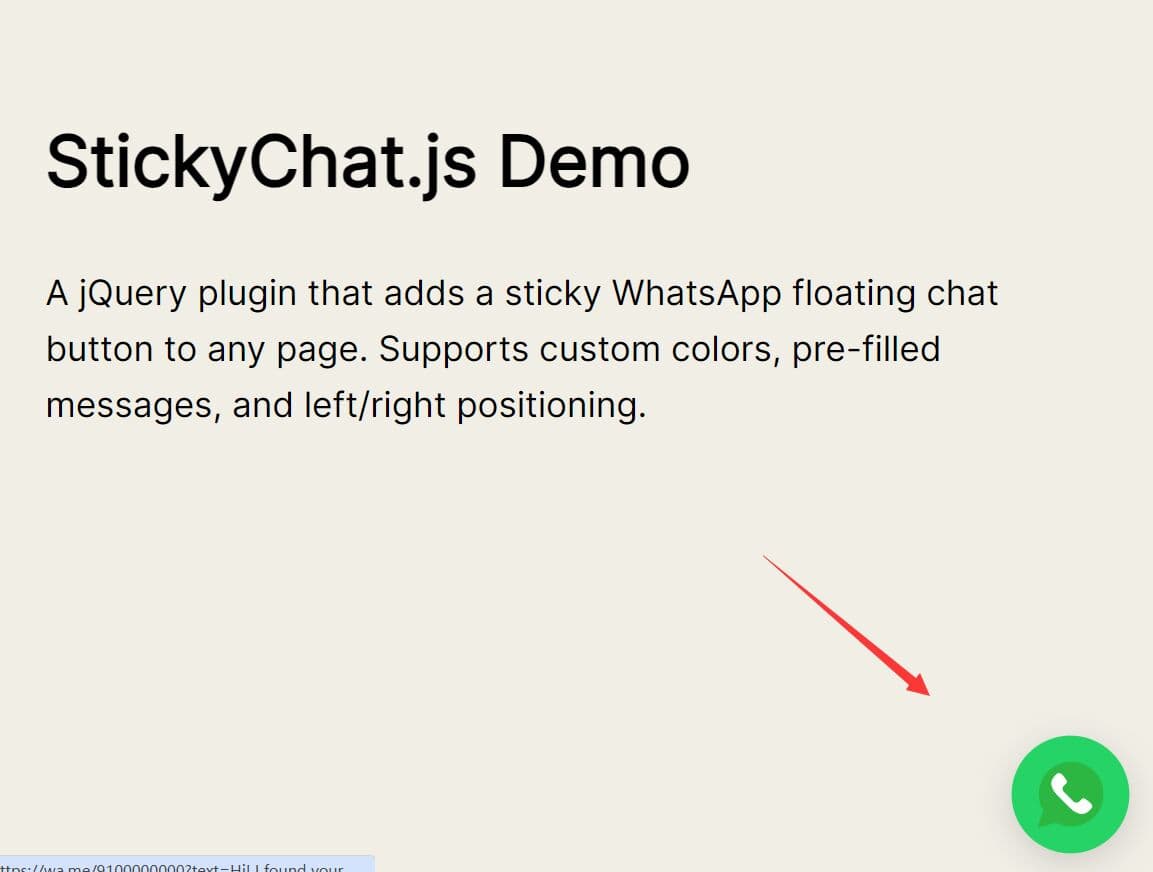
StickyChat.js is a lightweight jQuery plugin that adds a sticky WhatsApp floating chat button to any webpage.
The plugin generates a fixed-position button in the corner of the viewport, builds a wa.me link with a prefilled message, and displays a glassmorphism-styled tooltip on hover.
Features:
- Under 2KB compressed footprint.
- Responsive layout that adapts to mobile screen sizes automatically.
- ARIA label on the chat button for screen reader accessibility.
- Pure SVG WhatsApp icon.
- Pre-fills the WhatsApp message text through the
wa.meURL. - Positions the button on either the left or right side of the screen.
Use Cases:
- Support contact button for SaaS pricing page.
- Sales inquiry button for product landing page.
- Booking CTA for local business website.
- Direct WhatsApp help entry point for mobile-first store.
How to use it:
1. Add jquery.stickychat.css and jquery.stickychat.js files to your webpage.
<!-- StickyChat stylesheet -->
<link rel="stylesheet" href="jquery.stickychat.css">

<!-- jQuery is required -->
<script src="/path/to/cdn/jquery.min.js"></script>

<!-- StickyChat plugin -->
<script src="jquery.stickychat.js"></script>
2. Call stickyChat() on the body element after the DOM is ready. Pass a configuration object with your WhatsApp number and any optional overrides. All possible configuration options:
phoneNumber(String): The WhatsApp number in full international format. Exclude the plus sign and any spaces. Example:"12025550173"for a US number.message(String): The text displayed inside the glassmorphism tooltip bubble that appears above the button on hover.position(String): The horizontal side of the viewport where the button renders. Accepts"left"or"right". Defaults to"right".backgroundColor(String): Any valid CSS color value applied to the button's circular background. Defaults to"#25D366"(standard WhatsApp green).defaultText(String): The pre-filled message text that populates the WhatsApp chat input when a visitor clicks the button.
$(document).ready(function() {
  $('body').stickyChat({
    phoneNumber: "12025550173",
    message: "Questions? We're here to help.",
    position: "right",
    backgroundColor: "#128C7E",
    defaultText: "Hi! I'd like to ask about pricing."
  });
});
Alternatives
- whatsappButton.js: A vanilla JavaScript plugin to create a customizable floating Whatsapp button.
This awesome jQuery plugin is developed by Deadcoder001. For more Advanced Usages, please check the demo page or visit the official website.
- Prev: jQuery Plugin To Add Social Sharing Buttons To Your Site - Socialjs
- Next: None