Cross-browser 3D Rotator Plugin For jQuery - rollingslider.js
| File Size: | 5.14 KB |
|---|---|
| Views Total: | 14201 |
| Last Update: | |
| Publish Date: | |
| Official Website: | Go to website |
| License: | MIT |

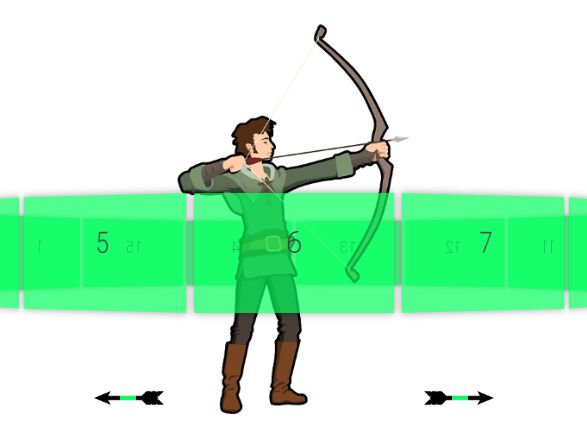
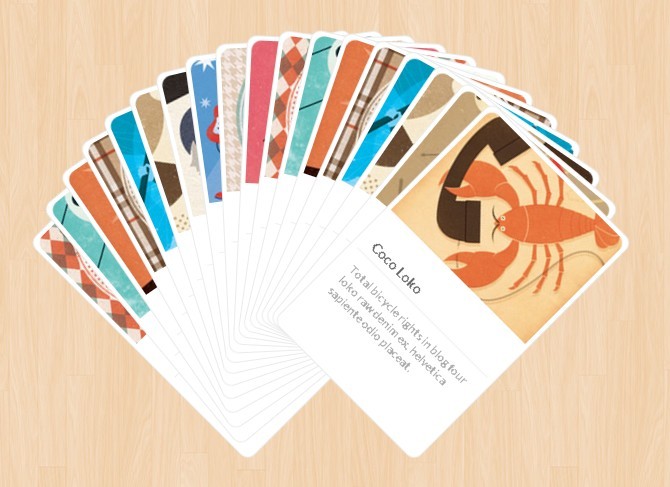
rollingslider.js is a jQuery plugin for generating a cross-bowser 3D rotator / carousel UI from a list of html elements, featuring autoplay, infinite looping and next / prev arrows navigation.
How to use it:
1. Insert an unordered list of html elements into the rotator.
<ul class="slide-wrap" id="example">
  <li class="pos1">
    <div class="inner">
      <a href="#">
        <img src="1.jpg"/>
        <span class="pic-tit">Pic 1</span>
      </a>
    </div>
  </li>
  <li class="pos2">
    <div class="inner">
      <a href="#">
        <img src="2.jpg">
        <span class="pic-tit">Pic 2</span>
      </a>
    </div>
  </li>
  <li class="pos3">
    <div class="inner">
      <a href="#">
        <img src="3.jpg">
        <span class="pic-tit">Pic 3</span>
      </a>
    </div>
  </li>
  ...
</ul>
2. Add next / prev navigation arrows to the rotator.
<i class="arrow prev" id="jprev"><</i> <i class="arrow next" id="jnext">></i>
3. The required CSS styles for the rotator.
.slide-wrap {
  width: 1000px;
  height: 450px;
  margin: 0 auto;
  position: relative;
  overflow: hidden;
}

.slide-wrap li {
  display: none;
  width: 300px;
  position: absolute;
  z-index: 0;
  overflow: hidden;
  box-shadow: 0px 10px 20px #888;
}

.slide-wrap .inner {
  position: relative;
  border: 3px solid #ecfdfd;
  border-radius: 5px;
}

.slide-wrap .inner a {
  text-decoration: none;
  border: none;
  outline: none;
}

.slide-wrap .pic-tit {
  font-size: 14px;
  width: 100%;
  height: 65px;
  line-height: 65px;
  background: #1ca297;
  position: absolute;
  bottom: 2px;
  left: 0;
  z-index: 99999;
  text-align: center;
  color: #FFF;
  overflow: hidden;
}

.slide-wrap img {
  width: 100%;
  border: none;
  outline: none;
}

.slide-wrap .pos1 {
  display: block;
  width: 180px;
  height: 236px;
  top: 60px;
  left: 6%;
  z-index: 1;
}

.slide-wrap .pos2 {
  display: block;
  width: 220px;
  height: 286px;
  top: 35px;
  left: 20%;
  z-index: 2;
}

.slide-wrap .pos3 {
  display: block;
  width: 300px;
  height: 390px;
  top: 0;
  left: 35%;
  z-index: 3;
}

.slide-wrap .pos4 {
  display: block;
  width: 220px;
  height: 286px;
  top: 35px;
  right: 20%;
  z-index: 2;
}

.slide-wrap .pos5 {
  display: block;
  width: 180px;
  height: 236px;
  top: 60px;
  right: 6%;
  z-index: 1;
}

.slide-wrap .inner {
  overflow: hidden;
  position: relative;
}

.arrow {
  width: 48px;
  height: 48px;
  border-radius: 50%;
  background-color: #384047;
  color: #fff;
  position: absolute;
  top: 160px;
  z-index: 10;
  cursor: pointer;
  font-size: 30px;
  line-height: 48px;
  text-align: center;
  font-style: normal;
}

.prev {
  left: 330px;
  background-position: 0px 0px;
}

.next {
  right: 330px;
  background-position: -52px 0px;
}
4. Add jQuery library and the jQuery rollingslider.js script to the webpage when needed.
<script src="//code.jquery.com/jquery-1.11.3.min.js"></script>
<script src="script/jquery.rollingslider.js"></script>
5. Convert the html list into a 3D rotator.
$('#Wrapper-element').RollingSlider({
  showArea:"#example",
  prev:"#jprev",
  next:"#jnext"
});
6. Default configurations.
$('#Wrapper-element').RollingSlider({
  showArea:"#JslideWrap",
  prev:"#Jprev",
  next:"#Jnext",
  moveSpeed: 400,
  autoPlay:false,
  stay: 5000
});
This awesome jQuery plugin is developed by thinkerchan. For more Advanced Usages, please check the demo page or visit the official website.