jQuery Plugin To Create Hints For Form Controls - Form Toolltip
| File Size: | 5.95 KB |
|---|---|
| Views Total: | 843 |
| Last Update: | |
| Publish Date: | |
| Official Website: | Go to website |
| License: | MIT |
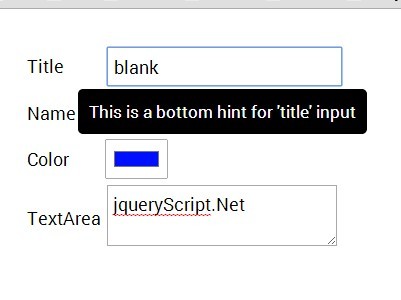
Form Toolltip is a minimal JQuery plugin that displays animated & customizable hint boxes/tooltips next to the form fields while typing. Useful to show additional information in the context of each form field.
How to use it:
1. Include the jQuery library and jQuery form tooltip plugin in the document.
<script src="//code.jquery.com/jquery-1.11.1.min.js"></script>
<script src="jquery.formtooltip.js"></script>
2. Use JS data array to create custom tooltips for each form field.
var fields = {

  name: {
    tooltip : "Name input field",

    // top, bottom ,left, right
    position: 'bottom'
  },
  password : {
    tooltip: "Password field",
    position: 'right',
    backgroundColor: "#FF0000",
    color: '#FFFF00'
    },
  color : {
    tooltip: "Color picker"
    },
  text : {
    tooltip: "regular tooltip"
    }
};
3. Initialize the plugin and done.
$("form").formtoolip(fields, {
backgroundColor: "#000000" ,
color : "#FFFFFF",
fontSize : 15,
padding : 10,
borderRadius :  5
});
This awesome jQuery plugin is developed by yihaa5. For more Advanced Usages, please check the demo page or visit the official website.