Realistic Fireworks Animations Using Canvas - fireworks.js
| File Size: | 20.2 KB |
|---|---|
| Views Total: | 37309 |
| Last Update: | |
| Publish Date: | |
| Official Website: | Go to website |
| License: | MIT |

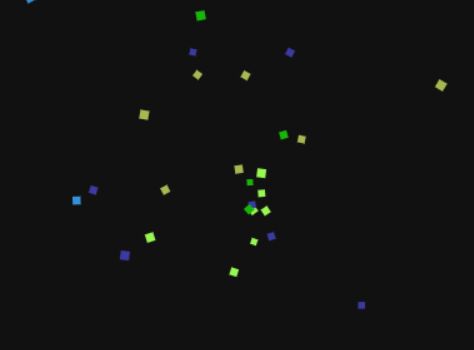
fireworks.js is a simple-to-use and fully configurable JavaScript library that creates realistic fireworks animations using HTML5 canvas elements.
It automatically handles particle physics and explosion mechanics to create an immersive celebration atmosphere.
For more particle animations, check these Best particle animation plugins.
Features:
- HTML5 Canvas Rendering: It draws particles on a canvas element.
- Multi-Framework Support: It runs natively in Vanilla JS, jQuery, React, and Angular environments.
- Responsive Design: It automatically detects the container's dimensions.
- Configurable Visuals: It allows adjustments to canvas opacity and explicit dimensions.
- Z-Index Management: It places the canvas in the background (z-index 0) to avoid blocking content interaction.
Use Cases:
- New Year’s Eve Landing Pages: Set the background of a hero section to display continuous fireworks.
- Gamification Success States: Adds visual flair when a user completes a level or unlocks an achievement.
- E-Commerce Order Confirmation: Creates a moment of delight immediately after a customer completes a purchase.
- Anniversary Announcements: Serves as a visual header for company milestone pages.
How to use it:
1. Download and import the script into your project. You need the core logic and the jQuery wrapper if you are using jQuery.
<!-- jQuery Dependency (Optional if using Vanilla/React) -->
<script src="/path/to/cdn/jquery.min.js"></script>

<!-- The Core Logic -->
<script src="fireworks.core.js"></script>

<!-- The jQuery Wrapper (Only for jQuery users) -->
<script src="jquery.fireworks.js"></script>
2. Create a container element where you want the fireworks animations to be placed.
<div class="demo">
</div>
3. Initialize the plugin by calling the fireworks function as this:
// jQuery
$("#celebration-container").fireworks({
  // options here
});

// Vanilla JS
const container = document.getElementById("celebration-container");
const pyrotechnics = Fireworks.createFireworks(container, {
  // options here
});
4. For React, we use a ref to access the DOM node and useEffect to manage the lifecycle. This prevents memory leaks.
import { useEffect, useRef } from "react";

export function FireworksBox({ options }) {
  // Create a reference to the DOM element
  const ref = useRef(null);

  useEffect(() => {
    // Guard clause: check if ref and library exist
    if (!ref.current || !window.Fireworks) {
      return;
    }

    // Initialize the fireworks instance
    const instance = window.Fireworks.createFireworks(ref.current, options || {});

    // Cleanup function: Destroys the instance when component unmounts
    return () => instance && instance.destroy();
  }, [options]); // Re-run if options change

  // Render the container div
  return <div ref={ref} className="fireworks-host" style={{ height: "100vh" }} />;
}
5. Available options.
opacity(number): Sets the opacity of the canvas overlay. The default is1. Lower values allow the background color of the parentdivto show through.width(number): Sets the canvas width in pixels. The default is the element'sclientWidth.height(number): Sets the canvas height in pixels. The default is the element'sclientHeight.
6. API methods.
// Creates a new instance of the fireworks
// Returns an object containing control methods
var instance = Fireworks.createFireworks(element, options);

// Stops the animation loop and removes the canvas from the DOM
// Call this when navigating away or closing a modal
instance.destroy();
Changelog:
2026-01-18
- Added ability to use as VanillaJS, Angluar, oe React
This awesome jQuery plugin is developed by mgrigajtis. For more Advanced Usages, please check the demo page or visit the official website.