jQuery Plugin For Sticky Navigation Lists with Stacking Headers - slinky
| File Size: | 170 KB |
|---|---|
| Views Total: | 2128 |
| Last Update: | |
| Publish Date: | |
| Official Website: | Go to website |
| License: | MIT |
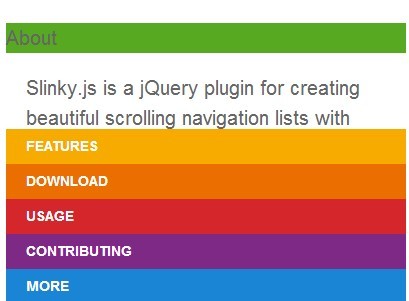
Slinky is a jQuery navigation plugin designed for long web page that stacks the section's headers and makes them sticky at the top of the page when scrolling down.
Basic Usage:
1. Include the jQuery library and slinky.js in the footer of the page to improve the page load time.
<script src="http://ajax.googleapis.com/ajax/libs/jquery/1.11.0/jquery.min.js"></script>
<script src="src/slinky.js"></script>
2. Create the headers for your content sections following the markup structure.
<main>
<nav>

<section>
<header>
<h4> Header 1</h4>
</header>
<article>
<p>Section 1</p>
</article>
</section>

<section>
<header>
<h4> Header 2</h4>
</header>
<article>
<p>Section 2</p>
</article>
</section>

<section>
<header>
<h4> Header 3</h4>
</header>
<article>
<p>Section 3</p>
</article>
</section>

...

</nav>
</main>
3. The required CSS styles.
main {
position: relative;
overflow: hidden;
height: 100%;
display:block;
}

nav {
height: 100%;
overflow: auto;
}
4. Call the plugin and done.
<script>
$('main').slinky();
</script>
5. All possible options.
$('main').slinky({
  label: 'Back',
  title: false,
  speed: 300,
  resize: true,
  activeClass: 'active',
  headerClass: 'header',
  headingTag: '<h2>',
  backFirst: false,
});
Change log:
2017-10-04
- Lists overlap when using built in home function
This awesome jQuery plugin is developed by iclanzan. For more Advanced Usages, please check the demo page or visit the official website.