Simple Loading Overlay with jQuery and CSS3 Animations - JLoadingOverlay
| File Size: | 7.16 KB |
|---|---|
| Views Total: | 2088 |
| Last Update: | |
| Publish Date: | |
| Official Website: | Go to website |
| License: | MIT |
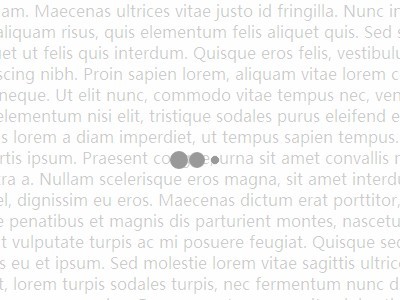
JLoadingOverlay is a jQuery plugin to create a loading spinner/overlay with CSS3 animations for your dynamic content. You can apply the loading overlay on a entire web page or a specific element.
How to use it:
1. Include the jQuery JLoadingOverlay plugin and other resources in the page as follows.
<link rel="stylesheet" href="css/jloading-overlay.css" />
<script src="//ajax.googleapis.com/ajax/libs/jquery/1.11.1/jquery.min.js"></script>
<script src="js/jloading-overlay.js"></script>
2. Create a loading overlay on the entire page.
var open = true;

$(function(){

$('BODY').jLoadingOverlay('')

setInterval(
function(){
if(open){
$('BODY').jLoadingOverlay('close');
open = false;
}
else {
$('BODY').jLoadingOverlay('');
open = true;
}
}, 3000);

})
3. Create a loading overlay on a container element with an unique ID 'demo'.
var open = true;

$(function(){

$('#demo').jLoadingOverlay('', {fullscreen:false, backgroundColor:'yellow'});

setInterval(
function(){
if(open){
$('#showLoaderHere').jLoadingOverlay('close');
open = false;
}
else {
$('#showLoaderHere').jLoadingOverlay('', {fullscreen:false, backgroundColor:'yellow'});
open = true;
}
}, 3000);

})
4. Edit the jloading-overlay.css to tweak the animations/overlays or create your own styles.
This awesome jQuery plugin is developed by andrejleal. For more Advanced Usages, please check the demo page or visit the official website.