Mobile Compatible Content Scroller Plugin With jQuery - touchFlow
| File Size: | 10.9 KB |
|---|---|
| Views Total: | 5045 |
| Last Update: | |
| Publish Date: | |
| Official Website: | Go to website |
| License: | MIT |
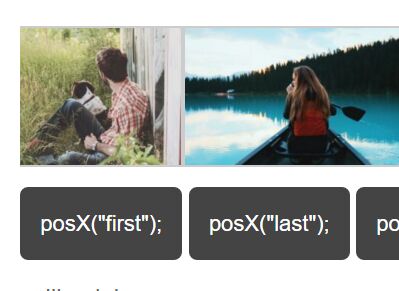
touchFlow is a simple, touch-enabled jQuery scroller plugin which allows you to scroll/swipe/drag through a series of html contents in both directions.
More features:
- Custom animation speed.
- Smooth momentum scrolling effect.
- Supports any html elements like images, text, DIVs, etc.
- Allows to auto snap element to the edge of the container.
Basic usage:
1. Load the needed jQuery library and jQuery touchFlow plugin in the webpage.
<script src="//code.jquery.com/jquery-1.12.0.min.js"></script>
<script src="jquery.touchFlow.js"></script>
2. Load the jquery.event.drag.js plugin for adding complex drag interactions to your elements.
<script src="jquery.event.drag-1.5.1.min.js"></script>
3. Add a list of html content into the scroller.
<div id="touchFlow" class="demo">
  <ul>
    <li>contents 1</li>
    <li>contents 2</li>
    <li>contents 3</li>
    <li>contents 4</li>
    <li>contents 5</li>
    ...
  </ul>
</div>
4. Calling the plugin will turn the html list into a horizontal scroller.
$("#touchFlow").touchFlow();
5. Customize the scroller.
$("#touchFlow").touchFlow({

  // scroll direaction
  // 'x': horizontal
  // 'y': vertical
  axis : "x",

  // Number or String.
  // Initial item
  page : 0,

  // animation speed
  speed : 200,

  // snap to the edge of the container
  snap : false,

  // whether to use mouse
  useMouse: true,

  // callbacks
  initComplete : null,
  stopped : null,
  resizeend : nul

});
6. API methods.
// scroll to a specified element
$("#touchFlow").data("touchFlow").go_page(2);

// scroll to a specified position
$("#touchFlow").data("touchFlow").posX("first");
$("#touchFlow").data("touchFlow").posX("last");
$("#touchFlow").data("touchFlow").posX(-230);

$("#touchFlow").data("touchFlow").posY("first");
$("#touchFlow").data("touchFlow").posY("last");
$("#touchFlow").data("touchFlow").posY(-230);
Changelog:
2019-10-06
- v1.6.6: modified container click event
2019-09-25
- v1.6.5: Improved link handling.
2018-09-07
- v1.6.4: Bugfix
2018-07-06
- v1.6.3: Bugfix
2018-04-09
- v1.6.2
2018-02-28
- Added 'useMouse' option.
2017-04-21
- added mouse wheel support.
2017-02-01
- improvements.
2016-12-28
- Fixed touchend and mouse drag issues.
2016-12-16
- Fix mouse drag error in Chrome
2016-08-29
- v1.4
This awesome jQuery plugin is developed by dohoons. For more Advanced Usages, please check the demo page or visit the official website.