jQuery Plugin For Custom Social Share Buttons - csButtons
| File Size: | 15 KB |
|---|---|
| Views Total: | 6659 |
| Last Update: | |
| Publish Date: | |
| Official Website: | Go to website |
| License: | MIT |
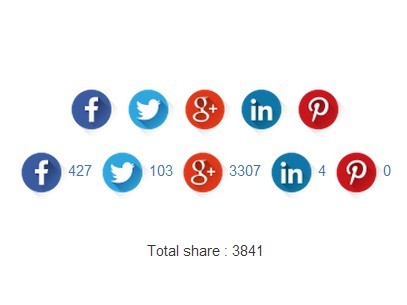
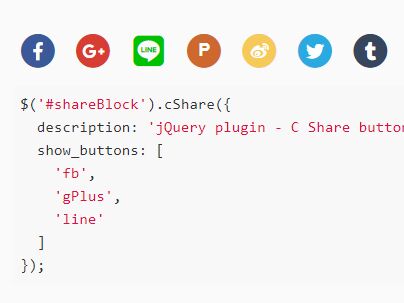
csButtons is a lightweight jQuery plugin which allows you to replace the default social share buttons with any social icons. You can find and download more than 280+ social icon sets here and here.
Social networks supported:
- Google Plus
How to use it:
1. Download and include the jquery.csbuttons.js after the jQuery JavaScript library.
<script src="//ajax.googleapis.com/ajax/libs/jquery/1.11.1/jquery.min.js"></script>
<script src="jquery.csbuttons.js"></script>
2. Add social share links with custom social icons & counters following the Html structure like this:
<a href="#" class="csbuttons" data-type="facebook" data-count="true">
  <img src="images/fb.png" alt="">
</a>

<a href="#" class="csbuttons" data-type="twitter" data-txt="Free jQuery Plugins" data-via="jqueryscript" data-count="true">
  <img src="images/tw.png" alt="">
</a>

<a href="#" class="csbuttons" data-type="google" data-lang="en" data-count="true">
  <img src="images/gp.png" alt="">
</a>

<a href="#" class="csbuttons" data-type="linkedin" data-count="true">
  <img src="images/in.png" alt="">
</a>

<a href="#" class="csbuttons" data-type="pinterest" data-txt="Free jQuery Plugins" data-media="https://www.jqueryscript.net/images/logo.png" data-count="true">
  <img src="images/pin.png" alt="">
</a>
3. Optionally, you can create an inline element to output the total number of social shares.
<span>Total share : <span id="total"></span></span>
4. Initialize the plugin with default options.
$('.csbuttons').cSButtons({
total : "#total"
});
5. Full default options.
$('.csbuttons').cSButtons({

// URL of the page to share
"url" : null,

// facebook, twitter, google, linkedin, pinterest
"type" : 'facebook',

// Text to share
"txt": null,

// Twitter username
"via": null,

// Displays counters
"count": false,

// Right of left
"count_position" : 'right',

// Google Plus API Key
"apikey": null,

// Image to share on Pinterest
"media" : null,

// Language
"lang": null,

// CSS id or class of the container element
"total": null,

});
This awesome jQuery plugin is developed by acrow. For more Advanced Usages, please check the demo page or visit the official website.