Yet Another jQuery Human Friendly Date & Time Formatting Plugin - Pretty Date
| File Size: | 15.4 KB |
|---|---|
| Views Total: | 1246 |
| Last Update: | |
| Publish Date: | |
| Official Website: | Go to website |
| License: | MIT |
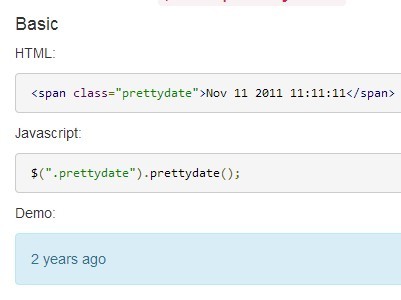
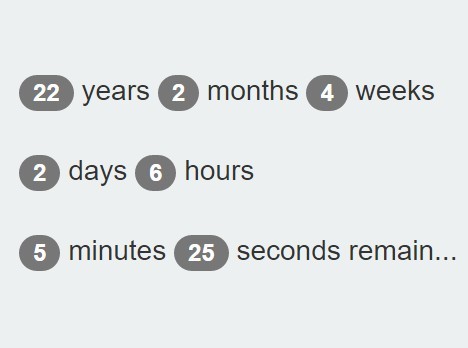
Pretty Date is a lightweigtht jQuery plugin that replaces any dates or times with human readable relative date formats(e.g. "x minutes ago" or "x years later").
See also:
- Relative Timestamps Update Plugin - timeago
- User Friendly Time Formatting Plugin with jQuery - Age
- User-Friendly Date Formatting Plugin - prettydate
- Simple Human-Friendly Relative Date Formatting Plugin - optimusTime
- jQuery Plugin For Human-Friendly Relative Time Formatting - tidyTime.js
Basic Usage:
1. Load the JQuery library and jQuery pretty date plugin in the html page.
<script src="http://ajax.googleapis.com/ajax/libs/jquery/1.11.0/jquery.min.js"></script>
<script src="dist/prettydate.js"></script>
2. Wrap the date in an DOM element with the prettydate attribute. Use data-date-format attribute to custom the date format you're using.
<span prettydate data-date-format="YYYY.M.D h:m:s">2020.1.1 00:00:00</span>
3. Default settings
afterSuffix: "later",
beforeSuffix: "ago",
autoUpdate: false,
date: undefined,
dateFormat: "YYYY-MM-DD hh:mm:ss",
duration: 60000, // milliseconds
messages: {
    second: "Just now",
    seconds: "%s seconds %s",
    minute: "One minute %s",
    minutes: "%s minutes %s",
    hour: "One hour %s",
    hours: "%s hours %s",
    day: "One day %s",
    days: "%s days %s",
    week: "One week %s",
    weeks: "%s weeks %s",
    month: "One month %s",
    months: "%s months %s",
    year: "One year %s",
    years: "%s years %s",

    // Extra
    yesterday: "Yesterday",
    beforeYesterday: "The day before yesterday",
    tomorrow: "Tomorrow",
    afterTomorrow: "The day after tomorrow"
}
Change log:
v0.1.0 (2014-08-07)
- update.
v0.0.3 (2014-07-12)
- improve.
This awesome jQuery plugin is developed by fengyuanchen. For more Advanced Usages, please check the demo page or visit the official website.