Simple and Clean Image Magnifying Glass Effect Plugin - simpleZoom
| File Size: | 65.5KB |
|---|---|
| Views Total: | 7960 |
| Last Update: | |
| Publish Date: | |
| Official Website: | Go to website |
| License: | MIT |

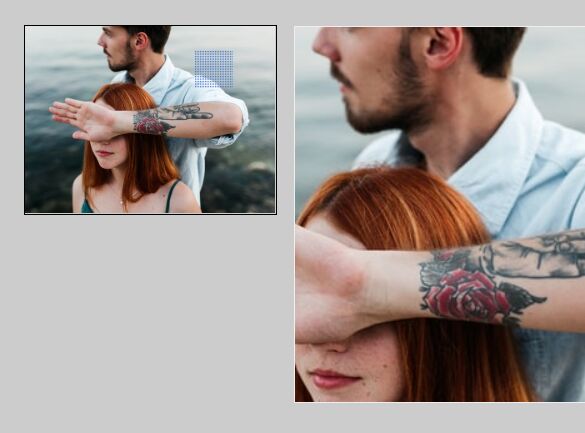
simpleZoom is a simple and clean jQuery plugin that adds a magnifying glass effect to an image while your user hovers mouse cursor over it. Good for your customers to look at the detail of your products.
How to use it:
1. Include the latest jQuery library and simpleZoom plugin on the html page
<script type="text/javascript" src="http://ajax.googleapis.com/ajax/libs/jquery/1.9.1/jquery.min.js"></script>
<script type="text/javascript" src="js/simpleZoom.js"></script>
2. The HTML
<div class="main">
  <div id="show"> <img src="1.jpg" id="show_pic" width="240" height="338" /> </div>
  <div id="zoom"> <img src="1.jpg"/> </div>
</div>
3. The CSS
#show {
width: 240px;
height: 338px;
overflow: hidden;
position: relative;
left: 0;
}
#show_mark {
position: absolute;
top: 0;
left: 0;
width: 200px;
height: 100px;
background-color: #000;
opacity: .5;
filter: alpha(opacity=50);
cursor: crosshair;
border: 1px solid #999;
display: none;
}
#zoom {
position: absolute;
left: 250px;
top: 0;
z-index: 3;
width: 400px;
height: 400px;
display: none;
overflow: hidden;
border: 1px solid #eee;
}
#zoom img {
position: absolute;
left: 0;
top: 0;
}
4. Call the plugin with options
<script type="text/javascript">
$(function(){
	$("#show").simpleZoom({
	zoomBox : "#zoom",
	markSize : [120, 169],
	zoomSize : [240, 338],
	zoomImg : [480, 677]
	});
});
</script>
This awesome jQuery plugin is developed by unknown. For more Advanced Usages, please check the demo page or visit the official website.