Simple jQuery Responsive Image Zoom Plugin - Smoothzoom
| File Size: | 774 KB |
|---|---|
| Views Total: | 12692 |
| Last Update: | |
| Publish Date: | |
| Official Website: | Go to website |
| License: | MIT |
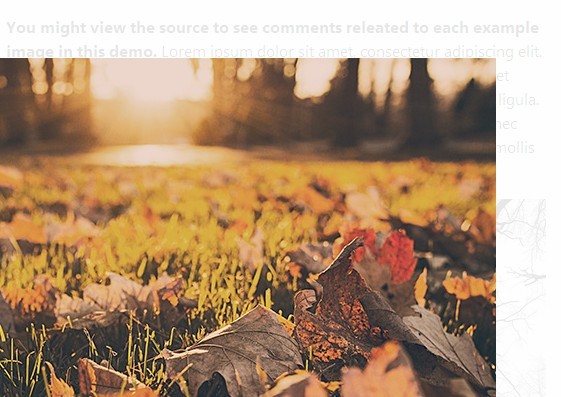
Smoothzoom is a lightweight and simple-to-use jQuery plugin that smoothly & responsively enlarges inline images in a popup window. The zoomed image will be auto resized and centered as the window's size changed.
How to use it:
1. Load the required jQuery smoothzoom plugin's CSS in the head section.
<link rel="stylesheet" href="css/smoothzoom.css">
2. Load the jQuery javascript library and jQuery smoothzoom plugin's javascript at the bottom of the page.
<script type="text/javascript" src="http://ajax.googleapis.com/ajax/libs/jquery/1.11.0/jquery.js"></script>
<script type="text/javascript" src="js/smoothzoom.min.js"></script>
3. Load the optional jQuery easing plugin for easing options.
<script type="text/javascript" src="js/easing.js"></script>
4. Add rel="zoom" attribute to your images.
<a href="images/large.jpg">
<img src="images/thumb.jpg" rel="zoom">
</a>
5. Call the plugin on the images.
<script type="text/javascript">
$(window).load( function() {
$('img').smoothZoom({
// Options go here
});
});
</script>
6. Available options.
<script type="text/javascript">
$(window).load( function() {
$('img').smoothZoom({
zoominSpeed: 800, // Time (in milliseconds) the zoom-in lasts
zoomoutSpeed: 400, // Time (in milliseconds) the zoom-out lasts
resizeDelay: 400, // Check if window resized every X milliseconds
zoominEasing: 'easeOutExpo', // jQuery easing method on zoom-in (requires easing plugin)
zoomoutEasing: 'easeOutExpo' // jQuery easing method on zoom-out (requires easing plugin)
});
});
</script>
This awesome jQuery plugin is developed by kthornbloom. For more Advanced Usages, please check the demo page or visit the official website.