jQuery 4.0.0 Release Date, Changes & Upgrade Guide
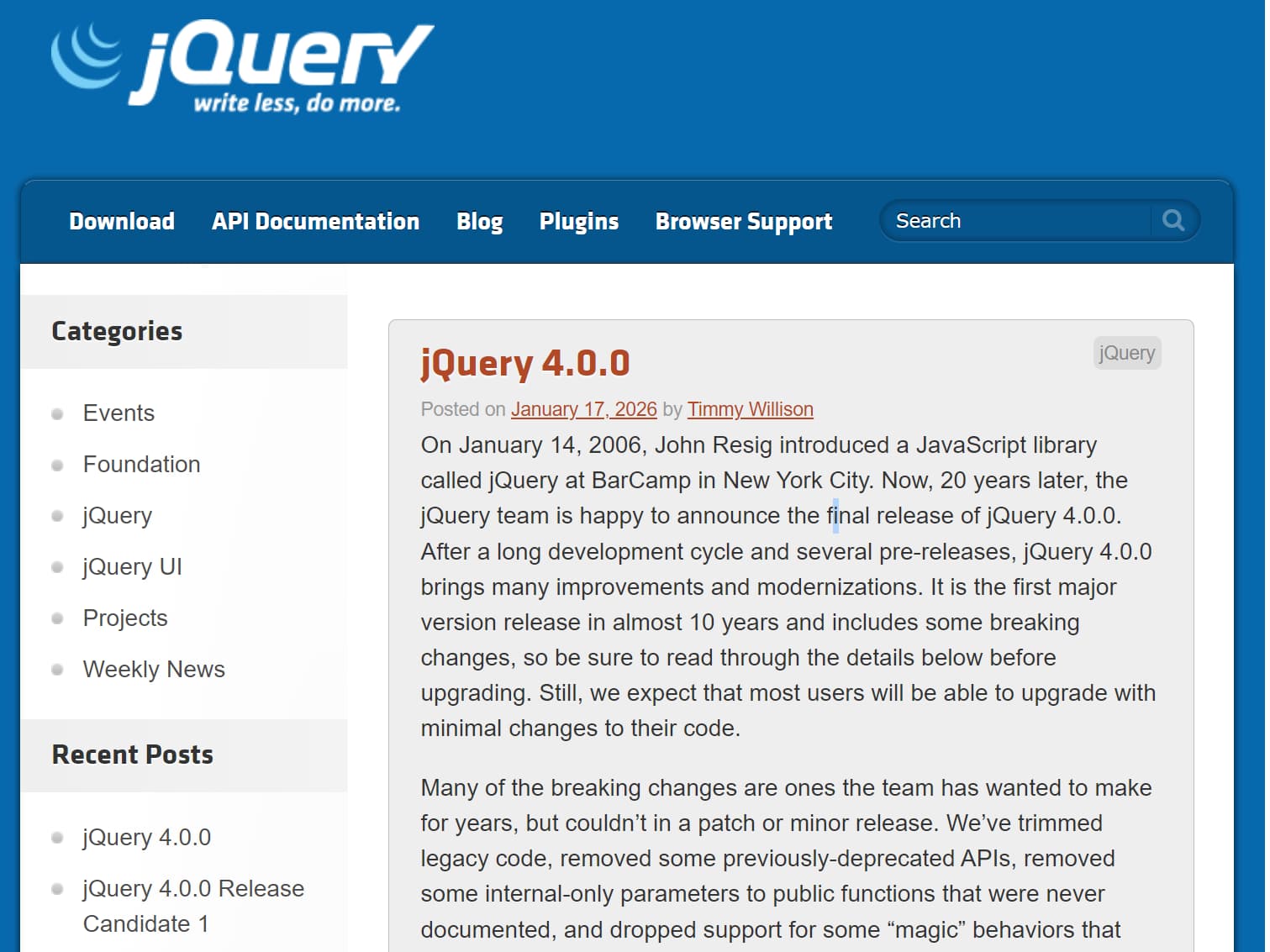
jQuery 4.0.0 was released on January 17, 2026, three days after the 20th anniversary of John Resig's introduction of jQuery at BarCamp NYC. Its first major release in almost a decade removes older-browser compatibility code, retires deprecated APIs, and changes several behaviors that existing applications and plugins may rely on.
Most applications using documented jQuery APIs should have a manageable upgrade, but code that depends on removed utilities, CSS unit conversion, AJAX script execution, or legacy plugins requires testing. jQuery Migrate 4.x helps identify many of these compatibility issues during development.
For a version-by-version breakdown, see jQuery 4 vs. jQuery 3: A Technical Comparison.
jQuery 4.0 Browser Support
jQuery 4.0 drops support for Internet Explorer 10 and earlier, Microsoft Edge Legacy, older iOS Safari releases, and older Android browsers. Internet Explorer 11 remains supported in jQuery 4.0. The jQuery team plans to drop IE11 in jQuery 5.0.
- Internet Explorer: IE11 only.
- Chrome, Chromium-based Edge, Firefox, and desktop Safari: the current and previous versions; supported Firefox ESR versions are also included.
- Opera: the current version.
- iOS Safari: the current version and previous two versions.
- Chrome on Android: the current and previous versions.
Applications that require browsers excluded from this matrix should evaluate remaining on jQuery 3.x. Browser compatibility must also be checked for individual plugins and other dependencies.
ES Modules, Bundlers, and Node.js Imports
The jQuery source has moved from AMD modules to ES modules, and Rollup replaced RequireJS in the project's build process. The main browser distribution continues to use UMD, preserving normal script-tag usage and AMD compatibility for the distributed file. Code that imported jQuery's source files directly through RequireJS needs to change.
jQuery 4.0 also introduces a package.json exports map for UMD, ESM, slim, and factory builds. This improves package resolution for bundlers. It does not mean that importing the full jQuery package automatically removes unused methods through tree-shaking.
Node.js applications that create a DOM with a library such as JSDOM must account for a breaking import change. In an environment without a global DOM window, the jQuery 3.x factory-style import becomes an explicit factory entry point in jQuery 4.0:
// jQuery 3.x const jquery3 = require("jquery")(window); // jQuery 4.0 const jquery4 = require("jquery/factory")(window);The window variable in this example must come from a DOM implementation. A jquery/factory-slim entry point is also available.
Removed jQuery 4.0 APIs and Replacements
jQuery 4.0 removes previously deprecated utilities and a number of undocumented APIs. Existing plugins that call any of these methods need to be checked before an upgrade.
| Removed API | Migration guidance |
|---|---|
$.isArray() |
Array.isArray() |
$.parseJSON() |
JSON.parse() |
$.trim() |
String(value).trim() when string conversion is intended |
$.now() |
Date.now() |
$.isFunction() |
typeof value === "function" |
$.isNumeric() |
Use explicit numeric validation. Number.isFinite() does not accept numeric strings. |
$.type() |
typeof, Array.isArray(), or Object.prototype.toString.call(), as appropriate |
$.isWindow() |
Avoid relying on window detection; assess the original use case. |
$.camelCase() |
Use a project-specific conversion where necessary; this was an internal API. |
$.nodeName() |
Compare element.nodeName.toLowerCase() to the expected name. |
$.unique() |
$.uniqueSort() |
$.cssNumber |
Supply explicit CSS units when necessary. |
$.cssProps |
Remove dependence on the internal vendor-prefix map. |
$.fx.interval |
Remove interval customization; animations use requestAnimationFrame. |
The undocumented push, sort, and splice methods were also removed from the jQuery prototype. For example, old code using $elements.push(element) can use [].push.call($elements, element) when that array-like operation is genuinely required.
Other breaking changes include removal of the deprecated .toggleClass(boolean) and .toggleClass(undefined) signatures, the undocumented third root argument to jQuery.fn.init(), and $.Deferred.getStackHook(). The replacement for the last of these is $.Deferred.getErrorHook(), introduced in jQuery 3.7.0. Code using legacy custom selector pseudos also needs a compatibility check.
Focus and Blur Event Order
jQuery 4.0 stops overriding the browser's native ordering for focus-related events. In current standards-compliant browsers, a typical focus transition follows this order:
blurfocusoutfocusfocusin
Earlier jQuery releases enforced focusout, blur, focusin, focus. Internet Explorer 11 can behave differently, so applications that depend on the exact event sequence should be tested in their required browsers.
CSS Units and the Removed Opacity Hook
jQuery 3.x automatically appended px to most numeric values passed to .css(), except for properties that accept unitless numbers. In jQuery 4.0, automatic px insertion applies only to a defined set of properties, including widths, heights, positioning offsets, margins, padding, and border dimensions.
Important: Numeric values for width, margin, and padding continue to receive px in jQuery 4.0. Other length properties such as font-size should use explicit units:
// Explicit units work across jQuery 3.x and 4.x. $element.css("font-size", "20px"); // jQuery 4.0 continues to append px for these properties. $element.css("width", 200); $element.css("margin", 20);The old opacity CSS hook is also gone. Reading .css("opacity") from a detached element can return an empty string in standards-compliant browsers, while IE11 can return "1". Code must not assume that the getter always returns an opacity value.
AJAX, JSONP, and Script Loading Changes
jQuery 4.0 no longer automatically converts certain dataType: "json" requests into JSONP requests when a callback parameter is present. Legacy JSONP integrations must explicitly specify dataType: "jsonp". Cross-origin JSON requests should generally use a server configured for CORS.
Scripts fetched through $.ajax() are no longer automatically executed based on an inferred script response type, including for same-origin requests. Request execution explicitly with dataType: "script" or call $.getScript():
$.ajax({ url: "/assets/example.js", dataType: "script" });For asynchronous requests that use the AJAX script transport, jQuery 4.0 prefers script elements to avoid CSP problems associated with inline script evaluation. Some requests, including requests with custom headers, can continue to use XHR. Script execution must continue to comply with the site's Content Security Policy.
$.ajax() also adds support for binary request data, including FormData. Custom AJAX prefilters that relied on earlier request-data conversion behavior require testing.
What's Missing from the jQuery 4.0 Slim Build
The slim build excludes the Ajax and Effects modules, as earlier slim releases did. jQuery 4.0 additionally removes the Callbacks, Deferred, and Queue modules from the slim distribution. The release is approximately 19.5 KB minified and gzipped.
- Unavailable in slim:
$.ajax(),$.get(),$.post(),$.Deferred(),$.Callbacks(),.animate(), and the queue APIs. - Available in slim: DOM selection and manipulation, event handling, class manipulation, and the basic
.show(),.hide(), and.toggle()methods.
Use the full build for applications or third-party plugins that require Ajax, effects, Deferreds, Callbacks, or queues. Native promises handle many asynchronous tasks in current browsers, but IE11 requires a polyfill if application code uses native Promise.
Trusted Types and Content Security Policy
jQuery 4.0 accepts TrustedHTML values in DOM manipulation methods for applications that enforce the require-trusted-types-for CSP directive. The DOM-fragment implementation was adjusted to preserve these values during manipulation.
Trusted Types support does not sanitize untrusted HTML automatically. Applications should continue to create trusted values through appropriate validation or sanitization policies.
Upgrading to jQuery 4.0 with jQuery Migrate 4
jQuery Migrate 4.0.2 is the released migration plugin for jQuery 4.x. Its unminified development build logs warnings when older code invokes affected APIs or behaviors. The minified build restores applicable compatibility behavior but does not print individual migration warnings. Migrate is a temporary compatibility and diagnostic tool, not a substitute for correcting incompatible code.
Upgrade from jQuery 3.x
- Upgrade to the latest compatible jQuery 3.x release and update third-party plugins where necessary.
- In a development or staging environment, load jQuery 4.0.0 followed by the unminified jQuery Migrate 4.0.2 plugin.
- Exercise critical application flows and inspect the browser console for
JQMIGRATEwarnings. - Replace removed APIs, correct changed behavior, and check plugin compatibility.
- Remove Migrate and rerun regression tests before deploying the upgrade.
<script src="https://code.jquery.com/jquery-4.0.0.js"></script> <script src="https://code.jquery.com/jquery-migrate-4.0.2.js"></script>Upgrade from jQuery 1.x or 2.x
Older applications require a staged migration. Use the corresponding Migrate 1.x plugin to reach the latest 1.x or 2.x release, then move to jQuery 3.x with Migrate 3.x. Complete that upgrade and remove Migrate 3.x before repeating the process with jQuery 4.x and Migrate 4.x. Running multiple major versions of jQuery Migrate together is not supported.
jQuery 4.0.0 is compatible with jQuery UI 1.13.3 or newer, but compatibility with other jQuery plugins must be evaluated individually. See the jQuery Core 4.0 Upgrade Guide for additional changes and migration notes.
Download jQuery 4.0.0
- Full development build
- Full minified production build
- Slim development build
- Slim minified production build
- jQuery Migrate 4.0.2 development build
- jQuery Migrate 4.0.2 production build
To install the release from npm, use npm install [email protected]. Official distribution information is available at Download jQuery.
Should an Existing Application Upgrade?
jQuery 4.0 is a reasonable upgrade for applications that no longer need the removed browsers and whose plugins work with the changed APIs. Test forms, event handlers, AJAX requests, dynamic content, and any plugin that calls undocumented jQuery methods before replacing the production dependency.
Applications that must support Internet Explorer 10 or other excluded browsers cannot move to jQuery 4.0 without changing that requirement. The jQuery 3.x branch receives critical fixes only. A full rewrite into a different framework is a separate architectural decision; the jQuery 4.0 release itself does not require one. The jQuery team describes most breaking changes as affecting particular edge cases.
Related Resources
- jQuery 4 vs. jQuery 3: A Technical Comparison
- jQuery Timeline: Release History From 1.0 to 4.0
- jQuery 4 Cheat Sheet: Selectors, Events, Ajax, Effects & Removed APIs
- jQuery 4 Plugins
- jQuery And jQuery Related Resources For Web Developers
- jQuery 4.0.0 Release Announcement
- jQuery Core 4.0 Upgrade Guide
- Official jQuery Core GitHub Repository
- jQuery Migrate Repository