10 Best Advanced Drag And Drop Plugins In JavaScript (2026 Update)
What Is Drag And Drop?
Drag And Drop is one of the most commonly used features in today's web page or applications that allow the user to change the position of an object (element) by using mouse drag or touch events.
How does Drag and Drop work?
HTML5 (the latest version of Hypertext Markup Language) provides a basic HTML Drag and Drop API on your web app. The user may select draggable elements with a mouse, drag those elements to a droppable element, and drop them by releasing the mouse button. A translucent representation of the draggable elements follows the pointer during the drag operation.
See the Pen HTML5 Drag And Drop API by iqq800 (@iqq800) on CodePen.
The Best Drag and Drop Plugin?
To apply more advanced functionalities to draggable elements, you might need a JavaScript plugin to extend and enhance the native Drag And Drop API.
This is a list of 10 best jQuery and Vanilla JavaScript advanced and enhanced drag and drop plugins from which you can choose for your next web project. Have fun.
Originally Published Nov 13 2019, updated Jan 27 2026
Table of contents:
jQuery Drag And Drop Plugins:
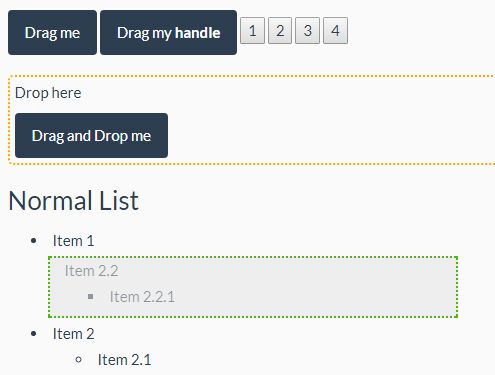
Mobile-friendly Drag And Drop Plugin With jQuery - draganddrop.js
A jQuery drag and drop plugin that enables sortable and draggable functionalities on any DOM elements without requiring the jQuery UI library.
Supports single element, nested elements and grouped list. Compatible with touch and desktop devices.
Easy Draggable & Reorderable jQuery Plugin - dragSort.js
An easy-to-use jQuery plugin that enables users to reorder items in a specific container via drag and drop.
Features:
- Allows you to drag items between several lists.
- Custom placeholder template.
- Allows you to ignore elements.
- Auto-scrolls the page/container when the item is dragged outside of the list.
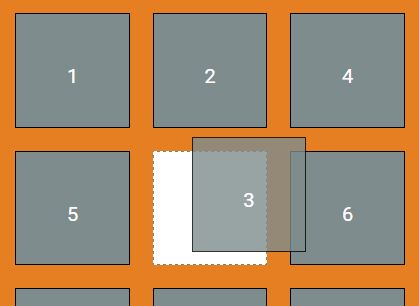
Create Draggable & Sortable List In jQuery - Dragsort
A simple, configurable, touch-enabled jQuery sortable plugin which enables items inside an html list to be sorted via drag and drop and/or touch events.
You're able to sort items between 2 html lists and save sort order in an input field which can be retrieved on the server on postback.
Resizable, Draggable, Rotatable jQuery Plugin - Box Modeling
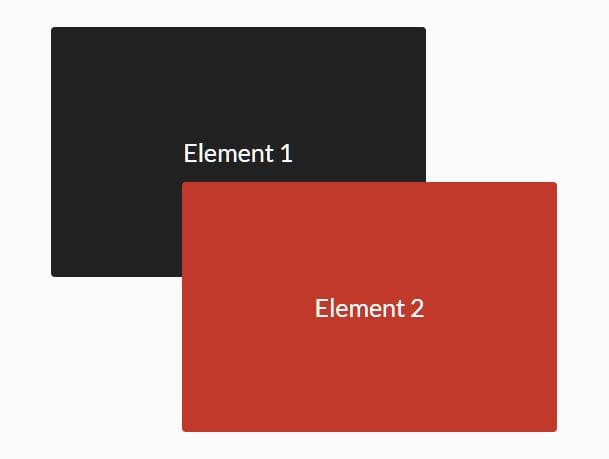
A jQuery plugin that makes a DIV element resizable, rotatable, and moveable using jQuery UI and CSS3 transforms.

Mobile-first Drag And Drop Library - Draggable Touch
A jQuery based mobile-first drag and drop library that makes any DOM elements draggable via touch events. Supports draggable multiple elements and even children elements at the same time.
Vanilla JavaScript Drag And Drop Plugins:
Lightweight JS Sorting Library with Native HTML5 Drag and Drop – SortableJS
Sortable is a lightweight and simple JavaScript library that makes a list of items sortable by using the native HTML5 drag and drop API. Works with all the modern browsers and touch devices.
Features:
- Supports touch devices and modern browsers (including IE9)
- Can drag from one list to another or within the same list
- CSS animation when moving items
- Supports drag handles and selectable text (better than voidberg's html5sortable)
- Smart auto-scrolling
- Advanced swap detection
- Smooth animations
- Multi-drag support
- Support for CSS transforms
- Built using native HTML5 drag and drop API
- Supports any frameworks like React, Vue, Angular, etc
- Supports any CSS library, e.g. Bootstrap
- Simple API
- Support for plugins
- Typescript definitions at @types/sortablejs

Pure JavaScript Drag and Drop Library – dragula.js
dragula.js is a simple, dependency-free, touch-enabled JavaScript library that provides drag and drop functionality on DOM elements.
Features:
- Super easy to set up
- No bloated dependencies
- Figures out sort order on its own
- A shadow where the item would be dropped offers visual feedback
- Touch events
- Seamlessly handles clicks without any configuration

Touch-enabled Draggable & Sortable Library – draggable.js
A customizable draggable/droppable/sortable/swappable JavaScript library that works with mouse drag, touch, and force touch events.
Features:
- Works with native drag, mouse, touch and force touch events
- Can extend dragging behaviour by hooking into draggables event life cycle
- Can extend drag detection by adding sensors to draggable
- The library is targeted ES6 first

Tiny Drag To Move JavaScript Library – dragmove.js
A tiny drag and drop library that makes any DOM element draggable by clicking the drag the handle and holding the mouse.

Draggable HTML/SVG Elements – PlainDraggable
A simple, performant drag and drop library that enables draggable functionality on any HTML and SVG elements with snapping and boundary support.
Features:
- Accept HTML/SVG element as an element that comes to be draggable.
- Support both mouse and touch interfaces.
- Restrict the draggable area.
- Snap the draggable element to other elements, points, lines, consecutive points (i.e. grid) or something.
- Scroll an element or window automatically when the draggable element was moved to edge of the area.
- Use requestAnimationFrame API, translate and will-change CSS if possible, for high performance.
- Provide only basic methods, easy and simple usage.

Conclusion:
The above collection of drag and drop plugins for JavaScript can be a big help to your website, as they combine all the best features of drag and drop elements. You will have an option to customize them in a number of ways, allowing you to pick and choose which features are the best fit for you. This is why we believe they make the perfect solution for your needs.
Seeking more jQuery plugins or JavaScript libraries to create awesome Draggable Elements on the web & mobile? Check out the jQuery Drag And Drop and JavaScript Drag And Drop sections.
See Also:
- 10 Best Drag And Drop JavaScript Libraries
- 7 Best Vue.js Drag And Drop Components To Create Draggable Elements
- 10 Best Drag And Drop Components For React & React Native





