Easy jQuery Responsive Image Plugin - Respify
| File Size: | 397KB |
|---|---|
| Views Total: | 724 |
| Last Update: | |
| Publish Date: | |
| Official Website: | Go to website |
| License: | MIT |
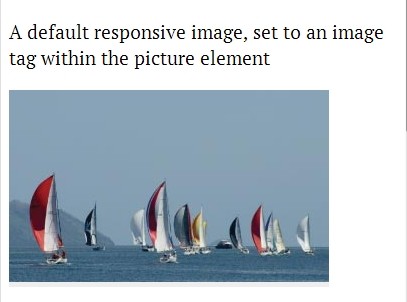
Yet another jQuery responsive image solution that replaces the large image with the appropriate image when the window's size changed.
See also:
- Easy Responsive Image Replacement Plugin - Responsive Images
- Responsive Images Replacement with jQuery and HTML5 - Mimeo
Basic Usage:
1. Include the jQuery javascript library and jQuery Respify plugin in your document.
<script src="http://ajax.googleapis.com/ajax/libs/jquery/1.10.2/jquery.min.js"></script>
<script src="respify.js"></script>
2. Specify the image sources in the data-src attribute, and the different breakpoints in the data-media attribute.
<span id="demo" class="responsive-img" data-alt="">
<span data-src="ext/img/[email protected]" data-media="(max-width: 30em)"></span>
<span data-src="ext/img/[email protected]" data-media="(min-width: 30em) and (max-width: 48em)"></span>
<span data-src="ext/img/[email protected]" data-media="(min-width: 48em) and (max-width: 60em)"></span>
<span data-src="ext/img/[email protected]" data-media="(min-width: 60em) and (max-width: 80em)"></span>
<span data-src="ext/img/[email protected]" data-media="(min-width: 80em)"></span>
<noscript><img src="ext/img/[email protected]" alt="A yacht race"></noscript>
</span>
3. Call the plugin.
<script>
$(function() {
$('#demo').respify();
});
</script>
4. Options & settings.
<script>
$(function() {
$('#demo').respify({

/**
 * Set the matched image as background on the parent element
 * @type {Boolean}
 */
background : false,

/**
 * Dryrun only returns matched pictures but does not actually set them
 * @type {Boolean}
 */
dryRun : false,

/**
 * Callback function to call once a new image is set
 * @type {Function}
 */
callback : undefined,

/**
 * If in browser which does not support media queries the following will return false
 * Where this should always return true if the browser supports media queries.
 * @type {Bool}
 */
mediaQueriesEnabled : matchMedia('(min-width: 1px)').matches});

});
</script>
This awesome jQuery plugin is developed by matthisk. For more Advanced Usages, please check the demo page or visit the official website.