Open A Link On Double Click - jQuery doubleClickToGo.js
| File Size: | 4.46 KB |
|---|---|
| Views Total: | 1689 |
| Last Update: | |
| Publish Date: | |
| Official Website: | Go to website |
| License: | MIT |
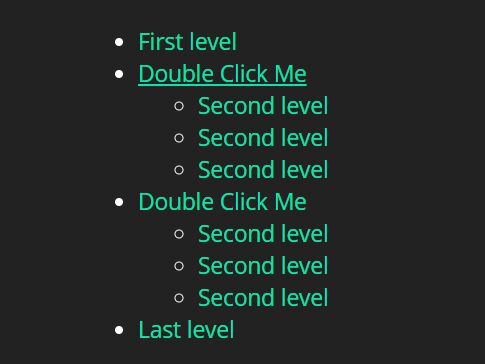
doubleClickToGo.js is a tiny yet useful jQuery plugin that makes a link open on double click instead of single click. Useful for multi-level navigation where the user needs to toggle submenus with single click.
How to use it:
1. Load the JavaScript file doubleclicktogo.js after loading jQuery JavaScript library.
<script src="https://code.jquery.com/jquery-3.3.1.slim.min.js"
        integrity="sha384-q8i/X+965DzO0rT7abK41JStQIAqVgRVzpbzo5smXKp4YfRvH+8abtTE1Pi6jizo"
        crossorigin="anonymous">
</script>
<script src="doubleclicktogo.js"></script>
2. Call the function doubleClickToGo() on the target anchor link and the plugin will do the rest.
<nav class="menu">
  <ul>
    <li><a href="#">First level</a></li>
    <li><a href="#" class="has-child">Double Click Me</a>
      <ul>
        <li><a href="#">Second level</a></li>
        <li><a href="#">Second level</a></li>
        <li><a href="#">Second level</a></li>
        ...
      </ul>
    </li>
    <li><a href="#" class="has-child">Double Click Me</a>
      <ul>
        <li><a href="#">Second level</a></li>
        <li><a href="#">Second level</a></li>
        <li><a href="#">Second level</a></li>
        ...
      </ul>
    </li>
    <li><a href="#">Last level</a></li>
  </ul>
</nav>
$(function () {
  $('.has-child').doubleClickToGo();
});
3. You can add more seconds to increase the interval when two click are considered double click.
var secondForDoubleClick = .5
This awesome jQuery plugin is developed by melicard. For more Advanced Usages, please check the demo page or visit the official website.