Super Simple jQuery Slider Plugin - jScroll
| File Size: | 41.4KB |
|---|---|
| Views Total: | 2925 |
| Last Update: | |
| Publish Date: | |
| Official Website: | Go to website |
| License: | MIT |
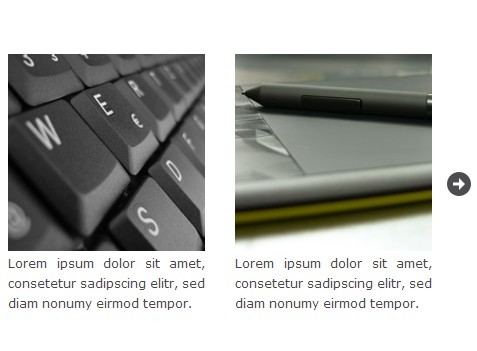
jScroll is a very simple and easy-to-use jQuery plugin for creating a content slider with infinite scroll support and arrow navigation.
Features:
- Endless scroll.
- Supports any html elements, not only images.
- Vertical or horizontal scrolling.
- Custom animation speed.
- Cross-browser. Supports all the modern and older browsers.
How to use it:
1. Markup html structure.
<div class="jScroll">
<div class="jScroll-item"> <img src="./img/image-1.jpg" alt="sample image" />
<p>Description 1</p>
</div>
<div class="jScroll-item"> <img src="./img/image-2.jpg" alt="sample image" />
<p>Description 2</p>
</div>
<div class="jScroll-item"> <img src="./img/image-3.jpg" alt="sample image" />
<p>Description 3</p>
</div>
...
<div class="clear"></div>
</div>
2. Load the jQuery javascript library on the web page.
<script src="http://ajax.googleapis.com/ajax/libs/jquery/1.10.2/jquery.min.js"></script>
3. Load the jQuery jscroll's CSS and JS on the web page.
<script type="text/javascript" src="jscroll.js"></script>
<link type="text/css" rel="stylesheet" href="jscroll-style.css" />
4. Call the plugin with options.
<script type="text/javascript">
$('.jScroll').css('height', 260).jScroll({
'ScrollDirection': 'left',
'PanelClass': 'jScroll-item',
'ArrowOpacity': 1,
'ArrowImage': './arrows.png',
'ArrowBGCol': 'transparent',
'ArrowWidth': 24,
'ArrowHeight': 24,
'ArrowLeft': -12,
'ArrowRight': -12,
'Moving': true,
'ScrollEndless': true
});
</script>
5. All the default options.
ScrollDirection:'left',     // Scroll Derection (left,top)
ScrollSpeed:500,            // Animation Speed
ScrollEndless:false,        // Endless scroll
PanelClass:'jScroll-Panel', // Panel CSS Class
ArrowImage:'arrows.png',    // Arrow image
ArrowBGCol:'transparent',   // Arrow background
ArrowWidth:20,
ArrowHeight:20,
ArrowOpacity:.5,
ArrowTop:'50%',
ArrowLeft:0,
ArrowRight:0,
ArrowBottom:false,
Moving:true,
MovingSize:20,
CustomArrows:false,         // Use your own click areas
CustomPrevId:false,         // Prev ID override
CustomNextId:false          // Next ID override
This awesome jQuery plugin is developed by ginosaurier. For more Advanced Usages, please check the demo page or visit the official website.