Lightweight Physics-Based Touch Carousel for JS & jQuery - DriftSlider
| File Size: | 204 KB |
|---|---|
| Views Total: | 422 |
| Last Update: | |
| Publish Date: | |
| Official Website: | Go to website |
| License: | MIT |
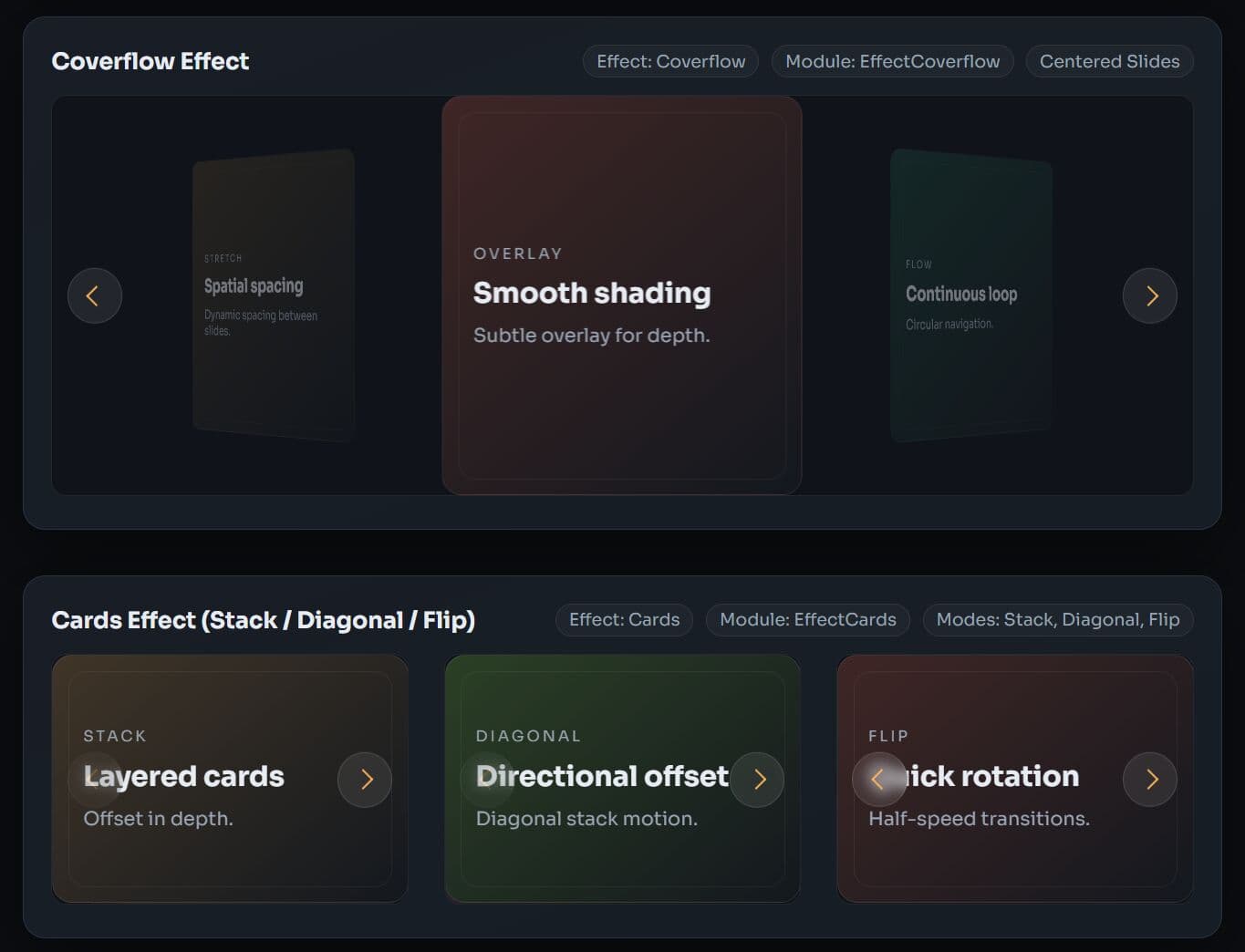
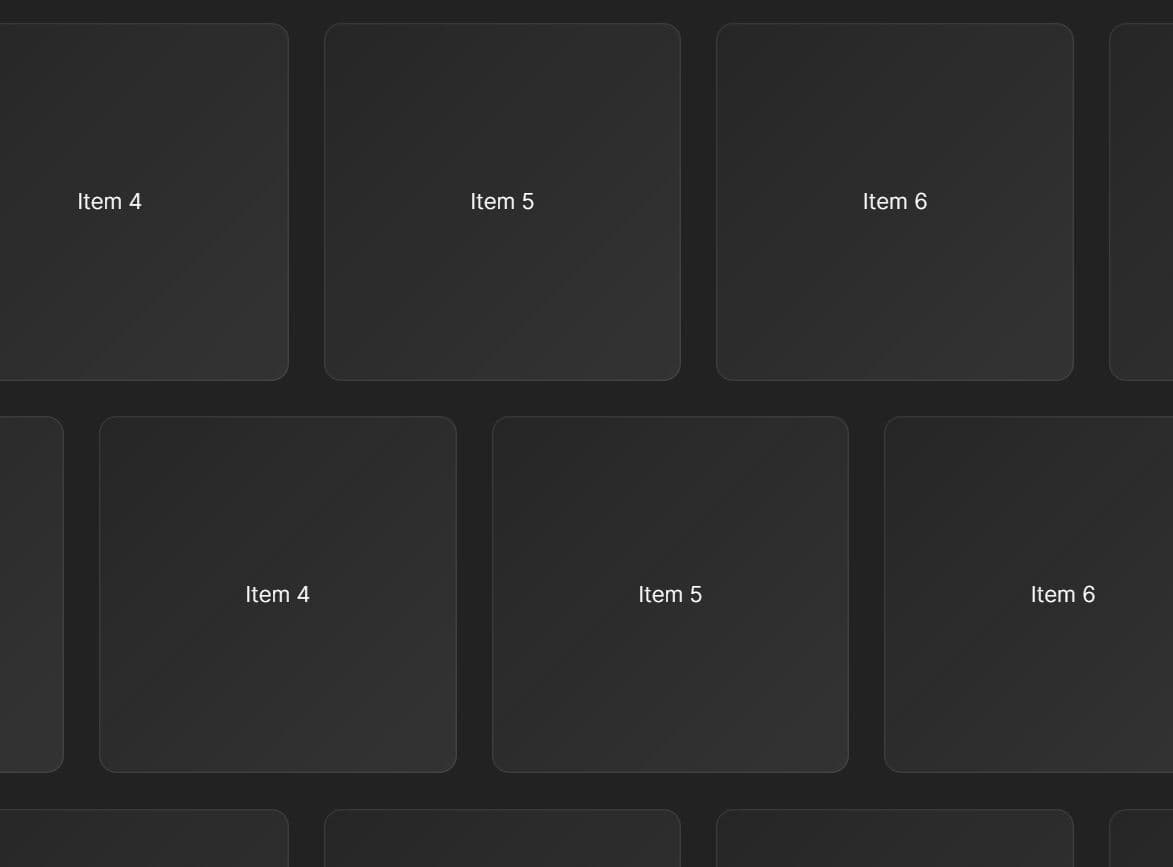
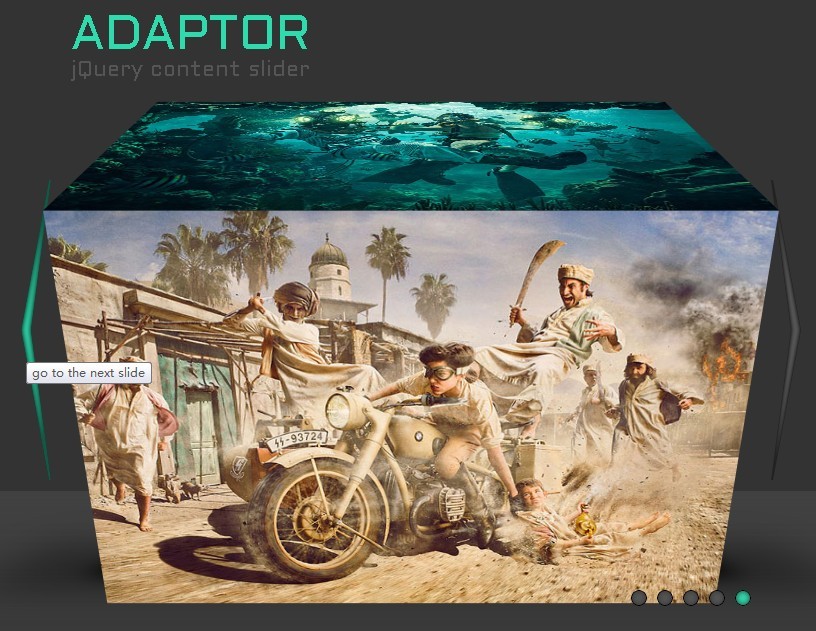
DriftSlider is a lightweight JavaScript slider library that helps you create responsive, customizable, touch-friendly physics-based carousel sliders. It supports vanilla JS, jQuery, and TypeScript natively.
Features:
- Physics-Based Touch Interactions: Velocity tracking, configurable friction coefficients, and edge-bounce behavior produce natural swipe responses on both touch screens and pointer devices.
- 4 Transition Effects: Slide (default), Fade (cross-fade), 3D Coverflow (depth, rotation, and scale), and Cards (stack, diagonal, and flip modes).
- 9 Optional Modules: Navigation, Pagination, Autoplay, EffectFade, EffectCoverflow, EffectCards, Keyboard, A11y, and ScrollAos.
- Each module is tree-shakeable. You bundle only what the project requires.
- A mobile-first breakpoint system overrides
slidesPerView,spaceBetween,loop, and other core options at definedmin-widththresholds. - The A11y module adds ARIA roles, live regions, keyboard navigation, and
prefers-reduced-motionsupport out of the box.
Use Cases:
- Create touch‑friendly product carousels with smooth swiping, perfect for mobile e‑commerce sites.
- Use the Coverflow or Cards effect to present design work.
- Build auto‑playing hero sliders with fade transitions and pause‑on‑hover for content‑heavy landing pages.
- Implement a step‑by‑step card stack that users can swipe through, complete with progress pagination.
How To Use It:
1. Install DriftSlider package with NPM and import it into your JS project:
# NPM
$ npm install drift-slider
// Import the core class
import DriftSlider from 'drift-slider';

// Import only the modules your project requires
import { Navigation, Pagination, Autoplay } from 'drift-slider/modules';

// Import the CSS bundle
import 'drift-slider/css/bundle';
2. Or load the core JavaScript & CSS files directly in the document.
<!-- Core stylesheet -->
<link rel="stylesheet" href="/dist/drift-slider-bundle.css">

<!-- UMD bundle — exposes DriftSlider as a global object -->
<script src="/dist/drift-slider.umd.js"></script>
3. Create the basic markup for your carousel slider. The container holds a track, a list, and individual slide elements.
<section class="drift-slider" aria-label="Product Gallery">
  <div class="drift-track">
    <ul class="drift-list">
      <li class="drift-slide">Item 1</li>
      <li class="drift-slide">Item 2</li>
      <li class="drift-slide">Item 3</li>
    </ul>
  </div>

  <!-- Optional: prev/next arrow buttons -->
  <button class="drift-arrow drift-arrow--prev" type="button"></button>
  <button class="drift-arrow drift-arrow--next" type="button"></button>

  <!-- Optional: pagination container -->
  <div class="drift-pagination"></div>
</section>
4. Initialize the carousel slider.
// Vanilla JavaScript/ESM
const productSlider = new DriftSlider('.drift-slider', {

  // Register selected modules as an array
  modules: [Navigation, Pagination, Autoplay],

  // Show 1 slide at a time on mobile
  slidesPerView: 1,

  // 16px gap between slides
  spaceBetween: 16,

  // Infinite loop mode via slide cloning
  loop: true,

  // Show a grab cursor on hover
  grabCursor: true,

  // Navigation arrows using default DOM placement
  navigation: true,

  // Bullet-style pagination with clickable dots
  pagination: {
    type: 'bullets',
    clickable: true,
  },

  // Auto-advance every 4 seconds, pause on hover
  autoplay: {
    enabled: true,
    delay: 4000,
    pauseOnMouseEnter: true,
  },
});
// As a jQuery Plugin
$('.drift-slider').driftSlider({
  // options here
});
// Using the UMD / CDN Build
// All modules are available on the global DriftSlider object
const { DriftSlider: Slider, Navigation, Pagination, Autoplay } = DriftSlider;

const heroSlider = new Slider('#hero-carousel', {
  modules: [Navigation, Pagination, Autoplay],
  slidesPerView: 1,
  loop: true,
  navigation: true,
  autoplay: { enabled: true, delay: 5000 },
});
5. The breakpoint system uses a mobile-first approach. Each key represents a min-width in pixels.
const gallerySlider = new DriftSlider('.drift-slider', {
  // Base config: 1 slide on small screens
  slidesPerView: 1,
  spaceBetween: 12,

  breakpoints: {
    // At 768px and wider: show 2 slides
    768: {
      slidesPerView: 2,
      spaceBetween: 20,
    },
    // At 1200px and wider: show 4 slides
    1200: {
      slidesPerView: 4,
      spaceBetween: 24,
    },
  },
});

// Listen for breakpoint changes
gallerySlider.on('breakpoint', (s, bp) => {
  console.log('Active breakpoint:', bp, '— slidesPerView:', s.params.slidesPerView);
});
6. Available transition effects.
// Fade Effect
import { EffectFade } from 'drift-slider/modules';

const fadeSlider = new DriftSlider('.drift-slider', {
  modules: [EffectFade],

  // Activate the fade effect (module required)
  effect: 'fade',

  fadeEffect: {
    // Both outgoing and incoming slides animate simultaneously
    crossFade: true,
  },
});

// 3D Coverflow Effect
import { EffectCoverflow } from 'drift-slider/modules';

const coverflowSlider = new DriftSlider('.drift-slider', {
  modules: [EffectCoverflow],

  effect: 'coverflow',
  centeredSlides: true, // Required for the coverflow layout to look correct
  slidesPerView: 3,

  coverflowEffect: {
    depth: 250, // Z-axis depth in pixels
    rotate: 40, // Side slide rotation in degrees
    scale: 0.8, // Side slides scale down to 80%
    overlay: true,
    overlayColor: 'rgba(0,0,0,0.45)', // Darkening overlay on side slides
  },
});


// Cards Effect
import { EffectCards } from 'drift-slider/modules';

const testimonialSlider = new DriftSlider('.drift-slider', {
  modules: [EffectCards],

  effect: 'cards',

  cardsEffect: {
    mode: 'stack', // 'stack' | 'diagonal' | 'flip'
    direction: 'tl-br', // Stack offset direction: top-left to bottom-right
    offsetX: 20,
    offsetY: 20,
    scale: 0.9, // Cards behind the active one scale to 90%
    shadow: true,
    shadowBlur: 24,
  },
});
7. All available configuration options.
direction(string): Scroll axis. Accepts'horizontal'or'vertical'. Default:'horizontal'.slidesPerView(number): Number of slides visible simultaneously. Default:1.spaceBetween(number): Gap between slides in pixels. Default:0.centeredSlides(boolean): Centers the active slide in the viewport. Default:false.slidesPerGroup(number): Number of slides advanced per navigation action or swipe. Default:1.speed(number): Transition duration in milliseconds. Default:400.easing(string): CSS easing function for transitions. Default:'ease-out'.loop(boolean): Activates infinite loop mode via slide cloning. Default:false.loopAdditionalSlides(number): Extra clone slides appended for smoother loops. Default:0.initialSlide(number): Zero-based index of the starting slide. Default:0.grabCursor(boolean): Shows a grab cursor over the slider on hover. Default:false.watchOverflow(boolean): Locks the slider when slides don't exceed the container width. Default:true.effect(string): Transition effect. Accepts'slide','fade','coverflow', or'cards'. The corresponding effect module must be registered. Default:'slide'.modules(array): Array of module factory functions to register on the instance. Default:[].physics.friction(number): Velocity damping factor between 0 and 1. Higher values preserve momentum longer. Default:0.92.physics.attraction(number): Pull force toward the nearest snap point. Higher values snap faster. Default:0.025.physics.bounceRate(number): Spring bounce intensity when the slider reaches an edge. Default:0.5.touchEnabled(boolean): Activates touch and mouse drag interaction. Default:true.threshold(number): Minimum drag distance in pixels before movement starts. Default:5.touchAngle(number): Maximum angle in degrees from horizontal that the library accepts as a swipe gesture. Default:45.shortSwipes(boolean): Allows short, quick gestures to advance slides. Default:true.ongSwipes(boolean): A slow drag past longSwipesRatio advances at low velocity.longSwipesRatio(number): Fraction of the slider width that must be dragged to trigger a long-swipe transition. Default:0.5.followFinger(boolean): Slide tracks the pointer position in real time during drag. Default:true.resistance(boolean): Adds drag resistance at the first and last slide. Default:true.resistanceRatio(number): Resistance strength. Lower values create stronger resistance. Default:0.85.containerClass(string): Class on the container element. Default:'drift-slider'.trackClass(string): Class on the track element. Default:'drift-track'.listClass(string): Class on the list element. Default:'drift-list'.slideClass(string): Class on each slide element. Default:'drift-slide'.slideActiveClass(string): Class on the active slide. Default:'drift-slide--active'.slidePrevClass(string): Class on the slide before the active one. Default:'drift-slide--prev'.slideNextClass(string): Class on the slide after the active one. Default:'drift-slide--next'.slideVisibleClass(string): Class on all slides currently in the viewport. Default:'drift-slide--visible'.slideCloneClass(string): Class on cloned slides in loop mode. Default:'drift-slide--clone'.navigation.nextEl(string | HTMLElement | null): Selector or element for the next button. Default:null.navigation.prevEl(string | HTMLElement | null): Selector or element for the previous button. Default:null.navigation.disabledClass(string): Class applied to disabled arrows. Default:'drift-arrow--disabled'.navigation.hiddenClass(string): Class applied to hidden arrows. Default:'drift-arrow--hidden'.navigation.prevStyle(object | null): Inline styles applied to the prev button. Default:null.navigation.nextStyle(object | null): Inline styles applied to the next button. Default:null.pagination.el(string | HTMLElement | null): Selector or element for the pagination container. Default:null.pagination.type(string): Display style. Accepts'bullets','fraction', or'progressbar'. Default:'bullets'.pagination.clickable(boolean): Bullet clicks navigate to the corresponding slide. Default:true.pagination.bulletClass(string): Class on each bullet element. Default:'drift-pagination__bullet'.pagination.bulletActiveClass(string): Class on the active bullet. Default:'drift-pagination__bullet--active'.pagination.currentClass(string): Class on the current number in fraction mode. Default:'drift-pagination__current'.pagination.totalClass(string): Class on the total count element in fraction mode. Default:'drift-pagination__total'.pagination.progressClass(string): Class on the progress bar fill element. Default:'drift-pagination__progress'.pagination.renderBullet(function | null): Custom render function for bullets. Receives(index, className)and must return an HTML string. Default:null.pagination.renderFraction(function | null): Custom render function for fraction display. Receives(currentClass, totalClass). Default:null.pagination.renderProgressbar(function | null): Custom render function for the progress bar. Receives(progressClass). Default:null.pagination.style(object | null): Inline styles for the pagination container. Default:null.pagination.bulletStyle(object | null): Inline styles for each bullet. Default:null.pagination.bulletActiveStyle(object | null): Inline styles for the active bullet. Default:null.pagination.progressStyle(object | null): Inline styles for the progress bar fill. Default:null.autoplay.enabled(boolean): Activates autoplay on init. Default:false.autoplay.delay(number): Milliseconds between slide advances. Default:3000.autoplay.disableOnInteraction(boolean): Stops autoplay after the user interacts with the slider. Default:true.autoplay.pauseOnMouseEnter(boolean): Pauses autoplay while the cursor is over the slider. Default:false.autoplay.stopOnLastSlide(boolean): Stops at the last slide in non-loop mode. Default:false.autoplay.reverseDirection(boolean): Autoplay advances to the previous slide. Default:false.fadeEffect.crossFade(boolean): The outgoing and incoming slides animate simultaneously. Default:false. Requireseffect: 'fade'.coverflowEffect.depth(number): Z-axis depth offset in pixels (translateZ). Default:200.coverflowEffect.rotate(number): Rotation angle of side slides in degrees. Default:30.coverflowEffect.scale(number): Scale factor applied to side slides. Default:0.85.coverflowEffect.stretch(number): Additional horizontal offset between slides in pixels. Default:0.coverflowEffect.modifier(number): Global multiplier applied to all effect values. Default:1.coverflowEffect.overlay(boolean): Adds a darkening overlay on side slides. Default:true.coverflowEffect.overlayColor(string): Overlay color value. Default:'rgba(0,0,0,0.4)'.coverflowEffect.opacity(number): Opacity of side slides. Default:0.6.coverflowEffect.activeOpacity(number): Opacity of the active center slide. Default:1.coverflowEffect.align(string): Vertical alignment of slides. Accepts'center','top','bottom'. Default:'center'.coverflowEffect.fillCenter(boolean): Stretches the active slide to fill the center area. Default:false.coverflowEffect.cropSides(boolean): Crops side slides at the container edge. Default:false.coverflowEffect.staggerY(number): Vertical stagger offset in pixels. Default:0.coverflowEffect.visibleSides(string): Controls which side slides render. Accepts'both','prev','next'. Default:'both'.cardsEffect.mode(string): Card stacking mode. Accepts'stack','diagonal','flip'. Default:'stack'.cardsEffect.direction(string): Offset direction for the stack. Accepts'tl-br','bl-tr','tr-bl','br-tl','auto'. Default:'tl-br'.cardsEffect.offsetX(number): Horizontal pixel offset between stacked cards. Default:30.cardsEffect.offsetY(number): Vertical pixel offset between stacked cards. Default:30.cardsEffect.scale(number): Scale factor for cards behind the active card. Default:0.92.cardsEffect.opacity(number): Opacity of cards behind the active card. Default:0.85.cardsEffect.diagonalMultiplier(number): Offset multiplier in diagonal mode. Default:2.5.cardsEffect.flipAxis(string): Rotation axis in flip mode. Accepts'Y'or'X'. Default:'Y'.cardsEffect.overlay(boolean): Adds a darkening overlay on stacked cards. Default:true.cardsEffect.overlayColor(string): Color of the card overlay. Default:'rgba(0,0,0,0.15)'.cardsEffect.shadow(boolean): Adds drop shadows to cards. Default:true.cardsEffect.shadowColor(string): Shadow color. Default:'rgba(0,0,0,0.25)'.cardsEffect.shadowBlur(number): Shadow blur radius in pixels. Default:20.keyboard.enabled(boolean): Activates keyboard arrow-key navigation. Default:false.keyboard.onlyInViewport(boolean): Restricts key event handling to when the slider is visible in the viewport. Default:true.a11y.enabled(boolean): Activates all accessibility enhancements. Default:true.a11y.prevSlideMessage(string):aria-labelfor the previous button. Default:'Previous slide'.a11y.nextSlideMessage(string):aria-labelfor the next button. Default:'Next slide'.a11y.firstSlideMessage(string): Announced when the first slide is reached. Default:'This is the first slide'.a11y.lastSlideMessage(string): Announced when the last slide is reached. Default:'This is the last slide'.a11y.paginationBulletMessage(string):aria-labeltemplate for pagination bullets. Use{{index}}as the placeholder. Default:'Go to slide {{index}}'.a11y.containerMessage(string | null):aria-labelfor the slider container. Default:null.a11y.containerRoleDescription(string):aria-roledescriptionfor the container. Default:'carousel'.a11y.slideRole(string): ARIA role assigned to each slide element. Default:'group'.a11y.slideRoleDescription(string):aria-roledescriptionfor each slide. Default:'slide'.a11y.liveRegion(boolean): Creates anaria-live="polite"region that announces slide changes. Default:true.scrollAos.enabled(boolean): Activates scroll-triggered animations. Default:false.scrollAos.animation(string): AOS animation class applied to the container. Default:'fade-up'.scrollAos.duration(number): Animation duration in milliseconds. Default:800.scrollAos.offset(number): Scroll offset in pixels before the animation fires. Default:120.scrollAos.once(boolean): Animates only the first time the element scrolls into view. Default:true.scrollAos.setContainerAos(boolean): Automatically setsdata-aoson the slider container. Default:true.scrollAos.slideAnimation(string | null): AOS animation class applied to individual slides. Default:null.scrollAos.slideDelay(number): Stagger delay between slide animations in milliseconds. Default:100.scrollAos.refreshOnChange(boolean): CallsAOS.refresh()on each slide change. Default:false.
const coverflowSlider = new DriftSlider('.drift-slider', {
  // Direction
  direction: 'horizontal', // 'horizontal' | 'vertical'

  // Slides
  slidesPerView: 1,
  spaceBetween: 0,
  centeredSlides: false,
  slidesPerGroup: 1,

  // Speed & animation
  speed: 400,
  easing: 'ease-out',

  // Physics-based touch (Keen-Slider / Flickity inspired)
  physics: {
    friction: 0.92,
    attraction: 0.025,
    bounceRate: 0.5,
  },

  // Touch / Drag
  touchEnabled: true,
  threshold: 5,
  touchAngle: 45,
  shortSwipes: true,
  longSwipes: true,
  longSwipesRatio: 0.5,
  followFinger: true,
  resistance: true,
  resistanceRatio: 0.85,

  // Loop
  loop: false,
  loopAdditionalSlides: 0,

  // Autoplay (module)
  autoplay: false,

  // Navigation (module)
  navigation: false,

  // Pagination (module)
  pagination: false,

  // Keyboard (module)
  keyboard: false,

  // Accessibility (module)
  a11y: true,

  // Effect
  effect: 'slide', // 'slide' | 'fade'

  // Breakpoints
  breakpoints: null,

  // Initial slide
  initialSlide: 0,

  // CSS classes
  containerClass: 'drift-slider',
  trackClass: 'drift-track',
  listClass: 'drift-list',
  slideClass: 'drift-slide',
  slideActiveClass: 'drift-slide--active',
  slidePrevClass: 'drift-slide--prev',
  slideNextClass: 'drift-slide--next',
  slideVisibleClass: 'drift-slide--visible',
  slideCloneClass: 'drift-slide--clone',

  // Grab cursor
  grabCursor: false,

  // Observer
  watchOverflow: true,

  // Modules
  modules: [],

  // Callbacks
  on: null,
});
8. API methods:
// Slide to a specific zero-based index
// Second param overrides the transition speed in ms
// Pass false as the third param to suppress slideChange events
slider.slideTo(2, 600, true);

// Advance one slide forward (respects slidesPerGroup)
slider.slideNext();

// Go back one slide
slider.slidePrev();

// Snap to the nearest snap point from the current drag position
slider.slideToClosest();

// Force a full layout recalculation
// Call this after dynamically adding or removing slides
slider.update();

// Destroy the instance and remove all event listeners
// Pass true to also remove inline styles from slides and the list element
slider.destroy(true);

// Re-enable a previously disabled slider
slider.enable();

// Lock the slider — ignores touch, drag, and navigation
slider.disable();

// Methods that return the instance are chainable
slider.slideNext().slideNext().slidePrev();

// Remove a specific event listener
const onChange = (s) => console.log(s.activeIndex);
slider.on('slideChange', onChange);
slider.off('slideChange', onChange);

// Remove all listeners for a given event
slider.off('slideChange');

// Manually fire an event on the instance
slider.emit('slideChange', slider);

// Start autoplay programmatically
slider.autoplay.start();

// Stop autoplay completely
slider.autoplay.stop();

// Pause the interval without resetting it
slider.autoplay.pause();

// Resume after a pause
slider.autoplay.resume();

// Returns true if autoplay is currently running
if (slider.autoplay.running()) {
  console.log('Autoplay is active');
}

// Recalculate the disabled/enabled state of both arrows
slider.navigation.update();

// Attach and show navigation arrows
slider.navigation.enable();

// Remove and hide navigation arrows
slider.navigation.disable();

// Refresh the active bullet, fraction, or progress bar display
slider.pagination.update();

// Re-render the entire pagination DOM
slider.pagination.render();

// Direct reference to the pagination container element
console.log(slider.pagination.el);

// Activate arrow-key navigation at runtime
slider.keyboard.enable();

// Deactivate keyboard navigation
slider.keyboard.disable();
9. Events:
// Fires after the slider fully initializes
slider.on('init', (s) => {
  console.log('Slider initialized with', s.slides.length, 'slides');
});

// Fires when the active slide index changes
slider.on('slideChange', (s) => {
  console.log('Active slide:', s.realIndex);
});

// Fires when a transition animation starts
slider.on('slideChangeTransitionStart', (s) => {
  console.log('Transition started from:', s.previousIndex);
});

// Fires when a transition animation finishes
slider.on('slideChangeTransitionEnd', (s) => {
  console.log('Transition complete at:', s.activeIndex);
});

// Fires on pointer or touch down
slider.on('touchStart', (s, event) => {
  console.log('Drag started');
});

// Fires while the user is dragging
slider.on('touchMove', (s, event) => {
  console.log('Dragging...');
});

// Fires on pointer or touch release
slider.on('touchEnd', (s, event) => {
  console.log('Drag ended');
});

// Fires as the slider's overall progress updates (0 to 1)
slider.on('progress', (s, p) => {
  console.log('Progress value:', p.toFixed(2));
});

// Fires when the slider reaches the first slide
slider.on('reachBeginning', (s) => {
  console.log('At the beginning');
});

// Fires when the slider reaches the last slide
slider.on('reachEnd', (s) => {
  console.log('At the end');
});

// Fires on window resize after the slider recalculates its layout
slider.on('resize', (s) => {
  console.log('Resized — container size:', s.containerSize);
});

// Fires when the active responsive breakpoint changes
slider.on('breakpoint', (s, bp) => {
  console.log('Breakpoint changed to:', bp);
});

// Fires every time the translate value is set
slider.on('setTranslate', (s, translate) => {
  console.log('Translate:', translate);
});

// Fires every time the transition duration is set
slider.on('setTransition', (s, duration) => {
  console.log('Transition duration:', duration + 'ms');
});

// Fires after update() recalculates the layout
slider.on('update', (s) => {
  console.log('Layout recalculated');
});

// Autoplay lifecycle events
slider.on('autoplayStart', (s) => console.log('Autoplay started'));
slider.on('autoplayStop', (s) => console.log('Autoplay stopped'));
slider.on('autoplayPause', (s) => console.log('Autoplay paused'));
slider.on('autoplayResume', (s) => console.log('Autoplay resumed'));

// Fires before the destroy process begins
slider.on('beforeDestroy', (s) => {
  console.log('About to destroy');
});

// Fires after the slider instance is destroyed
slider.on('destroy', (s) => {
  console.log('Slider destroyed');
});
Changelog:
v0.7.0 (2026-06-26)
- centeredSlides now actually centers the active slide with partial peeks (was a no-op).
- Autoplay pauses on a hidden tab (visibilitychange) and resumes on return (not under a hovering pointer).
- jQuery method calls — $el.driftSlider('slideNext') proxies to the instance; destroy clears $.data.
- Added longSwipes option (default true) — a slow drag past longSwipesRatio advances at low velocity.
- Fixed bugs.
v0.6.0 (2026-03-28)
- Bugfixes
v0.3.0 (2026-03-20)
- Bugfixes
This awesome jQuery plugin is developed by hanfour. For more Advanced Usages, please check the demo page or visit the official website.
- Prev: Mobile-First jQuery Carousel Plugin - Neutron Slider
- Next: None