Automatic Image Carousel Slideshow Plugin with jQuery - cxSlide
| File Size: | 1.77 MB |
|---|---|
| Views Total: | 4599 |
| Last Update: | |
| Publish Date: | |
| Official Website: | Go to website |
| License: | MIT |
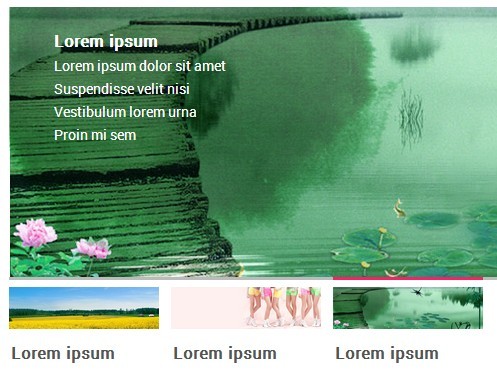
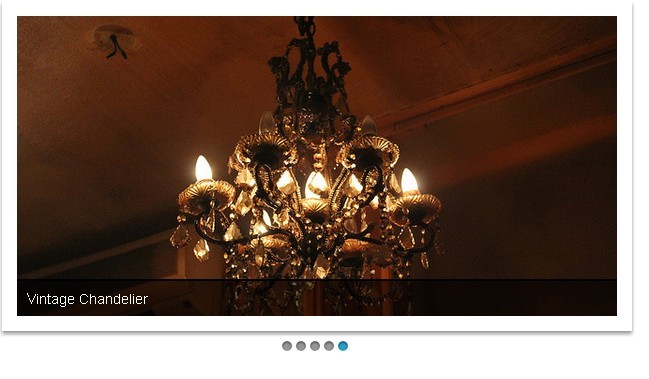
cxSlide is a lightweight, flexible and extensible jQuery image carousel plugin with the following features:
- Cycles through a series of Html contents.
- Vertical & horizontal sliding animations.
- Fade in & fade out transitions.
- Fully customizable appearance via CSS.
- Auto-rotation on page load.
- Arrows/thumbnails navigation and numeric pagination.
- Compatible with major browsers.
Basic Usage:
1. Include jQuery JavaScript library and the jQuery cxSlide plugin in the document.
<script src="//code.jquery.com/jquery-1.11.1.min.js"></script>
<script src="js/jquery.cxslide.min.js"></script>
2. Create a basic image carousel/slideshow with the following DOM structure.
<div id="demo" class="cxslide">
  <div class="box">
    <ul class="list">
      <li><a href="#1"><img src="1.jpg" width="600" height="280"></a>
        <p>Description 111</p>
      </li>
      <li><a href="#2"><img src="2.jpg" width="600" height="280"></a>
        <p>Description 222</p>
      </li>
      <li><a href="#3"><img src="3.jpg" width="600" height="280"></a>
        <p>Description 333</p>
      </li>
      <li><a href="#4"><img src="4.jpg" width="600" height="280"></a>
        <p>Description 444</p>
      </li>
      <li><a href="#5"><img src="5.jpg" width="600" height="280"></a>
        <p>Description 555</p>
      </li>
    </ul>
  </div>
</div>
3. Style the image carousel/slideshow however you like.
.cxslide {
  overflow: hidden;
  position: relative;
  width: 600px;
  height: 280px;
  border: 1px solid #777;
  background: #000;
}

.cxslide a {
  color: #eee;
  text-decoration: none;
}

.cxslide .box {
  overflow: hidden;
  position: relative;
  width: 600px;
  height: 280px;
}

.cxslide .list {
  overflow: hidden;
  width: 9999px;
}

.cxslide .list li {
  float: left;
  position: relative;
  width: 600px;
}

.cxslide .list img { vertical-align: top; }

.cxslide .list p {
  position: absolute;
  bottom: 0;
  left: 0;
  width: 100%;
  height: 24px;
  color: #eee;
  font: 12px/24px;
  text-indent: 12px;
filter:progid:DXImageTransform.Microsoft.gradient(enabled='true', startColorstr='#99000000', endColorstr='#99000000');
  background: rgba(0,0,0,0.6);
}

.cxslide .btn {
  overflow: hidden;
  position: absolute;
  bottom: 4px;
  right: 6px;
}

.cxslide .btn li {
  float: left;
  width: 16px;
  height: 16px;
  margin: 0 0 0 10px;
  border-radius: 2px;
  background: #eee;
  color: #333;
  font: 11px/16px Tahoma;
  text-align: center;
  cursor: pointer;
}

.cxslide .btn .selected {
  background: #f30;
  color: #fff;
}

.cxslide .minus,
.cxslide .plus {
  position: absolute;
  top: 110px;
  width: 40px;
  height: 50px;
  background-image: url(img/control.png);
  background-repeat: no-repeat;
  text-align: center;
  cursor: pointer;
}

.cxslide .minus {
  left: 0;
  background-position: 0 0;
}

.cxslide .plus {
  right: 0;
  background-position: -40px 0;
}

.cxslide .minus:hover { background-position: 0 -50px; }

.cxslide .plus:hover { background-position: -40px -50px; }
4. Initialize the plugin to active the image carousel/slideshow.
$("#demo").cxSlide();
5. Available options.
$("#cxslide").cxSlide({

// custom button events
// 'click', 'mouseover', etc
events: 'click'

// transition effects
// x = horizontal sliding
// y = vertical sliding
// fade = fading transitions
type: 'x',

// initial slide
start: 0,

// lock on mouse enter
hoverLock: true,

// animation speed
speed: 800,

// autoplay interval
time: 5000,

// enable autoplay
auto: true,

// display pagination
btn: true,

// display next/prev navigation
plus: false,
minus: false

});
6. Public methods.
play() // start autoplay
stop() // stop autoplay
goto(value) // jump to a slide
prev() // previous slide
next()	// next slide
Change log:
2016-01-14
- improved CSS animations.
v2.0.1 (2015-09-16)
- add hoverLock parameter.
This awesome jQuery plugin is developed by ciaoca. For more Advanced Usages, please check the demo page or visit the official website.