Minimal jQuery Social Media Button Integration - Sns Share
| File Size: | 8 KB |
|---|---|
| Views Total: | 3306 |
| Last Update: | |
| Publish Date: | |
| Official Website: | Go to website |
| License: | MIT |
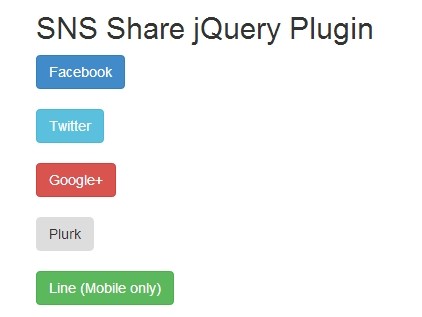
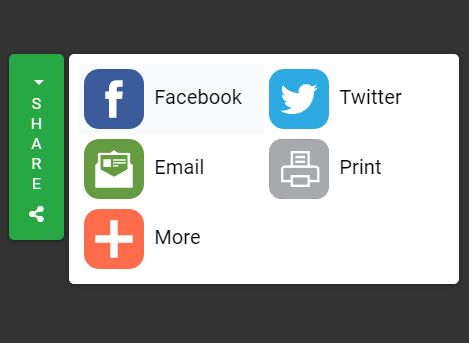
SnsShare is a very simple lightweight jQuery plugin for integrating various social sharing buttons on your website. Currently supports Facebook, Twitter, Google Plus, Plurk and Line (Mobile only). Easily styled with Twitter's Bootstrap 3 framework.
How to use it:
1. Include the jQuery javascript library and the jQuery snsshare plugin in the page.
<script src="https://code.jquery.com/jquery-1.12.4.min.js"
        integrity="sha384-nvAa0+6Qg9clwYCGGPpDQLVpLNn0fRaROjHqs13t4Ggj3Ez50XnGQqc/r8MhnRDZ"
        crossorigin="anonymous">
</script>
<script type="text/javascript" src="jquery.snsShare.js"></script>
2. Include the Twitter Bootstrap 3 to style the social share buttons.
<link rel="stylesheet" href="bootstrap.min.css">
<script src="bootstrap.min.js"></script>
3. Create social buttons on your webpage. Use data-sns attribute to specify the social networking services.
<button class="share-to btn btn-primary" data-sns="facebook">Facebook</button>
<button class="share-to btn btn-info" data-sns="twitter">Twitter</button>
<button class="share-to btn btn-danger" data-sns="google+">Google+</button>
<button class="share-to btn btn warning" data-sns="plurk">Plurk</button>
<button class="share-to btn btn-success" data-sns="line">Line (Mobile only)</button>
4. Call the plugin on the buttons and set the text content you would like to share.
<script type="text/javascript">
$(document).ready( function () {
$('.share-to').snsShare('Free jQuery Plugins!', 'https://www.jqueryscript.net');
});
</script>
Changelog:
2018-06-13
- JS update
This awesome jQuery plugin is developed by samejack. For more Advanced Usages, please check the demo page or visit the official website.