3D Box Flip / Rotate Animation with jQuery and CSS3 - turnBox.js
| File Size: | 55.5 KB |
|---|---|
| Views Total: | 10514 |
| Last Update: | |
| Publish Date: | |
| Official Website: | Go to website |
| License: | MIT |

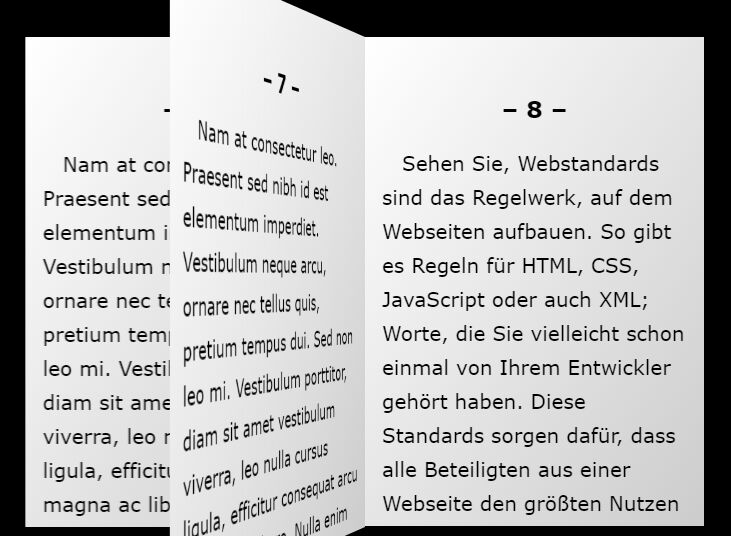
turnBox.js is a jQuery plugin that enables you to create 3D flip / rotate animations for boxes and cards using CSS3 perspective and 2D / 3D transforms.
More examples:
Basic usage:
1. Load jQuery JavaScript library and the jQuery turnBox.js plugin in your html page.
<script src="//code.jquery.com/jquery-2.1.4.min.js"></script>
<script src="turnBox.js"></script>
2. Create a box element that will rotate itself with a 3D flip animation on click.
<div class="example switch">
  <div>
    <p class="turnBoxButton">OFF</p>
  </div>
  <div>
    <p class="turnBoxButton turnBoxButtonPrev">ON</p>
  </div>
</div>
3. Call the function on the top element.
$(".example").turnBox({
  // options here
);
4. Full plugin options with default values.
$(".example").turnBox({

  // width / height of the box
  width: 200,
  height: 50,

  // 'x' or 'y'
  axis: "X",

  // intensity of perspective
  perspective: 800,

  // animation speed
  duration: 200,

  // delay time
  delay: 0,

  // easing effect
  easing: "linear",

  // 'positive' or 'negative'
  direction: "positive",

  // "real": Rotates the screen 90° at a time like an actual box.
  // "repeat": Will repeat the animated movement of screens 1 and 2 for screens 3 and 4.
  // "skip": Will cancel the display of a passing screen, and rotate the animation 90°relative to the designated screen.
  type: "real"

);
This awesome jQuery plugin is developed by nohtcoltd. For more Advanced Usages, please check the demo page or visit the official website.