Flip An Html Element with jQuery and CSS3 - Flipper
| File Size: | 42.4 KB |
|---|---|
| Views Total: | 14186 |
| Last Update: | |
| Publish Date: | |
| Official Website: | Go to website |
| License: | MIT |
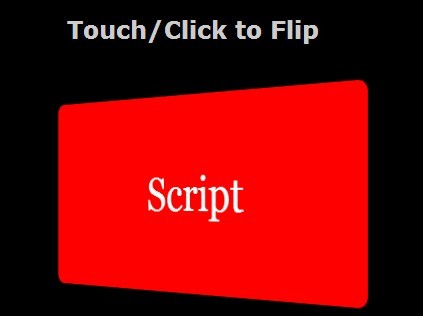
Flipper is a simple jQuery script that makes use of CSS3 transform and perspective properties to flip an Html element and reveal the content on the back.
How to use it:
1. Load the required jQuery javascript library from a CDN.
<script src="http://ajax.googleapis.com/ajax/libs/jquery/2.1.0/jquery.min.js"></script>
2. Create the html for a flippable card with front/back contents.
<div class="flipWrapper">
<div class="card">
<div class="face front">
Front Content
</div>
<div class="face back">
Back Content
</div>
</div>
</div>
3. The CSS to style the card and set the flip behaviors.
.flipWrapper {
-webkit-perspective: 1000;
width: 400px;
height: 200px;
position: relative;
margin: 50px auto;
}
.flipWrapper .card.flipped {
-webkit-transform: rotatey(180deg);
}
.flipWrapper .card {
width: 100%;
height: 100%;
-webkit-transform-style: preserve-3d;
-webkit-transition: 0.5s;
}
.flipWrapper .card .face {
width: 100%;
height: 100%;
position: absolute;
-webkit-backface-visibility: hidden;
z-index: 2;
font-family: Georgia;
font-size: 3em;
text-align: center;
line-height: 200px;
}
.flipWrapper .card .front {
position: absolute;
z-index: 1;
background: rgb(57, 171, 62);
color: white;
cursor: pointer;
border-radius: 10px;
}
.flipWrapper .card .back {
-webkit-transform: rotatey(-180deg);
background: blue;
background: red;
color: white;
cursor: pointer;
border-radius: 10px;
}
4. The jQuery codes to enable the flip effect.
$(document).ready(function () {
    $('.flipWrapper').click(function () {
        $(this).find('.card').toggleClass('flipped');
        return false;
    });
});
This awesome jQuery plugin is developed by aqeelb. For more Advanced Usages, please check the demo page or visit the official website.