jQuery Plugin For Smooth Anchor Scrolling - lightweightScrollTo
| File Size: | 3.79 KB |
|---|---|
| Views Total: | 1196 |
| Last Update: | |
| Publish Date: | |
| Official Website: | Go to website |
| License: | MIT |
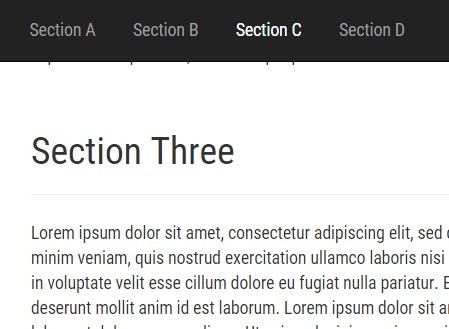
A lightweight scroll to jQuery plugin which uses jQuery animate() to provide smooth anchor scrolling with support for URL hash change event.
How to use it:
1. Create a list of links and matched content sections on the webpage.
<ul>
  <li><a href="#section-a">Section A</a></li>
  <li><a href="#section-b">Section B</a></li>
  <li><a href="#section-c">Section C</a></li>
  <li><a href="#section-d">Section D</a></li>
</ul>

<div id="section-a">
  <h2>Section One</h2>
</div>

<div id="section-b">
  <h2>Section Two</h2>
</div>

<div id="section-c">
  <h2>Section Three</h2>
</div>

<div id="section-d">
  <h2>Section Four</h2>
</div>
2. Include jQuery library and the jQuery lightweightScrollTo plugin at the bottom of the web page.
<script src="//code.jquery.com/jquery-1.11.3.min.js"></script>
<script src="jQuery.lightweightScrollTo.js"></script>
3. Enable the smooth page scrolling by calling the function on anchor links.
jQuery('a[href^="#"]').lightweightScrollTo();
4. Plugin options available.
jQuery('a[href^="#"]').lightweightScrollTo({

  // Offset in pixel
  offset: 0,

  // Animation time in milliseconds
  duration: 1000,

  // If true, the hash of the URL gets updated
  updateUrl: true

});
This awesome jQuery plugin is developed by XennisBlog. For more Advanced Usages, please check the demo page or visit the official website.