Lightweight jQuery Image Preloading Plugin - lsPreloader
| File Size: | 14.6 KB |
|---|---|
| Views Total: | 9062 |
| Last Update: | |
| Publish Date: | |
| Official Website: | Go to website |
| License: | MIT |
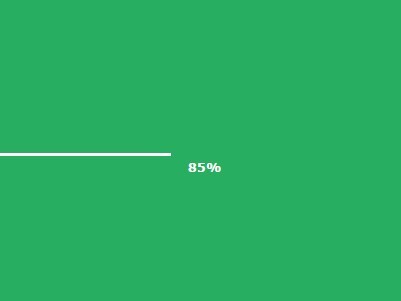
lsPreloader is a simple lightweight jQuery plugin that creates a preloader to indicate the progress of downloaded images of your website. Supports both local and external images.
How to use it:
1. Load jQuery library and the jQuery lsPreloader plugin in your project.
<script src="//ajax.googleapis.com/ajax/libs/jquery/1.11.2/jquery.min.js"></script>
<script src="js/lsPreloader.js"></script>
2. Wrap the images you wish to preload into a container element.
<div id="wrap">
  <img src="img/1.jpg" walt="Image Alt">
  <img src="img/2.jpg" walt="Image Alt">
  <img src="img/3.jpg" walt="Image Alt">
</div>
3. Call the plugin on the container.
$("#wrap").lsPreloader({
// OPTIONS HERE
});
4. Setup your image preloader.
$("#wrap").lsPreloader({

// background color
backgroundColor:  "#000",

// background image
backgroundImage:  "",

// repeat | no-repeat | repeat-x | repeat-y
backgroundRepeat: "repeat",

// display your logo
logoImage:      "",

// display progress bar
progressShow:   true,

// progress bar color
progressColor:    "#FFF",

// progress bar height
progressHeight:   "10px",

// top | center | bottom
progressPosition: "bottom",

// display percentage
percentShow:    true,

// font family
percentFontFamily:  "Verdana, Geneva, sans-serif",

// font size
percentFontSize:  "50px",

// choose an animation type
// fade | hide | slideUp | slideDown | slideLeft | slideRight
animationComplete:  "fade",

// minimum time of execution in seconds
minimumTime:    .5,

// callbacks
onStart:      function(){},
onComplete:     function(){}

});
This awesome jQuery plugin is developed by silvaleonardo. For more Advanced Usages, please check the demo page or visit the official website.