Multi-Directional Infinite Scroll Plugin for jQuery - scrollPaging.js
| File Size: | 34.8 KB |
|---|---|
| Views Total: | 192 |
| Last Update: | |
| Publish Date: | |
| Official Website: | Go to website |
| License: | MIT |

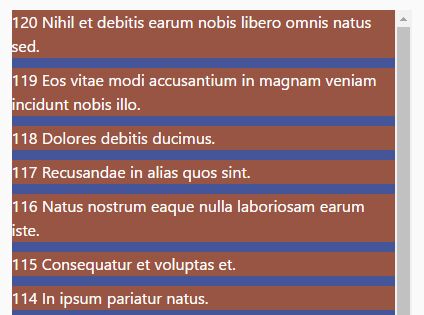
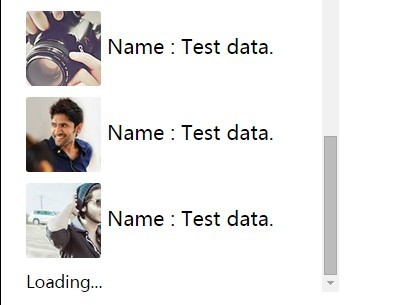
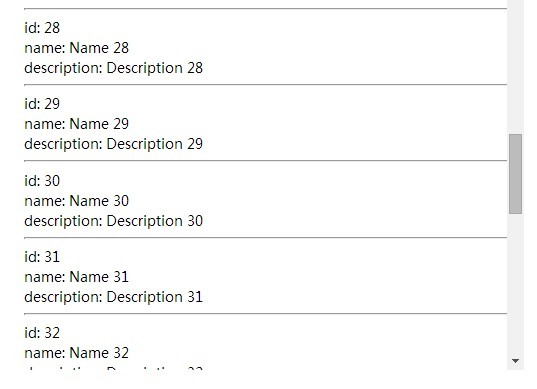
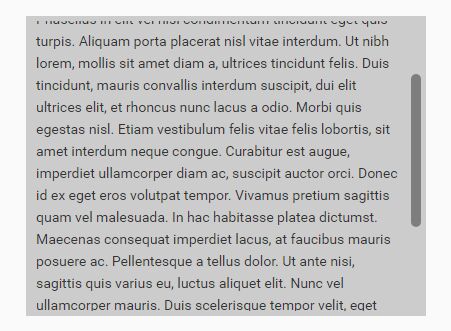
scrollPaging is a lightweight jQuery plugin that adds infinite scroll functionality to your web pages.
It automatically fetches content from an external data source via AJAX and appends it to the end of an existing container as the user scrolls.
This creates a continuous browsing experience that loads more content on demand, without the need of writing complex pagination logic.
Features:
- Multi-directional scroll support: Handles vertical, horizontal, and bi-directional scrolling with granular control over individual directions like up, down, left, and right.
- SEO-friendly URL management: Automatically updates browser URLs and page titles using the History API.
- Callback functions: Provides hooks for every stage of the loading process, from scroll detection through content insertion and error handling.
- Flexible pagination: Supports both numeric pagination and custom page lists for complex content structures.
- Lightweight performance: Optimized scroll event handling with configurable trigger distances to minimize unnecessary requests.
Use Cases:
- Social Media and News Feeds: This is the classic use case. For a feed of posts, infinite scroll creates an uninterrupted browsing experience, much like you see on Twitter or Facebook.
- E-commerce Product Listings: On a category page with hundreds of products, infinite scroll can feel more modern than clicking through pages 1, 2, 3, and so on. It reduces clicks and keeps the user engaged with the products.
- Image Galleries: For portfolio sites or photo galleries, a continuous scroll is a great way to present visual content without breaking the user's focus.
- Blog Post Archives: Instead of paginating through years of articles, a user can simply scroll down to load older posts, which makes content discovery much easier.
How to use it:
1. Download the plugin and load the main script 'jquery-scrollpaging.min.js' after jQuery library.
<!-- jQuery is required -->
<script src="/path/to/cdn/jquery.min.js"></script>

<!-- jQuery scrollpaging plugin -->
<script src="/src/jquery-scrollpaging.min.js"></script>
2. Create your content container with initial items. The plugin will append or prepend new content to this container based on scroll direction.
<div id="example">
  <article class="post">Initial content item 1</article>
  <article class="post">Initial content item 2</article>
  <article class="post">Initial content item 3</article>
  <!-- Additional initial content -->
</div>
3. Initialize the plugin on your scrollable element. For page-level scrolling, target the window object. For container-specific scrolling, target the overflow element directly.
jQuery('#scroller').scrollPaging({
  requestURL: '/path/to/your/data/',
  target: 'this', // append new content to this container
});
4. Customize the plugin's behavior with the following configuration options:
requestURL: The URL where the AJAX request is sent to fetch new content. You can use the stringscrollPagingas a placeholder for the page number. (Type:String, Default:location.hrefwith?page=scrollPaging)showURL: The URL that appears in the browser's address bar ifaffectURLis enabled. This also uses thescrollPagingplaceholder. (Type:String, Default: Same asrequestURL)target: A jQuery selector for the container element where the newly loaded content will be appended or prepended. (Type:String, Default:null)direction: The scroll direction to monitor. Accepted values arevertical,horizontal,both,up,down,left, orright. (Type:String, Default:'vertical')amount: The distance in pixels from the edge of the scroll area that will trigger the loading of new content. (Type:Number, Default:128)currentPage: The initial page number or value. It can also be automatically parsed from the URL'spagequery parameter. (Type:Number/String, Default:1or parsed from URL)minPage: The minimum page number. The plugin will not make requests for pages below this number when scrolling up. (Type:Number/String, Default:1)maxPage: The maximum page number. The plugin will stop making requests once this page has been loaded. (Type:Number/String, Default:100)pageList: An array or a comma-separated string of custom page values (e.g.,['news', 'updates', 'archive']). When this is used,minPageandmaxPageshould be values from this list. (Type:Array/String, Default:null)affectURL: If set totrue, the plugin will update the browser's URL using the History API as new content loads. (Type:Boolean, Default:false)affectTitle: If set totrue, the plugin will update the document's title. This requiresaffectURLto also betrue. (Type:Boolean, Default:false)requestTitle: The new document title to use whenaffectTitleis enabled. ThescrollPagingstring can be used as a placeholder for the page value. (Type:String, Default:document.title)ajax: An object containing settings that are passed directly to jQuery's$.ajax()method, allowing for advanced customization like changing the request type or adding headers. (Type:Object, Default:{ type: 'GET', async: true })
jQuery('#scroller').scrollPaging({
  requestURL: location.href,
  showURL: location.href,
  target: null,
  direction: "vertical",
  amount: 128,
  currentPage: 1,
  minPage: 1,
  maxPage: 100,
  pageList: null,
  affectURL: false,
  affectTitle: false,
  requestTitle: document.title,
  ajax: {
    type: "GET",
    async: true,
  }
});
5. Callback functions.
onScroll: Fires on every scroll event that occurs on the element, regardless of whether a content load is triggered. It's useful for debugging or tracking general scroll behavior.onRepeat: Fires if a scroll trigger occurs (i.e., the user scrolls to the threshold) while an AJAX request is already in progress.onBefore: Fires just before a new page request is prepared. This happens after the scroll threshold is met but before the AJAX call is initiated. You can use this to perform last-minute checks.onStart: Fires immediately before the AJAX request is sent to the server. This is the ideal place to show a loading indicator.onSuccess: Fires after the AJAX request completes successfully and the server returns a non-empty response. This is where you append the new content and re-initialize any scripts on it.onError: Fires if the AJAX request fails due to a server error, network issue, or other problem.onComplete: Fires after the AJAX request finishes, regardless of whether it was a success or an error. This is the best place to hide a loading indicator.onBlank: Fires if the AJAX request is successful but the server returns a blank or empty response.onMinPage: Fires when theminPageis reached and successfully loaded while scrolling up.onMaxPage: Fires when themaxPageis reached and successfully loaded while scrolling down. You can use this to display an "end of content" message.
// onScroll
$(window).scrollPaging({
  requestURL: '/api/content?page=scrollPaging',
  target: '#content',
  onScroll: function(event, direction, isPositive, isLoading, options) {
    // Log scroll direction and loading status to the console for debugging.
    // isPositive is true for 'down'/'right' and false for 'up'/'left'.
    console.log('Scrolling ' + direction + '. Is a request in progress? ' + isLoading);
  }
});

// onRepeat
$(window).scrollPaging({
  requestURL: '/api/content?page=scrollPaging',
  target: '#content',
  onRepeat: function(event, direction, isPositive, currentPage, options) {
    // Briefly flash a message if the user hits the bottom again.
    $('#loading-indicator').text('Still loading, please wait...').fadeIn(100).fadeOut(1000);
  }
});

// onBefore
$(window).scrollPaging({
  requestURL: '/api/content?page=scrollPaging',
  target: '#content',
  onBefore: function(event, direction, isPositive, nextPage, isNewPage, options) {
    // Log the page number that is about to be requested.
    console.log('Preparing to request page: ' + nextPage);

    // Example: You could prevent a request under certain conditions.
    // if (!isUserLoggedIn()) {
    //     return false; // Note: Check plugin docs to confirm if returning false stops the request.
    // }
  }
});

// onStart
$(window).scrollPaging({
  requestURL: '/api/content?page=scrollPaging',
  target: '#content',
  onStart: function(event, direction, isPositive, nextPage, options) {
    // Show a loading indicator at the bottom of the page.
    $('#content-container').append('<div class="loading-spinner">Loading more items...</div>');
  }
});

// onSuccess
$(window).scrollPaging({
  requestURL: '/api/content?page=scrollPaging',
  target: '#content',
  onSuccess: function(event, direction, isPositive, page, url, response, status, xhr, options) {
    // This is a common and crucial pattern:
    // Re-initialize other plugins on the newly loaded content.
    // For example, if you use a lightbox plugin on your images:
    var newContent = $(response);
    newContent.find('.gallery-image').myLightboxPlugin();

    console.log('Successfully loaded and processed page ' + page);
  }
});

// onError
$(window).scrollPaging({
  requestURL: '/api/content?page=scrollPaging',
  target: '#content',
  onError: function(event, direction, isPositive, page, url, xhr, status, error, options) {
    // Display an error message if the content fails to load.
    $('#content-container').append('<div class="error-message">Could not load more content. Please try again later.</div>');
    console.error('Failed to load page ' + page + '. Status: ' + status + ', Error: ' + error);
  }
});

// onComplete`
$(window).scrollPaging({
  requestURL: '/api/content?page=scrollPaging',
  target: '#content',
  onComplete: function(event, direction, isPositive, page, url, responseOrXhr, status, xhrOrError, options) {
    // Always remove the loading spinner, whether the request succeeded or failed.
    $('.loading-spinner').remove();
  }
});

// onBlank
$(window).scrollPaging({
  requestURL: '/api/content?page=scrollPaging',
  target: '#content',
  onBlank: function(event, direction, isPositive, page, url, options) {
    // Log a warning. This might not be an error, but it's good to know.
    console.warn('Page ' + page + ' was loaded successfully but returned no content.');
    // You could also stop further requests if a blank response means you've hit the end.
  }
});

// onMinPage
$(window).scrollPaging({
  requestURL: '/api/content?page=scrollPaging',
  target: '#content',
  direction: 'both', // Must allow scrolling up
  currentPage: 5,
  minPage: 1,
  onMinPage: function(event, direction, isPositive, page, options) {
    // Display a message at the top of the content.
    $('#content-container').prepend('<div class="notice">You are at the beginning.</div>');
  }
});

// onMaxPage
$(window).scrollPaging({
  requestURL: '/api/content?page=scrollPaging',
  target: '#content',
  maxPage: 20,
  onMaxPage: function(event, direction, isPositive, page, options) {
    // Display a message indicating there is no more content to load.
    $('#content-container').append('<div class="end-of-feed">You have reached the end.</div>');
  }
});
FAQs:
Q: How do I use this on a scrollable div instead of the whole page?
A: Simple. Instead of calling .scrollPaging() on $(window), call it on your div's selector, like $('#my-scrollable-div').scrollPaging({...}). Make sure the div has a defined height and overflow: auto or overflow: scroll in its CSS.
Q: My JavaScript effects don't work on the newly loaded content. Why?
A: This is a common issue with any content loaded via AJAX. When you initialize your other plugins on page load, they only bind to the elements that exist at that moment. The new content didn't exist yet. The fix is to re-run your initialization code inside the onSuccess callback of scrollPaging.
Q: Can I load content when the user scrolls up?
A: Yes. Set the direction option to 'up' or 'both'. The plugin will then trigger when the user scrolls near the top of the container. You'll need to manage the minPage and currentPage options accordingly to control the page requests.
Q: Is a jQuery plugin like this still a good choice in 2025?
A: It depends on your project. If you're already using jQuery, this plugin is a perfectly fine and efficient way to add infinite scroll. For new projects built on modern frameworks like React or Vue, you would typically use a framework-specific solution or the native Intersection Observer API.
Q: How do I prevent duplicate content loading during fast scrolling?
A: The plugin includes built-in protection through its internal loading state management. The onRepeat callback fires when scroll events occur during active requests. This allows you to implement additional safeguards. You can also adjust the amount option to create larger trigger zones that reduce the likelihood of rapid successive requests.
Q: Can I implement infinite scroll that works in both directions simultaneously?
A: Yes, set direction: 'both' and configure both minPage and maxPage boundaries. The plugin will automatically detect scroll direction and load appropriate content. You'll need to ensure your server endpoint can handle both forward and backward pagination requests through the same URL structure.
Q: How do I handle SEO concerns with infinite scroll content?
A: Enable affectURL: true and affectTitle: true to automatically update URLs and page titles as content loads. This creates bookmarkable URLs and helps search engines understand your content structure. Additionally, ensure your server can render the appropriate content when these URLs are accessed directly, maintaining the same pagination state.
See also:
About Author:
Author: MAMEDUL ISLAM
Website: https://mamedul.github.io
This awesome jQuery plugin is developed by mamedul. For more Advanced Usages, please check the demo page or visit the official website.