Minimal Full Width Content Carousel Plugin with jQuery
| File Size: | 9.02 KB |
|---|---|
| Views Total: | 3363 |
| Last Update: | |
| Publish Date: | |
| Official Website: | Go to website |
| License: | MIT |
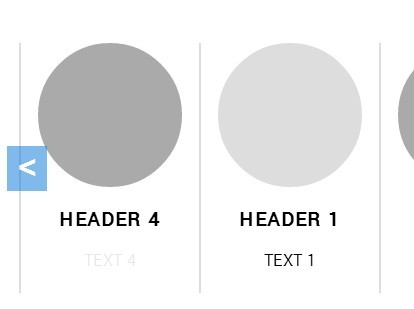
Makes use of jQuery, modernizr.js and CSS/CSS3 to create a responsive, full-width and infinite-looping content slider (carousel) on your web page/application.
How to use it:
1. Include the jQuery library and modernizr.js in your document.
<script src="modernizr.js"></script>
<script src="//code.jquery.com/jquery-1.11.1.min.js"></script>
2. Include the jQuery Infinity Carousel plugin's JavaScript and stylesheet in the document.
<link rel="stylesheet" href="css/infinityCarousel.css">
<script src="js/infinityCarousel.js"></script>
3. Insert anything you want into the carousel using the markup structure like this:
<div class="infinity-carousel">

   <!-- prev/next navigation -->
  <button class="nav prev"></button>
  <button class="nav next"></button>

   <!-- main content -->
  <div class="center">
    <div class="slides">
      <div>
        <!-- anything in here -->
        <div class="img-wrap"><img src="" alt=""></div>
        <h3>Header 1</h3>
        <p class="text">Text 1</p>
      </div>
      <div>
        <!-- anything in here -->
        <div class="img-wrap"><img src="" alt=""></div>
        <h3>Header 2</h3>
        <p class="text">Text 2</p>
      </div>
      <div>
        <!-- anything in here -->
        <div class="img-wrap"><img src="" alt=""></div>
        <h3>Header 3</h3>
        <p class="text">Text 3</p>
      </div>
      <div>
        <div class="img-wrap"><img src="" alt=""></div>
        <h3>Header 4</h3>
        <p class="text">Text 4</p>
      </div>
    </div>
  </div>

</div>
4. The plugin will automatically be initialized on page load and you can move the slides left or right by clicking on the prev/next navigation.
This awesome jQuery plugin is developed by allinallin. For more Advanced Usages, please check the demo page or visit the official website.