Simple & Fully Controllable Content Slideshow Plugin For jQuery
| File Size: | 446 KB |
|---|---|
| Views Total: | 1343 |
| Last Update: | |
| Publish Date: | |
| Official Website: | Go to website |
| License: | MIT |
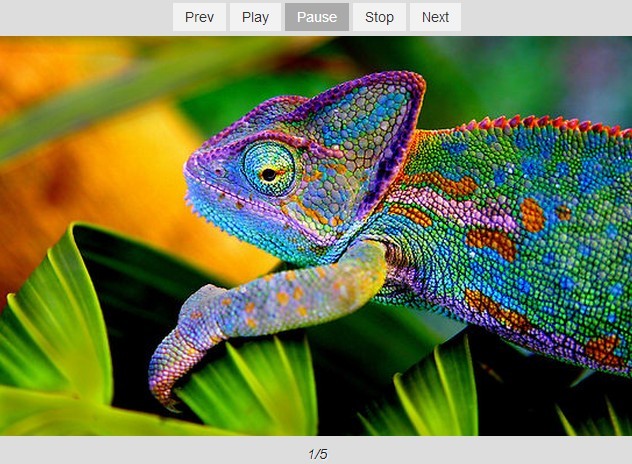
A simple, unobtrusive and fully controllable jQuery slideshow plugin for presenting your images or any other Html contents.
Basic Usage:
1. Load the jQuery library and the jquery.slideshow.js script before the closing body tag.
<script src="//ajax.googleapis.com/ajax/libs/jquery/1.11.1/jquery.min.js"></script>
<script src="js/jquery.slideshow.js"></script>
2. Wrap the images, slideshow controls into a container element as follows.
<div class="my-slideshow">
  <div class="my-slideshow-controls">
    <a class="btn my-slideshow-prev" href="javascript:;">Prev</a>
    <a class="btn my-slideshow-play" href="javascript:;">Play</a>
    <a class="btn my-slideshow-pause" href="javascript:;">Pause</a>
    <a class="btn my-slideshow-stop" href="javascript:;">Stop</a>
    <a class="btn my-slideshow-next" href="javascript:;">Next</a>
  </div>
  <div class="my-slideshow-slides">
    <img src="1.jpg" alt="Alt 01" class="my-slideshow-slide">
    <img src="2.jpg" alt="Alt 02" class="my-slideshow-slide">
    <img src="3.jpg" alt="Alt 03" class="my-slideshow-slide">
    <img src="4.jpg" alt="Alt 04" class="my-slideshow-slide">
    <img src="5.jpg" alt="Alt 05" class="my-slideshow-slide">
  </div>
  <div class="my-slideshow-counter"></div>
</div>
3. The required CSS to style the slideshow.
.my-slideshow {
  position: relative;
  width: 640px;
  margin: 40px auto;
  border: 5px solid #fff;
  background: #eee;
}

.my-slideshow-controls {
  text-align: center;
  padding: 5px;
  background: #ddd;
}

.my-slideshow-slides {
  position: relative;
  width: 640px;
  height: 400px;
  overflow: hidden;
}

.my-slideshow-slide {
  width: 100%;
  height: auto;
  display: none;
  position: absolute;
  top: 0;
  left: 0;
}

.my-slideshow-counter {
  text-align: center;
  padding: 10px 0;
  font-style: italic;
  background: #ddd;
}

.my-slideshow-playing .my-slideshow-play,
.my-slideshow-paused .my-slideshow-pause {
  background: #555;
  color: #fff;
}
4. Enable the image slideshow.
$(function() {
  $('.my-slideshow').on('goto.slideshow', function(e, index, $this, direction, $prev, $item, $next) {
    $('.my-slideshow-counter').html((index + 1) + "/" + $('.my-slideshow-slide').length);
  }).slideshow({playback: {autoplay: true}});
});
5. Options and defaults.
"prefix": null,
"circular": true,
"effect": {
  "fn": function($index, $container, $direction, $prev, $curr, $next, $onEffect) {
    var $o = $container.data("slideshow");
    $prev.fadeOut($o.effect.speed).removeClass("active");
    $curr.fadeIn($o.effect.speed).addClass("active");
    setTimeout(function() {
      $onEffect();
    }, $o.effect.speed + 10);
  },
  "speed": 500
},
"playback": {
  "autoplay": false,
  "speed": 3000,
  "reverse": false
}
6. Public methods: init, destroy, play, pause, resume, rewind, stop, goto, next, prev.
This awesome jQuery plugin is developed by mjolnic. For more Advanced Usages, please check the demo page or visit the official website.