jQuery Plugin For Custom Social Links - sollist
| File Size: | 6.26 MB |
|---|---|
| Views Total: | 1825 |
| Last Update: | |
| Publish Date: | |
| Official Website: | Go to website |
| License: | MIT |
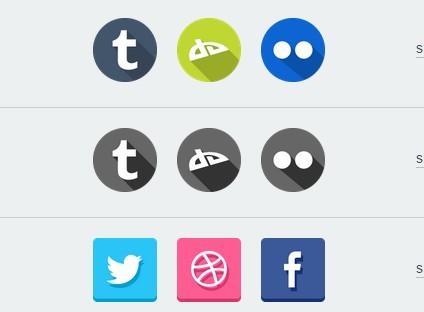
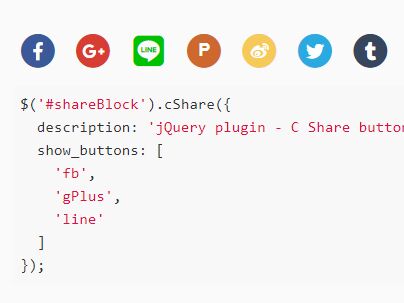
sollist is a jQuery plugin which allows you to create a list of share links with custom social icons on your webpage.
Features:
- Supports 31 popular social networks: facebook, instagram, twitter, pinterest, tumblr, vine, googleplus, behance, dribbble, github, skype, twitch, youtube, linkedin, soundcloud, livejournal, bitbucket, vk, deviantart, digg, flickr, foursquare, steam, envato, stackoverflow, reddit, kickstarter, email, medium, quora, vimeo.
- 11 built-in social media icon sets.
- Custom hover effects based on CSS3 animations.
- Allows to open social profiles page in new tab.
- Custom social icon size, padding, tooltip, and more.
Basic usage:
1. Download, unzip and include the jQuery sollist plugin's files in your project. The plugin relies on jQuery, you should load the jQuery JavaScript library first.
<link href="jquery.sollist.css" rel="stylesheet">
...
<script src="jquery-2.1.4.min.js"></script>
<script src="jquery.sollist.js"></script>
2. Load the optional jQuery tooltipster plugin if you wish to use custom tooltip on hover.
<link href="tooltipster.css" rel="stylesheet">
<script src="jquery.tooltipster.min.js"></script>
3. Call the plugin on a DIV element to generate a list of social links.
$("#element").sollist({
  profiles: {
    facebook: 'http://facebook.com/yourlink',
    googleplus: 'https://plus.google.com/yourlink/posts',
    // more social profile pages here
  }
});
4. These are default plugin options to customize your social links & icons.
// Object with profile links.
// Key is service name, value is profile link.
profiles:{},

// Available themes:
// lee-gargano-circle-color, lee-gargano-square-color
// lee-gargano-circle-white, lee-gargano-square-white
// mikymeg-color, mikymeg-grey, fuel, handdrawn
// light-circle, martz90-hex, victor-bejar
theme: 'lee-gargano-circle-color',

// Space between icons in pixels.
pixelsBetweenItems: 10,

// Path from base url to custom icon theme directory.
// If you use built-in icon themes, leave this option empty.
themeDirPath: '',

// Icons container element tag.
containerTag: 'ul',

// Icon element tag
elementTag: 'li',

// Icon size in pixels.
size: 32,

// Custom icon theme files extension.
iconFileExtension: 'png',

// Icon hover animation effect.
// fade-out, fade-in, rise, rotate,
// shrink, grow, bounce
hoverEffect: '',

// Open social profiles page in new tab.
newTab: true,

// Show tooltip on icon hover.
showTooltips: false,

// tooltipster plugin options
tooltipsterOptions: {
  // sl-tooltip-white or sl-tooltip-black
  theme: "sl-tooltip-black"
},

// tooltip class
tooltipClass: "sl-tooltip",

// Custom tooltips
tooltips: {
  'googleplus': 'google+'
},

// Custom class that will be added to each icon element.
itemClass: '',

// Custom css that will be added to each icon element.
itemCss: {}
This awesome jQuery plugin is developed by 88z. For more Advanced Usages, please check the demo page or visit the official website.