Highly Customizable jQuery Datepicker Plugin - Datepicker
| File Size: | 241 KB |
|---|---|
| Views Total: | 40122 |
| Last Update: | |
| Publish Date: | |
| Official Website: | Go to website |
| License: | MIT |
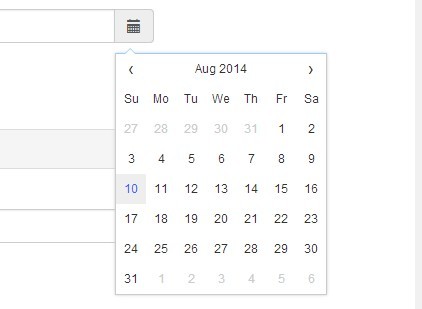
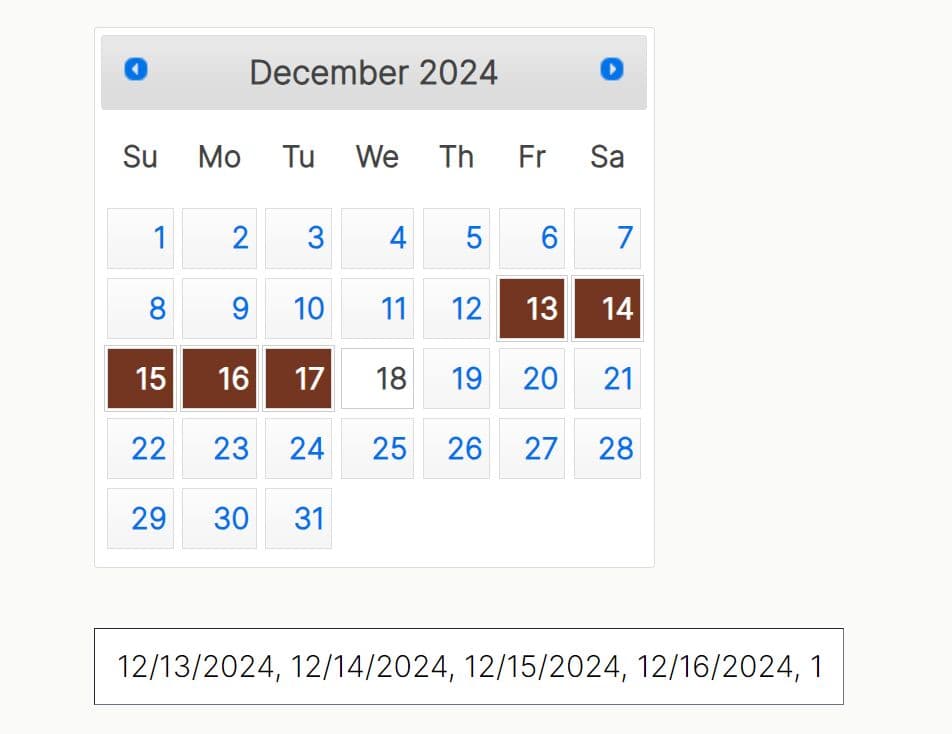
A simple, lightweight yet fully customizable jQuery date picker plugin that supports custom triggers, date range, date format, i18n and much more.
Installation:
# NPM
$ npm install @chenfengyuan/datepicker --save
See Also:
Basic Usage:
1. Include jQuery library and the jQuery datepicker plugin's JS and CSS in your web page.
<link rel="stylesheet" href="dist/datepicker.min.css">
<script src="//ajax.googleapis.com/ajax/libs/jquery/1.11.1/jquery.min.js"></script>
<script src="dist/datepicker.min.js"></script>
2. Create an input filed with 'datepicker' attribute to create a nice clean date picker appending to the input when getting focused.
<input type="text" data-toggle="datepicker">
3. You can also attach the datepicker to any element such as DIV, Textarea, etc.
<textarea data-toggle="datepicker"></textarea>
<div data-toggle="datepicker"></div>
4. Initialize the date picker and done.
$('[data-toggle="datepicker"]').datepicker({
  // options here
});
5. All the options can be passed via explicit Javascript or data-* attributes, as in data-auto-close="true".
// Show the datepicker automatically when initialized autoShow: false, // Hide the datepicker automatically when picked autoHide: false, // Pick the initial date automatically when initialized autoPick: false, // Enable inline mode inline: false, // A element (or selector) for putting the datepicker container: null, // A element (or selector) for triggering the datepicker trigger: null, // The ISO language code (built-in: en-US) language: '', // The date string format format: 'mm/dd/yyyy', // The initial date date: null, // The start view date startDate: null, // The end view date endDate: null, // The start view when initialized startView: 0, // 0 for days, 1 for months, 2 for years // The start day of the week // 0 for Sunday, 1 for Monday, 2 for Tuesday, 3 for Wednesday, // 4 for Thursday, 5 for Friday, 6 for Saturday weekStart: 0, // Show year before month on the datepicker header yearFirst: false, // A string suffix to the year number. yearSuffix: '', // Days' name of the week. days: ['Sunday', 'Monday', 'Tuesday', 'Wednesday', 'Thursday', 'Friday', 'Saturday'], // Shorter days' name daysShort: ['Sun', 'Mon', 'Tue', 'Wed', 'Thu', 'Fri', 'Sat'], // Shortest days' name daysMin: ['Su', 'Mo', 'Tu', 'We', 'Th', 'Fr', 'Sa'], // Months' name months: ['January', 'February', 'March', 'April', 'May', 'June', 'July', 'August', 'September', 'October', 'November', 'December'], // Shorter months' name monthsShort: ['Jan', 'Feb', 'Mar', 'Apr', 'May', 'Jun', 'Jul', 'Aug', 'Sep', 'Oct', 'Nov', 'Dec'], // A element tag for each item of years, months and days itemTag: 'li', // A class (CSS) for muted date item mutedClass: 'muted', // A class (CSS) for picked date item pickedClass: 'picked', // A class (CSS) for disabled date item disabledClass: 'disabled', // A class (CSS) for highlight date item highlightedClass: 'highlighted', // The template of the datepicker template: '<div class="datepicker-container">' + '<div class="datepicker-panel" data-view="years picker">' + '<ul>' + '<li data-view="years prev">‹</li>' + '<li data-view="years current"></li>' + '<li data-view="years next">›</li>' + '</ul>' + '<ul data-view="years"></ul>' + '</div>' + '<div class="datepicker-panel" data-view="months picker">' + '<ul>' + '<li data-view="year prev">‹</li>' + '<li data-view="year current"></li>' + '<li data-view="year next">›</li>' + '</ul>' + '<ul data-view="months"></ul>' + '</div>' + '<div class="datepicker-panel" data-view="days picker">' + '<ul>' + '<li data-view="month prev">‹</li>' + '<li data-view="month current"></li>' + '<li data-view="month next">›</li>' + '</ul>' + '<ul data-view="week"></ul>' + '<ul data-view="days"></ul>' + '</div>' + '</div>', // The offset top or bottom of the datepicker from the element offset: 10, // The `z-index` of the datepicker zIndex: 1000, // Filter each date item (return `false` to disable a date item) filter: null, // Event shortcuts show: null, hide: null, pick: null
6. API methods.
const myDatePicker = $('[data-toggle="datepicker"]').datepicker({
  // options here
});

// Shows the datepicker
myDatePicker.show()

// Hides the datepicker
myDatePicker.shide()

// Update the datepicker with the value or text of the current element
myDatePicker.update()

// Picks the current date to the element
myDatePicker.pick()

// Resets the datepicker
myDatePicker.reset()

// Gets the month name
// month: the month of the current date
// short: uses short name?
myDatePicker.getMonthName(month, short)

// Gets the day name
// day: the day of the current date
// short: uses short name?
// min: uses the shortest name?
myDatePicker.getDayName(day, short, min)

// Gets a formatted date string
myDatePicker.getDate(formatted)

// Sets a new date
myDatePicker.setDate(date)

// Sets start date
myDatePicker.setStartDate(date)

// Sets end date
myDatePicker.setEndDate(date)

// Parses a date
myDatePicker.parseDate(date)

// Formats a date
myDatePicker.formatDate(date)

// Destroys the date picker
myDatePicker.destroy()
7. Available events.
const myDatePicker = $('[data-toggle="datepicker"]').datepicker({
  // options here
});


myDatePicker.on('show.datepicker', function(e){
  // do something
})

myDatePicker.on('hide.datepicker', function(e){
  // do something
})

myDatePicker.on('picker.datepicker', function(e){
  // e.date: current date
  // event.view: current view
})
Changelog:
v1.0.10 (2020-09-29)
- Add some new i18n languages.
v1.0.9 (2019-09-21)
- Fix the issue of converting 31/10/2019 to 01/10/2019 when the current month only has 30 days
v1.0.8 (2019-06-23)
- Fix the issue of unable to pick the current month or year again
v1.0.7 (2019-02-19)
- Fix unexpected month changing
v1.0.6 (2019-01-19)
- Fix wrong parameter for the $.contains function.
- Emulate click in touch devices to support hiding the picker automatically.
v1.0.4 (2019-01-06)
- Fix wrong future month selection when today is 31.
- Fix month picking issue when the format only contains YYYY and MM
v1.0.3 (2018-12-21)
- Ignore hours, minutes, seconds and milliseconds of parsed date to avoid side effect
- Fix day view when the selected day is not in the current year
v1.0.2 (2018-12-15)
- Convert 2-digit year to 2000+
v1.0.1 (2018-11-15)
- Fix position problem in scrollable modal
- Fix the issue of the datepicker is replaced after picked a day
v1.0.0 (2018-08-05)
- Show full month name in date picker header
- Fix the issue of converting 0 to 1
v1.0.0beta (2018-06-30)
- Fix the issue of years and months view rendering problem.
- Add a second parameter to the filter function option.
- Enhance the setStartDate and setEndDate methods, supports null as argument.
- Change NPM package name scope from @fengyuanchen to @chenfengyuan.
v0.6.5 (2018-03-31)
- Remove added data when destroy.
- Remove unnecessary muted class from start and end years in years view
v0.6.4 (2017-11-25)
- Support to load in node environment.
- Add 3 new languages for i18n.
- Add example for using datepicker in modal.
v0.6.3 (2017-09-30)
- Update view year when the month over the current year.
- Fix the issue of days of month computing
v0.6.1 (2017-09-25)
- Fix color function error in the CSS.
v0.6.0 (2017-09-24)
- Refactor in ES6
v0.5.5 (2017-09-05)
- Fix the issue of date range limits
v0.5.4 (2017-08-05)
- Fix the issue of date repicking
v0.5.3 (2017-05-30)
- Highlight the current year and month.
- Highlight the picked year and month.
v0.5.2 (2017-04-08)
- Fixed year and month picking issue.
v0.5.1 (2017-03-25)
- Hide the picker when the target input element is blurred.
- Hide the picker when click the trigger element again.
- Fixed some issues in inline mode.
v0.5.0 (2017-02-12)
- Added a new option highlightedClass for highlight today
- Fixed the position of picker panel
v0.4.0 (2016-10-15)
- Rename autoshow option to autoShow.
- Rename autohide option to autoHide.
- Rename autopick option to autoPick.
- Improved the priority of language options.
- Fixed the issue of date view updating
v0.3.1 (2016-01-11)
- Fixed the issue of startDate option
v0.3.0 (2015-12-15)
- Change the default value of zIndex option from 1 to 1000
- Simplify JavaScript code
- Optimize CSS code styles
v0.2.2 (2015-12-10)
- Fixed the issue of options overriding
- Fixed the error of next view month
v0.2.0 (2015-10-18)
- Supports custom events
- Supports to set start view date and end view date
- Improved i18n (internationalization)
- Improved placement of the datepicker
- Improved template
This awesome jQuery plugin is developed by fengyuanchen. For more Advanced Usages, please check the demo page or visit the official website.