Minimal Date & Time Countdown Widget with jQuery UI - timeLeft
| File Size: | 7.96 KB |
|---|---|
| Views Total: | 3954 |
| Last Update: | |
| Publish Date: | |
| Official Website: | Go to website |
| License: | MIT |
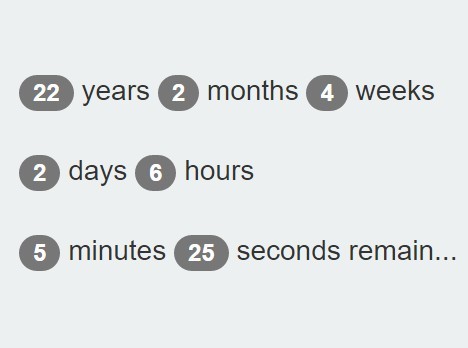
timeLeft is a simple yet customizable jQuery UI widget to generate an inline countdown timer that counts the time left to a date of your choice. Ideal for coming soon and under construction web pages or web applications.
How to use it:
1. Include jQuery library, jQuery UI and the jQuery timeLeft plugin on the web page.
<script src="/path/to/jquery.min.js"></script>
<script src="/path/to/jquery-ui.min.js"></script>
<script src="jquery.timeLeft.js"></script>
2. Create a DIV element on the webpage to place the countdown timer.
<div id="countdown"></div>
3. Call the plugin and specify the date & time you want to count down to.
$('#countdown').timeLeft({till: 'January 19, 2038 03:14:07'});
4. By default, the plugin will output the remaining time in the DIV container like this:
22 years 2 months 4 weeks 2 days 6 hours 13 minutes 44 seconds remain...
5. You can customize the output format using format attribute.
$('#countdown').timeLeft({
  till: 'January 19, 2038 03:14:07'
  format: '%Y years %M months %W weeks %D days %h hours %m minutes %s seconds remain...'
});
6. More customization options.
// the date you want to count down towards
till: 'January 19, 2038 03:14:07',

// custom output format
format: '%Y years %M months %W weeks %D days %h hours %m minutes %s seconds remain...',

// 1000ms = 1s
refreshInterval: 1000,

// onComplete callback
complete: function () {
  alert("It's time!");
}
7. Public methods.
// refresh the countdown timer manually
$('#countdown').timeLeft('refresh');

// destroy the plugin
$('#countdown').timeLeft('destroy');
Change log:
2016-04-12
- small changes
This awesome jQuery plugin is developed by fiedlr. For more Advanced Usages, please check the demo page or visit the official website.