Flexible AJAX-Enabled jQuery Modal Plugin - Windoze
| File Size: | 22.7 KB |
|---|---|
| Views Total: | 2552 |
| Last Update: | |
| Publish Date: | |
| Official Website: | Go to website |
| License: | MIT |
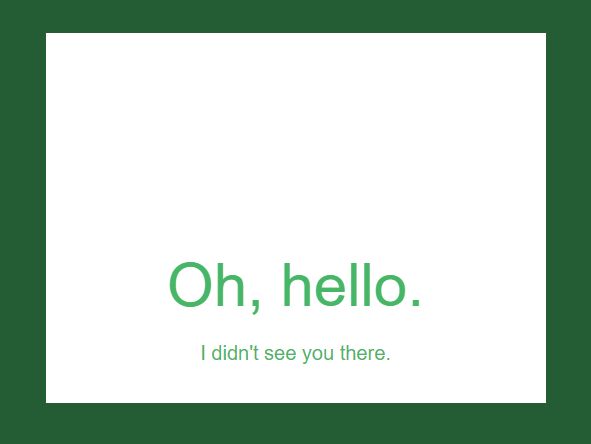
Windoze is a simple, flexible, animated, pretty nice and highly custmizable jQuery modal window plugin that supports image lightbox and AJAX content.
Features:
- 3 smooth animations based on CSS3 transitions.
- Auto detect content type and display it inside the modal window.
- Easy to style via SASS.
- Useful callback functions.
Basic usage:
1. Load the required JavaScript and CSS files in the html page.
<link href="jquery.windoze.css" rel="stylesheet">
<script src="//code.jquery.com/jquery-3.1.1.min.js"></script>
<script src="jquery.windoze.js"></script>
2. Create a trigger link to toggle the modal window. You'a allowed to specify the animation type using the data-wdz-animation attribute as this:
<a href='#' data-wdz-animation='pop-down'>Popup</a>
<a href='#' data-wdz-animation='slide-left'>Slide left</a>
<a href='#' data-wdz-animation='slide-top'>Slide top</a>
3. Initialize the plugin and the jQuery Windoze plugin is ready for use.
$('a').windoze();
4. By default, the plugin will automatically load and display your container with the CSS class of '.wdz-modal' in the modal window:
<div class='wdz-modal'>
  <article>
    <h1>Modal Title</h1>
    <p>Modal Content</p>
  </article>
</div>
5. Apply your own CSS styles to the modal window.
.wdz-modal article {
  width: 500px;
  height: 500px;
  margin-left: -250px;
  color: #47b667;
  text-align: center;
}

.wdz-modal article h1 {
  padding: 220px 0 20px 0;
  font-size: 60px;
}

.wdz-modal article p { font-size: 20px; }

@media screen and (max-width: 480px) {

.wdz-modal article {
  width: 300px;
  height: 300px;
  margin-left: -150px;
}

.wdz-modal article h1 { padding-top: 130px; }

}
5. To create an image lightbox, just replace the '#' of the trigger link with the path to your image file.
<a href='1.jpg' data-wdz-animation='slide-left'>Image Lightbox</a>
6. To load an external page into the modal window, replace the '#' with the URL just like the image lightbox.
<a href='//google.com' data-wdz-animation='slide-left'>AJAX</a>
7. All customization options and callback functions.
$('a').windoze({

  // modal content
  // default: .wdz-modal
  container: '',

  // If you want Windoze to fire from an anchor that’s not in the DOM yet
  delegate: false,

  // displays the modal on page load
  init_shown: false,

  // relocate the modal
  relocate_modal: true,

  // close the modal by click outside
  allow_outside_click: true,

  // close the modal by esc key
  allow_esc: true,

  // for image lightbox
  lightbox: false,

  // focus the first input
  focus_on_show: true,

  // callback functions
  beforeShow: $.noop,
  afterShow: $.noop,
  beforeClose: $.noop,
  afterClose: $.noop,
  beforeLoad: $.noop,
  afterLoad: $.noop

});
8. Available api methods which allow you to open / close the modal window manually.
// open
$el.windoze('open')
$el.trigger('open.windoze')
$modal.trigger('open.windoze')

// close
// data-wdz-close attribute is supported as well
$el.windoze('close')
$el.trigger('close.windoze')
$modal.trigger('close.windoze')
This awesome jQuery plugin is developed by camerond. For more Advanced Usages, please check the demo page or visit the official website.