Circular Slider Plugin With jQuery and D3.js - Wheel
| File Size: | 8.17 KB |
|---|---|
| Views Total: | 7908 |
| Last Update: | |
| Publish Date: | |
| Official Website: | Go to website |
| License: | MIT |
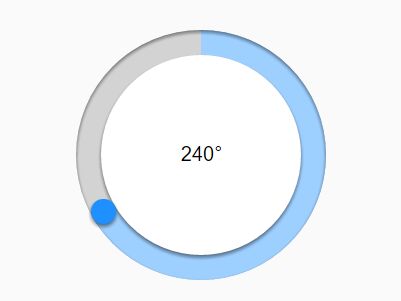
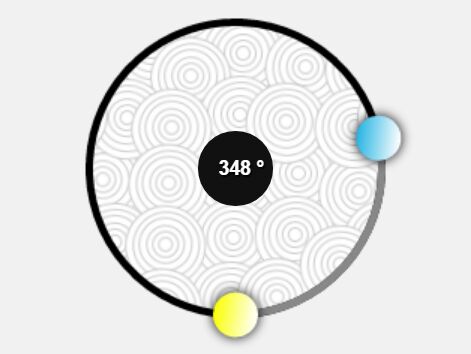
Wheel is a simple fast jQuery plugin which takes advantage of D3.js library to draw a circular 360° slider from plain html structure.
How to use it:
1. Load the needed jQuery and D3.js JavaScript libraries into the html page.
<script src="/path/to/jquery.min.js"></script>
<script src="/path/to/d3.min.js"></script>
2. Create the html structure for the circular slider.
<div class="wheel">
  <div class="wheel-progress"></div>
  <div class="wheel-center">
    <span class="wheel-value"></span>
  </div>
  <a href="javascript:void(0)" class="wheel-handle"></a>
</div>
3. Apply the CSS styles as displayed below to the slider.
.wheel {
  width: 200px;
  height: 200px;
  border-radius: 100px;
  background-color: lightgray;
  position: relative;
}

.wheel .wheel-handle {
  -webkit-tap-highlight-color: transparent;
  background-color: dodgerblue;
  border-radius: 10px;
  box-shadow: 0 2px 4px rgba(0, 0, 0, 0.5);
  height: 20px;
  left: 50%;
  margin: -10px 0 0 -10px;
  outline: 0;
  position: absolute;
  top: 10px;
  width: 20px;
}

.wheel .wheel-center {
  text-align: center;
  white-space: nowrap;
  background-color: white;
  border-radius: 80px;
  box-shadow: 0 2px 4px rgba(0, 0, 0, 0.5);
  height: 160px;
  left: 20px;
  position: relative;
  top: 20px;
  width: 160px;
}

.wheel .wheel-center:before {
  content: "";
  display: inline-block;
  height: 100%;
  vertical-align: middle;
  margin-right: -0.25em;
/* Adjusts for spacing */ }

.wheel .wheel-center > * {
  display: inline-block;
  vertical-align: middle;
}

.wheel .wheel-progress {
  height: 100%;
  left: 0;
  position: absolute;
  top: 0;
  width: 100%;
}

.wheel .wheel-progress:after {
  border-radius: 100px;
  box-shadow: 0 2px 4px rgba(0, 0, 0, 0.5) inset;
  content: "";
  display: block;
  height: 100%;
  left: 0;
  position: absolute;
  top: 0;
  width: 100%;
}

.wheel .wheel-progress-fill { fill: #9dcfff; }
4. Initialize the plugin and done.
$(".wheel").wheel();
5. Set the min / max values.
$(".wheel").wheel({
  min: 0,
  max: 360
});
6. Execute a callback function after selection.
$(".wheel").wheel({
  min: 0,
  max: 360,
  onChange: function (value) {
    $(".wheel-value").html(Math.round(value) + "°");
  }
});
7. Custom step.
$(".wheel").wheel({
  min: 0,
  max: 360,
  step: 5,
  onChange: function (value) {
    $(".wheel-value").html(Math.round(value) + "°");
  }
});
Change log:
2016-03-05
- Added step option. Minor refactoring.
This awesome jQuery plugin is developed by stassop. For more Advanced Usages, please check the demo page or visit the official website.