Fully Responsive & Customizable jQuery Slider Plugin - Slidizle
| File Size: | 4.43 MB |
|---|---|
| Views Total: | 12288 |
| Last Update: | |
| Publish Date: | |
| Official Website: | Go to website |
| License: | MIT |

Slidizle is an versatile yet simple to implement jQuery plugin for creating a fully responsive, customizable and accessibility content slideshow with following features.
Features:
- Cross-device responsive design.
- Allows to control the slider by adding corresponding CSS classes to each slide.
- Easy to use with plain Html markup.
- Multiple instances on one page.
- Simple CSS3 animations.
- Autoplay and pause on hover.
- Auto loop when you reach the last slide.
- Keyboard and touch events supported.
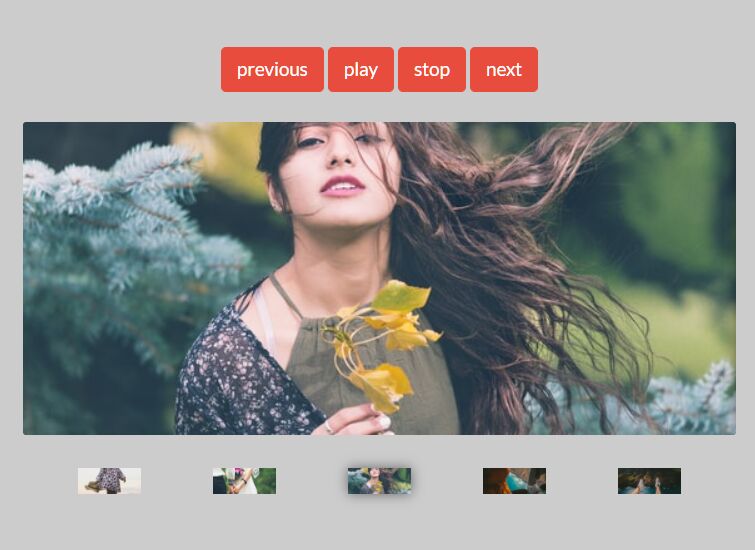
- Custom navigation with image thumbs.
- A progress bar to indicate the current status.
How to use it:
1. Include jQuery javascript library and the jQuery Slidizle plugin in the web page.
<script src="//ajax.googleapis.com/ajax/libs/jquery/1.11.1/jquery.min.js"></script>
<script src="js/jquery.slidizle.js"></script>
2. Include the Font Awesome 4 for the navigation arrows.
<link href="//netdna.bootstrapcdn.com/font-awesome/4.1.0/css/font-awesome.min.css" rel="stylesheet">
3. Create a basic image slider following the Html structure like this.
<section class="sample" data-slidizle>
  <ul class="slider-content" data-slidizle-content>
    <li class="slider-item" style="background-image:url('img/01.jpg')"> </li>
    <li class="slider-item" style="background-image:url('img/02.jpg')"> </li>
    <li class="slider-item" style="background-image:url('img/03.jpg')"> </li>
  </ul>
  <header>
    <h2>I'm a simple slider</h2>
    <h3>Nothing fancy with me, just a simple slider</h3>
  </header>
  <div class="slider-next" data-slidizle-next> <i class="fa fa-arrow-right"></i> </div>
  <div class="slider-previous" data-slidizle-previous> <i class="fa fa-arrow-left"></i> </div>
  <ul class="slider-navigation" data-slidizle-navigation>
    <!-- automatically generated navigation -->
  </ul>
</section>
4. Add the required CSS styles in your CSS file.
.slidizle {
  position: relative;
  overflow: hidden;
}

.slidizle-content {
  position: absolute;
  top: 0;
  left: 0;
  width: 100%;
  height: 100%;
}

.slidizle-slide {
  position: absolute;
  top: 0;
  left: 0;
  width: 100%;
  height: 100%;
  background-size: cover;
  background-position: 50% 50%;
  display: none;
}

.slidizle-slide.active { display: block; }

.slidizle-navigation {
  position: absolute;
  bottom: 30px;
  left: 0;
  width: 100%;
  text-align: center;
  z-index: 10;
}

.slidizle-navigation li {
  display: inline-block;
  width: 10px;
  height: 10px;
  -moz-border-radius: 5px;
  -webkit-border-radius: 5px;
  border-radius: 5px;
  background: white;
  opacity: .2;
  font-size: 1px;
  text-indent: -99999px;
  margin: 0 2px;
  cursor: pointer;
  -moz-transition: opacity 0.2s ease-in-out 0s;
  -o-transition: opacity 0.2s ease-in-out 0s;
  -webkit-transition: opacity 0.2s ease-in-out;
  -webkit-transition-delay: 0s;
  transition: opacity 0.2s ease-in-out 0s;
}

.slidizle-navigation li:hover,
.slidizle-navigation li.active { opacity: 1; }

.slidizle-next,
.slidizle-previous {
  color: white;
  font-size: 30px;
  position: absolute;
  top: 50%;
  z-index: 30;
  -moz-transform: translateY(-50%);
  -ms-transform: translateY(-50%);
  -webkit-transform: translateY(-50%);
  transform: translateY(-50%);
  cursor: pointer;
  opacity: 1;
  -moz-transition: opacity 0.2s ease-in-out 0s;
  -o-transition: opacity 0.2s ease-in-out 0s;
  -webkit-transition: opacity 0.2s ease-in-out;
  -webkit-transition-delay: 0s;
  transition: opacity 0.2s ease-in-out 0s;
}

.slidizle-next.disabled,
 .slidizle-previous.disabled {
  opacity: .2;
  cursor: default;
}

.slidizle-next { right: 30px; }

.slidizle-previous { left: 30px; }

.slidizle-navigation .slider-navigation-item {
  width: 50px;
  height: 30px;
  background-size: cover;
  background-position: 50% 50%;
  border: 2px solid white;
}

.slidizle-loading {
  position: absolute;
  top: 0;
  left: 0;
  width: 100%;
  height: 100%;
  background: #333333 url("../img/loader.gif") no-repeat 50% 82%;
  opacity: 0;
  pointer-events: none;
  -moz-transition: opacity 0.2s ease-in-out 0s;
  -o-transition: opacity 0.2s ease-in-out 0s;
  -webkit-transition: opacity 0.2s ease-in-out;
  -webkit-transition-delay: 0s;
  transition: opacity 0.2s ease-in-out 0s;
}

/* line 83, ../sass/_slidizle.scss */


.loading .slidizle-loading {
  opacity: .8;
  pointer-events: auto;
}

.slider-progressbar {
  height: 5px;
  width: 100%;
  position: absolute;
  top: 0;
  left: 0;
  background: #fbd665;
  z-index: 20;
}

.slider--animated .slidizle-content > .active ~ .slidizle-slide {
  -moz-transform: translateX(100%);
  -ms-transform: translateX(100%);
  -webkit-transform: translateX(100%);
  transform: translateX(100%);
}

.slider--animated .slidizle-slide {
  -moz-transform: translateX(-100%);
  -ms-transform: translateX(-100%);
  -webkit-transform: translateX(-100%);
  transform: translateX(-100%);
  -moz-transition: -moz-transform 0.5s ease-in-out 0s;
  -o-transition: -o-transform 0.5s ease-in-out 0s;
  -webkit-transition: -webkit-transform 0.5s ease-in-out;
  -webkit-transition-delay: 0s;
  transition: transform 0.5s ease-in-out 0s;
  display: block !important;
}

.slider--animated .slidizle-slide.active {
  -moz-transform: translateX(0);
  -ms-transform: translateX(0);
  -webkit-transform: translateX(0);
  transform: translateX(0);
  z-index: 2;
}

.slider--animated-up-down .slidizle-content > .active ~ .slidizle-slide {
  -moz-transform: translateY(100%);
  -ms-transform: translateY(100%);
  -webkit-transform: translateY(100%);
  transform: translateY(100%);
}

.slider--animated-up-down .slidizle-slide {
  -moz-transform: translateY(-100%);
  -ms-transform: translateY(-100%);
  -webkit-transform: translateY(-100%);
  transform: translateY(-100%);
  -moz-transition: -moz-transform 0.5s ease-in-out 0s;
  -o-transition: -o-transform 0.5s ease-in-out 0s;
  -webkit-transition: -webkit-transform 0.5s ease-in-out;
  -webkit-transition-delay: 0s;
  transition: transform 0.5s ease-in-out 0s;
  display: block !important;
}

.slider--animated-up-down .slidizle-slide.active {
  -moz-transform: translateY(0);
  -ms-transform: translateY(0);
  -webkit-transform: translateY(0);
  transform: translateY(0);
  z-index: 2;
}
5. Initialize the plugin and you're done.
$('[data-slidizle]').slidizle();
6. Options and defaults.
classes : {

  // class applied on content wrrapper
  content                 : 'slidizle-content',

  // class applied on next navigation element
  next                    : 'slidizle-next',

  // class applied on previous navigation element
  previous                : 'slidizle-previous',

  // class applied on all slides that are before the active one
  beforeActive            : 'before-active',

  // class applied on all slides that are after the active one
  afterActive             : 'after-active',

  // class applied on the next active slide
  nextActive              : 'next',

  // class applied on the previous active slide
  previousActive          : 'previous',

  // class applied on container when the slider is in forward mode
  forward                 : 'forward',

  // class applied on container when the slider is in backward mode
  backward                : 'backward',

  // class applied on navigation element
  navigation              : 'slidizle-navigation',

  // class applied on timer element
  timer                   : 'slidizle-timer', // not documented

  // class applied on each slide
  slide                   : 'slidizle-slide',

  // class applied on the next and previous navigation, or the all slider when disabled
  disabled                : 'disabled',

  // the class applied on container when the slider is at his first slide
  first                   : 'first',

  // the class applied on container when the slider is at his last slide
  last                    : 'last',

  // the play class applied on the container
  play                    : 'played',

  // the pause class applied on the container
  pause                   : 'paused',

  // the stop class applied on the container
  stop                    : 'stoped',

  // an class to access the slider
  slider                  : 'slidizle',

  // the className to add to active navigation, slides, etc...
  active                  : 'active',

  // the className to add to the slider and slides when it is in loading mode
  loading                 : 'loading'
},

// the slider interval time between each medias
timeout                 : null,

// set if the slider has to make pause on mouse hover
pauseOnHover                : false,

// set if the slider has to go next on mouse click
nextOnClick                 : false,

// set if the slider has to go first item when next on last
loop                    : false,

// set if the slider has to play directly or not if a timeout is specified
autoPlay                : true,

// activate or not the keyboard
keyboardEnabled             : true,

// activate or not the touch navigation for mobile (swipe)
touchEnabled                : true,

// specify if need to load the next content before the transition
loadBeforeTransition            : true,

// specify if the slider is disabled or not (can be a function that return true or false)
disabled                : false,

// callback when the slider is inited
onInit                  : null,

// callback when a slide is clicked
onClick                 : null,

// callback before the slider change from one media to another
beforeChange                : null,

// callback when the slider change from one media to another
onChange                : null,

// callback after the slider change from one media to another
afterChange                 : null,

// callback before the slider begin to load the slide
beforeLoading               : null,

// callback during the loading progress
onLoading               : null,

// callback after the slider has loaded the next slide (before the actual change)
afterLoading                : null,

// callback when the slider change for the next slide
onNext                  : null,

// callback when the slider change for the previous slide
onPrevious              : null,

// callback when the slider change his state to play
onPlay                  : null,

// callback when the slider change his state to pause
onPause             : null,

// callback when the slider resume after a pause
onResume                : null
6. API methods.
next: Go to next slideprevious: Go to previous slidegoto( id ): id : can be an index of slide, an id (#myCoolSlide) or an slide-id (cf doc). Go to a certain slide.gotoAndPlay( id ): Same as goto but launch a play aftergotoAndStop( id ): Same as goto but launch a stop afterplay: This method is used to play the slider. This wotks only if a timeout is specified in settingspause: Pause the sliderstop: Stop the slidertogglePlayPause: Switch between play and pause stategetCurrentSlide: Return the current slidegetNextSlide: Return the next slidegetPreviousSlide: Return the previous slidegetAllSlides: Return all the slidesgetLoadingProgress: Return the loading progress of the next slide (will return 0 is the loadBeforeTransition setting is at false)getRemainingTimeout: Return the remaining timeout until the next slide change (only if a timeout is specified in settings)getCurrentTimeout: Return the current timeout in ms since the slide is active (only if a timeout is specified in settings)getTotalTimeout: Return the time that the active slide has to be displayed (only if a timeout is specified in settings)isLast: Return true if is the last slide activeisFirst: Return true if is the first slide activeisLoop: Return if the slider has to loop or notisPlay: Return if the slider is in play stateisDisabled: Return if the slider is disabled or notisPause: Return if the slider is in pause stateisStop: Return is the slider is in stop stateisHover: Return if the mouse if hover the slidergetSettings: Return the settings of the slider
Changelog:
2018-07-10
- v1.3.23
2017-01-02
- Update export method
2016-01-13
- add new features
2014-09-16
- add class first and last on container
- fix some issues
2014-07-24
- add loaded-slide-{index} class
2014-07-15
- update and module exportation method
2014-07-14
- add disabled setting and api function
2014-07-10
- make the beforeChange happens AFTER the slides references are updated
2014-07-07
- fix controller arguments handling
This awesome jQuery plugin is developed by esleducation. For more Advanced Usages, please check the demo page or visit the official website.