Responsive Seamless Image Carousel With jQuery
| File Size: | 7.24 KB |
|---|---|
| Views Total: | 2036 |
| Last Update: | |
| Publish Date: | |
| Official Website: | Go to website |
| License: | MIT |

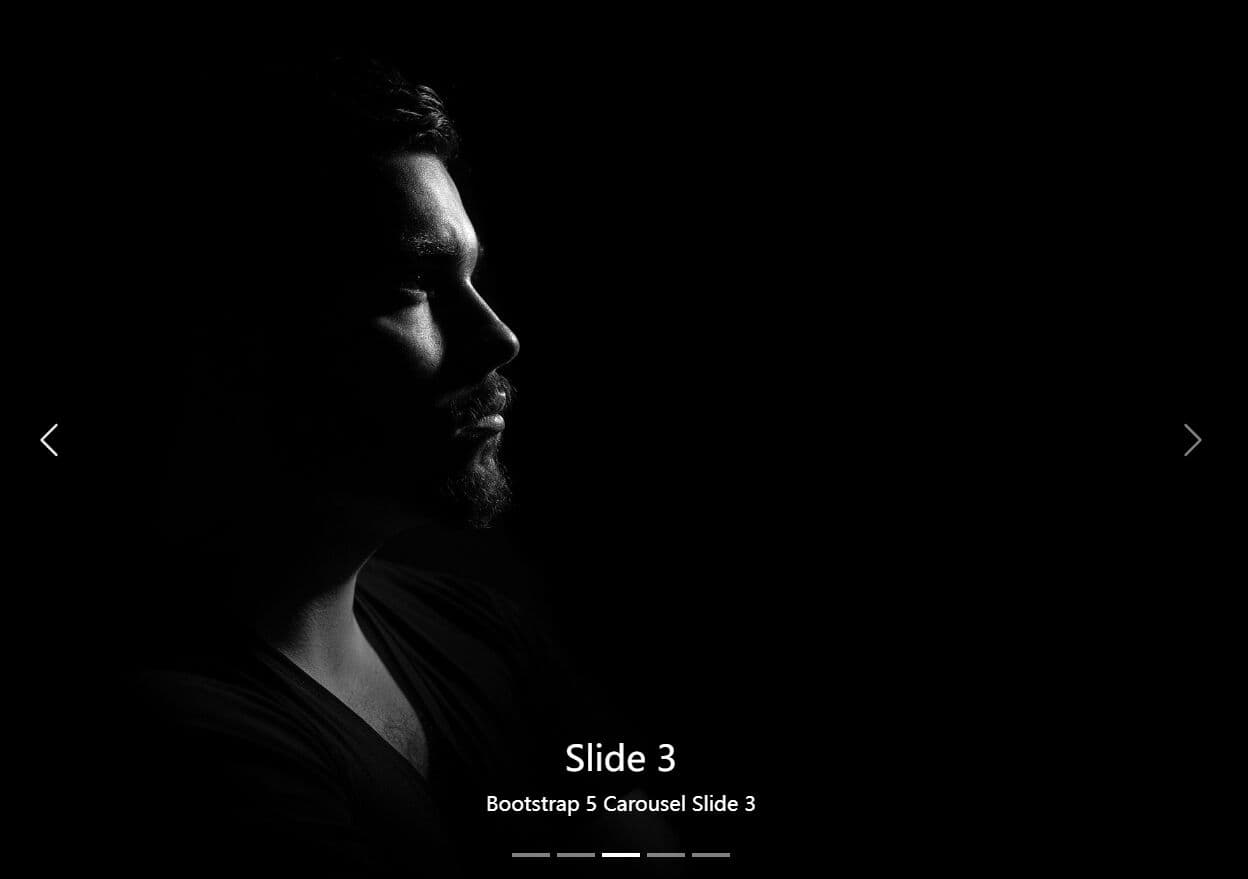
A responsive, automatic jQuery slider / carousel plugin used to showcase your images by sliding through a list of items containing background images with support for infinite looping and navigation controls. Perfect for your webpage where you'd like to create a full-width banner slider to present images.
How to use it:
1. The basic HTML structure.
<div class="banner">
  <ul>
    <!-- Carousel list -->
  </ul>
  <ol>
    <!-- Pagination -->
  </ol>
  <i class="left"></i>
    <!-- Navigation -->
  <i class="right"></i>
</div>
2. The CSS styles to make the carousel full-width.
.banner {
  width: 100%;
  position: relative;
  overflow: hidden;
}

.banner ul { position: absolute; }

.banner ul li {
  width: 100%;
  height: 560px;
  float: left;
  background: no-repeat center center;
}
3. Style the pagination and navigation controls.
.banner ol {
  height: 20px;
  background: rgba(0,0,0,0.5);
  position: absolute;
  left: 50%;
  bottom: 30px;
  padding: 0 10px;
  border-radius: 10px;
}

.banner ol li {
  width: 10px;
  height: 10px;
  float: left;
  margin: 5px 5px;
  background: rgba(255,255,255,0.5);
  border-radius: 50%;
  cursor: pointer;
}

.banner ol .current { background: rgba(255,255,255,1); }

.banner i {
  width: 58px;
  height: 120px;
  position: absolute;
  top: 50%;
  margin-top: -60px;
  cursor: pointer;
  border-radius: 5px;
  display: none;
}

.banner .left {
  left: 60px;
  background: url('left_right.png') no-repeat 0 0px;
}

.banner .right {
  right: 60px;
  background: url('left_right.png') no-repeat 0px -120px;
}

.banner .left:hover, .banner .right:hover { background-color: rgba(0, 0, 0, 0.31); }
4. Place the needed jQuery library at the bottom of your wbepage.
<script src="//code.jquery.com/jquery.min.js"></script>
5. The core function (jQuery script) to generate a carousel on the webpage.
$(function(){

  // parameters
  // image height
  var images_height = '560px';
  // array of images
  var images_url = [
      './1.jpg',
      './2.jpg',
      './3.jpg'
  ];
  var images_count = images_url.length;

  // create nodes
  for(var j=0;j<images_count+1;j++){
      $('.banner ul').append('<li></li>')
  }

  // pagination
  for(var j=0;j<images_count;j++){
      if(j==0){
          $('.banner ol').append('<li class="current"></li>')
      }else{
          $('.banner ol').append('<li></li>')
      }
  }

  // convert images into backgrounds
  $('.banner ul li').css('background-image','url('+images_url[0]+')');

  $.each(images_url,function(key,value){
      $('.banner ul li').eq(key).css('background-image','url('+value+')');
  });

  $('.banner').css('height',images_height);

  $('.banner ul').css('width',(images_count+1)*100+'%');

  $('.banner ol').css('width',images_count*20+'px');
  $('.banner ol').css('margin-left',-images_count*20*0.5-10+'px');

  var num = 0;

  var window_width = $(window).width();

  $(window).resize(function(){
      window_width = $(window).width();
      $('.banner ul li').css({width:window_width});
      clearInterval(timer);
      nextPlay();
      timer = setInterval(nextPlay,2000);
  });

  $('.banner ul li').width(window_width);

  // pagination dots
  $('.banner ol li').mouseover(function(){
      $(this).addClass('current').siblings().removeClass('current');
      var i = $(this).index();
      //console.log(i);
      $('.banner ul').stop().animate({left:-i*window_width},500);
      num = i;
  });

  // autoplay
  var timer = null;

  function prevPlay(){
      num--;
      if(num<0){
          $('.banner ul').css({left:-window_width*images_count}).stop().animate({left:-window_width*(images_count-1)},500);
          num=images_count-1;
      }else{
          $('.banner ul').stop().animate({left:-num*window_width},500);
      }
      if(num==images_count-1){
          $('.banner ol li').eq(images_count-1).addClass('current').siblings().removeClass('current');
      }else{
          $('.banner ol li').eq(num).addClass('current').siblings().removeClass('current');

      }
  }

  function nextPlay(){
      num++;
      if(num>images_count){
          $('.banner ul').css({left:0}).stop().animate({left:-window_width},500);
          num=1;
      }else{
          $('.banner ul').stop().animate({left:-num*window_width},500);
      }
      if(num==images_count){
          $('.banner ol li').eq(0).addClass('current').siblings().removeClass('current');
      }else{
          $('.banner ol li').eq(num).addClass('current').siblings().removeClass('current');

      }
  }

  timer = setInterval(nextPlay,2000);

  // auto pause on mouse enter
  $('.banner').mouseenter(function(){
      clearInterval(timer);
      $('.banner i').fadeIn();
  }).mouseleave(function(){
      timer = setInterval(nextPlay,2000);
      $('.banner i').fadeOut();
  });

  // goto next
  $('.banner .right').click(function(){
      nextPlay();
  });

  // back to previous
  $('.banner .left').click(function(){
      prevPlay();
  });

});
6. You are also allowed to insert background images via CSS instead of JavaScript as you seen above.
.banner ul li:nth-child(1){
  background: url('1.jpg') no-repeat center center;
}

.banner ul li:nth-child(2){
  background: url('2.jpg') no-repeat center center;
}

.banner ul li:nth-child(3){
  background: url('3.jpg') no-repeat center center;
}
This awesome jQuery plugin is developed by maizhenying09. For more Advanced Usages, please check the demo page or visit the official website.