Summernote: jQuery WYSIWYG Editor for Bootstrap 5
| File Size: | 1.36 MB |
|---|---|
| Views Total: | 29543 |
| Last Update: | |
| Publish Date: | |
| Official Website: | Go to website |
| License: | MIT |
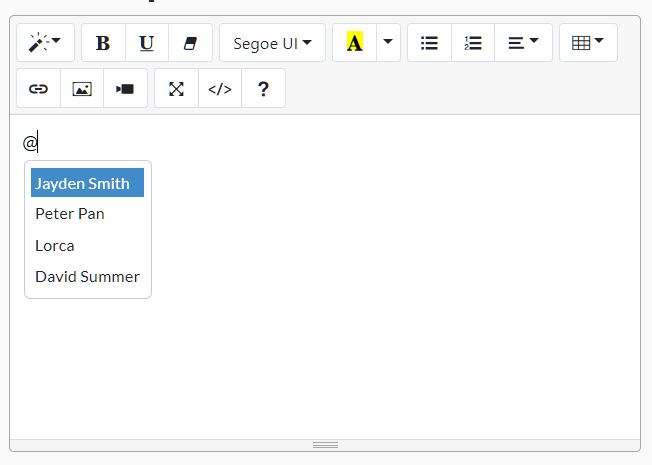
Summernote is a jQuery WYSIWYG editor for HTML content fields, with builds for Bootstrap 3, Bootstrap 4, Bootstrap 5, and jQuery-only projects through Summernote Lite.
Use it in CMS dashboards, admin forms, and other pages that store rich-text content as HTML. The examples use v0.9.1 and include setup, toolbar configuration, image uploads, options, methods, callbacks, and jQuery events.
Summernote Features
- Bootstrap 3, Bootstrap 4, Bootstrap 5, and framework-free Lite builds.
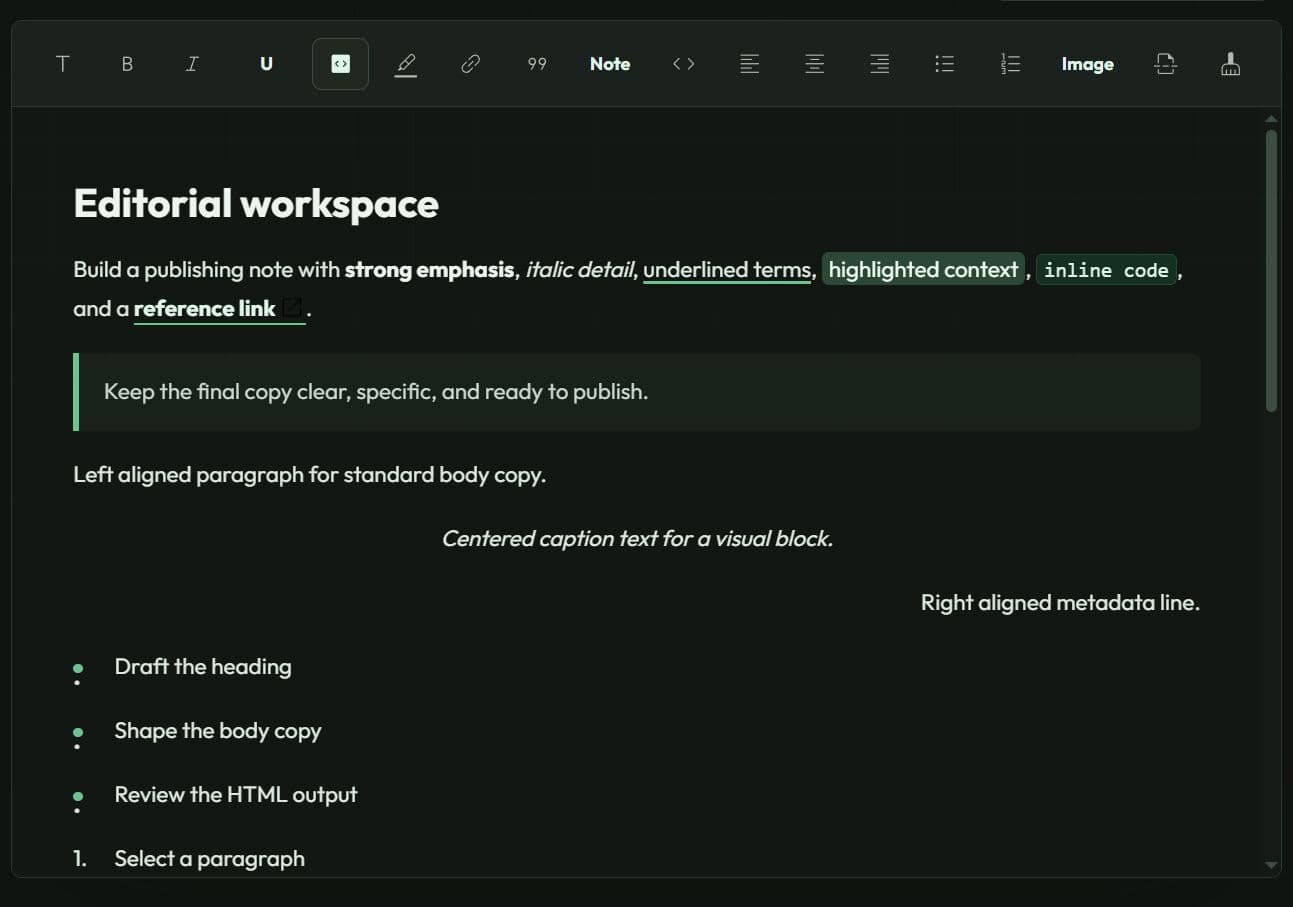
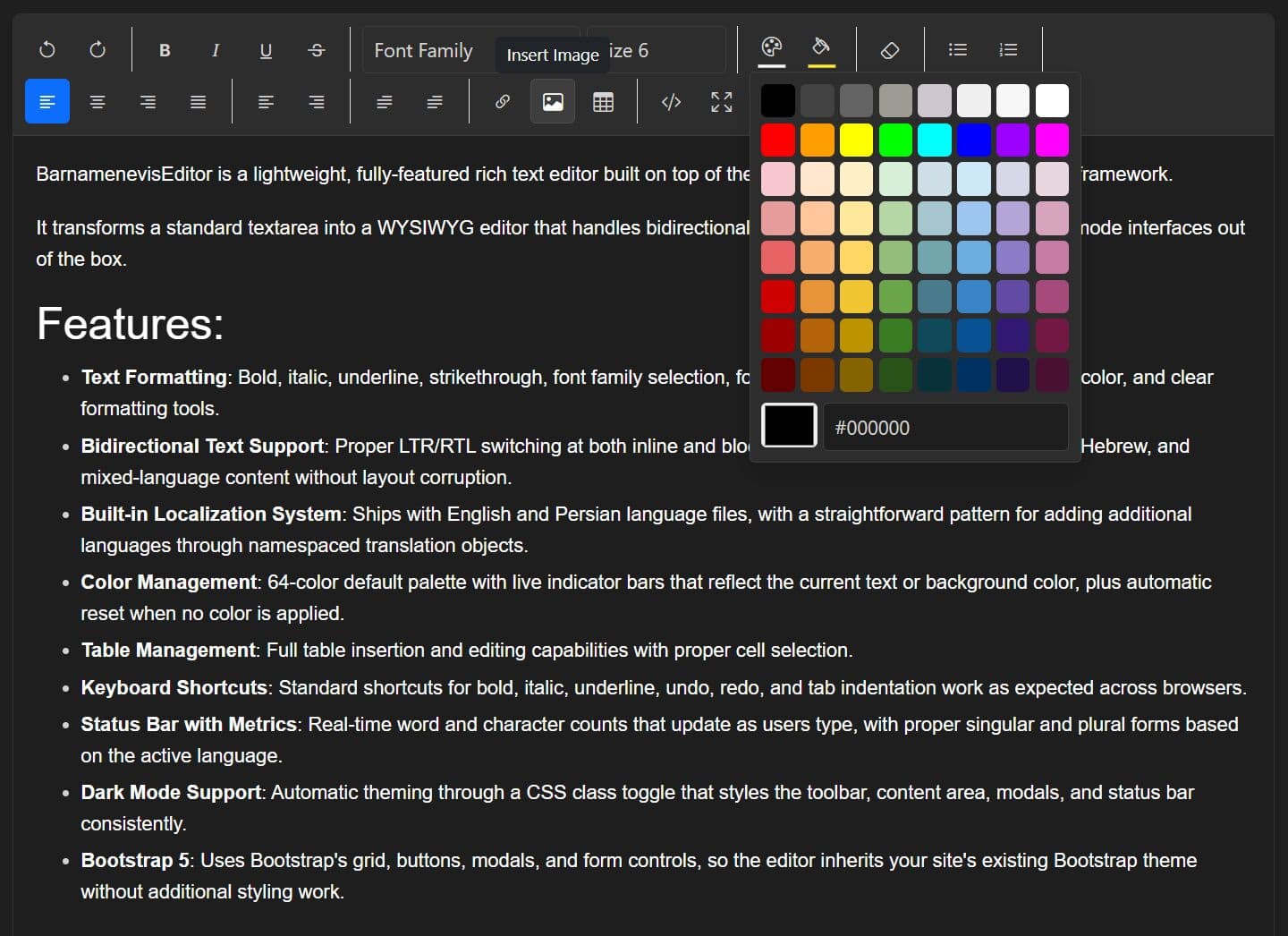
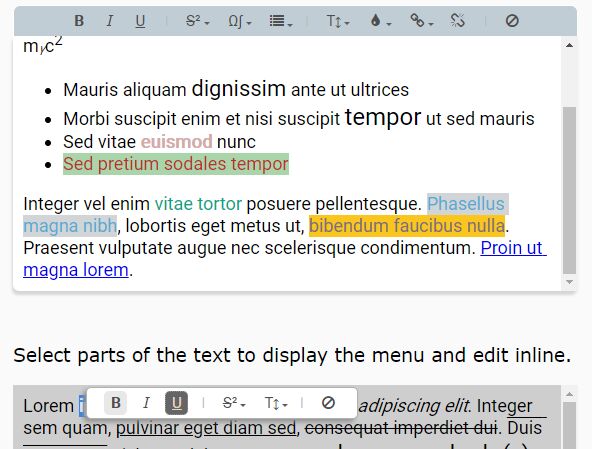
- Rich-text editing for headings, font styles, colors, lists, alignment, links, tables, images, and video embeds.
- HTML Code View for direct source editing.
- Inline Air Mode for editing selected page content without a fixed toolbar.
- Fullscreen editing for longer content fields.
- Image controls for resizing, alignment, and removal.
- Configurable toolbars, contextual popovers, style tags, fonts, font sizes, and line heights.
- Language packs and locale-specific editor labels.
- Mention hints and autocomplete-style text insertion.
- Custom buttons, modules, and external plugin extensions.
- Image upload callbacks for server-side media handling.
- Code View filtering and iframe source allowlists.
Third-Party Module
Summernote Setup and Usage
Summernote requires jQuery. Bootstrap builds also need the matching Bootstrap CSS and JavaScript files. Summernote Lite does not use Bootstrap and continues to require jQuery.
Choose a Summernote Build
| Build | Use It With |
|---|---|
summernote.css and summernote.js |
Bootstrap 3 projects. |
summernote-bs4.css and summernote-bs4.js |
Bootstrap 4 projects. |
summernote-bs5.css and summernote-bs5.js |
Bootstrap 5 projects. |
summernote-lite.css and summernote-lite.js |
jQuery projects that do not load Bootstrap. |
Install Summernote With Bootstrap 5
Load Bootstrap before Summernote. Load jQuery before both JavaScript files.
<!-- Bootstrap 5 CSS -->
<link rel="stylesheet" href="/path/to/cdn/bootstrap.min.css" />

<!-- Summernote Bootstrap 5 CSS -->
<link
  rel="stylesheet"
  href="https://cdn.jsdelivr.net/npm/[email protected]/dist/summernote-bs5.min.css"
/>

<!-- jQuery -->
<script src="/path/to/cdn/jquery.min.js"></script>

<!-- Bootstrap 5 bundle -->
<script src="/path/to/cdn/bootstrap.min.js"></script>

<!-- Summernote Bootstrap 5 build -->
<script src="https://cdn.jsdelivr.net/npm/[email protected]/dist/summernote-bs5.min.js"></script>
Install Summernote Lite
Use the Lite build on a jQuery page that does not use Bootstrap.
<!-- Summernote Lite CSS -->
<link
  rel="stylesheet"
  href="https://cdn.jsdelivr.net/npm/[email protected]/dist/summernote-lite.min.css"
/>

<!-- jQuery -->
<script src="/path/to/cdn/jquery.min.js"></script>

<!-- Summernote Lite build -->
<script src="https://cdn.jsdelivr.net/npm/[email protected]/dist/summernote-lite.min.js"></script>
Create A Form Editor
Use a textarea inside a POST form when the server should receive the editor HTML. The name attribute identifies the submitted field.
<form id="articleForm" method="post" action="/articles/save">
  <label for="articleEditor">Article body</label>

  <textarea
    id="articleEditor"
    name="articleBody"
  ></textarea>

  <button type="submit">Save article</button>
</form>
$('#articleEditor').summernote({
  height: 360,
  placeholder: 'Write the article body...',
  toolbar: [
    ['style', ['style']],
    ['font', ['bold', 'italic', 'underline', 'clear']],
    ['para', ['ul', 'ol', 'paragraph']],
    ['insert', ['link', 'picture', 'video']],
    ['view', ['codeview', 'fullscreen']]
  ]
});
Summernote keeps the source textarea synchronized when textareaAutoSync is enabled. The form submits the current HTML through articleBody.
Get and Set Summernote HTML
summernote('code') returns the current HTML. Pass an HTML string as the second argument to replace the editor content.
const $editor = $('#articleEditor');

// Read the current HTML.
const articleHtml = $editor.summernote('code');

// Load stored HTML into the editor.
$editor.summernote(
  'code',
  '<h2>Release Notes</h2><p>Draft content loaded from the server.</p>'
);
Configure The Toolbar, Height, And Placeholder
Keep the toolbar focused on the content types supported by the application. Documentation editors often need headings, links, code view, and tables. Comment fields usually need only emphasis, lists, and links.
$('#articleEditor').summernote({
  minHeight: 240,
  maxHeight: 640,
  placeholder: 'Add the product description...',
  styleTags: ['p', 'blockquote', 'pre', 'h2', 'h3', 'h4'],
  toolbar: [
    ['style', ['style']],
    ['font', ['bold', 'italic', 'underline', 'clear']],
    ['list', ['ul', 'ol']],
    ['insert', ['link', 'table']],
    ['view', ['codeview']]
  ]
});
Load A Language Pack
Load the language file after the main Summernote script, then set the matching locale through lang.
<script src="https://cdn.jsdelivr.net/npm/[email protected]/dist/lang/summernote-es-ES.min.js"></script>
$('#articleEditor').summernote({
  lang: 'es-ES',
  placeholder: 'Escribe el contenido aquí...'
});
Use Air Mode For Inline Editing
Air Mode edits page content in place. Select text to open a contextual popover. The editor does not show a fixed toolbar.
<article id="inlineSummary">
  <p>Click this summary and select text to edit it.</p>
</article>
$('#inlineSummary').summernote({
  airMode: true,
  popover: {
    air: [
      ['font', ['bold', 'italic', 'underline', 'clear']],
      ['para', ['ul', 'ol', 'paragraph']],
      ['insert', ['link']]
    ]
  }
});
Upload Inserted Images To The Server
Summernote inserts image files as Base64 data URLs unless an onImageUpload callback takes over the upload flow. Return a public image URL from the server, then insert that URL into the editor.
async function uploadArticleImage(file) {
  const formData = new FormData();
  formData.append('image', file);

  const response = await fetch('/media/article-images', {
    method: 'POST',
    body: formData
  });

  if (!response.ok) {
    throw new Error('Image upload failed.');
  }

  const data = await response.json();
  return data.url;
}

$('#articleEditor').summernote({
  maximumImageFileSize: 5 * 1024 * 1024,
  acceptImageFileTypes: 'image/*',

  callbacks: {
    async onImageUpload(files) {
      try {
        const imageUrl = await uploadArticleImage(files[0]);
        $('#articleEditor').summernote('insertImage', imageUrl);
      } catch (error) {
        window.alert(error.message);
      }
    }
  }
});
Add A Custom Toolbar Button
Custom buttons use $.summernote.ui.button(). Register the button under buttons, then place its key in a toolbar group.
const insertDisclosureButton = function (context) {
  const ui = $.summernote.ui;

  return ui.button({
    contents: '<i class="note-icon-pencil"></i>',
    tooltip: 'Insert disclosure',
    click() {
      context.invoke(
        'editor.pasteHTML',
        '<p><strong>Disclosure:</strong> Sponsored content can contain affiliate links.</p>'
      );
    }
  }).render();
};

$('#articleEditor').summernote({
  toolbar: [
    ['insert', ['link', 'picture', 'disclosure']],
    ['view', ['codeview']]
  ],
  buttons: {
    disclosure: insertDisclosureButton
  }
});
Summernote Options
Editor Size, Form Sync, And Input Behavior
| Option | Description |
|---|---|
editingBoolean. Default: true. |
Sets the initial editable state. |
airModeBoolean. Default: false. |
Replaces the standard editor frame with inline editing and an Air Mode popover. |
widthNumber or String. Default: null. |
Sets the editor width. |
heightNumber. Default: null. |
Sets a fixed editable-area height in pixels. |
minHeightNumber. Default: Not set. |
Sets the minimum editable-area height in pixels. |
maxHeightNumber. Default: Not set. |
Sets the maximum editable-area height in pixels. |
focusBoolean. Default: false. |
Places the caret inside the editor after initialization. |
placeholderString. Default: null. |
Displays placeholder text in an empty editor. |
inheritPlaceholderBoolean. Default: false. |
Reads placeholder text from the target element’s placeholder attribute. |
textareaAutoSyncBoolean. Default: true. |
Copies editor HTML back to the original textarea. |
containerString, Element, or jQuery object. Default: null. |
Sets the container for dialogs, tooltips, and popovers. |
maxTextLengthNumber. Default: 0. |
Sets the maximum editable text length. 0 leaves text length unrestricted. |
tabDisableBoolean. Default: false. |
Keeps Tab and Shift+Tab available for focus navigation. |
tabSizeNumber. Default: 4. |
Sets the indentation width used by Tab behavior. |
shortcutsBoolean. Default: true. |
Enables Summernote keyboard shortcuts. |
spellCheckBoolean. Default: true. |
Sets the editable area’s browser spellcheck behavior. |
disableGrammarBoolean. Default: false. |
Adds a Grammarly control attribute to the editable area. |
blockquoteBreakingLevelNumber. Default: 2. |
Controls how Enter exits nested blockquotes. |
Toolbar, Popovers, And Editor Placement
| Option | Description |
|---|---|
toolbarArray. Default: Full standard toolbar. |
Sets toolbar groups and button names. |
toolbarPositionString. Default: top. |
Places the toolbar at the top or bottom of the editor frame. |
toolbarContainerString, Element, or jQuery object. Default: Not set. |
Moves the toolbar into another page container. |
followingToolbarBoolean. Default: false. |
Keeps the toolbar fixed during page scroll while the editor stays in view. |
otherStaticBarString. Default: Empty string. |
Sets a selector for another fixed page bar that offsets a following toolbar. |
popoverObject. Default: Image, link, table, and Air Mode menus. |
Sets contextual button groups for images, links, tables, and inline editing. |
popatmouseBoolean. Default: true. |
Places Air Mode popovers near the pointer position. |
tooltipBoolean or String. Default: auto. |
Controls toolbar-button tooltips. |
codeviewKeepButtonBoolean. Default: false. |
Keeps configured buttons visible in Code View. |
overrideContextMenuBoolean. Default: false. |
Replaces the browser context menu in Air Mode. |
buttonsObject. Default: Empty object. |
Registers custom toolbar and popover buttons. |
iconsObject. Default: Summernote icon map. |
Overrides built-in icon markup or icon classes. |
Text, Fonts, Colors, And Tables
| Option | Description |
|---|---|
styleWithCSSBoolean. Default: false. |
Formats text with CSS styles when enabled. |
styleTagsArray. Default: Paragraph, blockquote, preformatted text, and headings. |
Sets the block styles listed in the Style dropdown. |
fontNamesArray. Default: Built-in font list. |
Sets font names available in the font-family dropdown. |
fontNamesIgnoreCheckArray. Default: Empty array. |
Lists web fonts that Summernote should show without checking local availability. |
addDefaultFontsBoolean. Default: true. |
Adds fonts inherited from the target element to the font dropdown. |
fontSizesArray. Default: 8 through 36. |
Sets the values in the font-size dropdown. |
fontSizeUnitsArray. Default: px and pt. |
Sets available font-size units. |
colorsArray. Default: Eight-row color palette. |
Sets foreground and background color choices. |
colorsNameArray. Default: Built-in color-name map. |
Sets accessible labels for palette colors. |
colorButtonObject. Default: Black foreground and yellow background. |
Sets the active foreground and background colors for the color button. |
lineHeightsArray. Default: 1.0 through 3.0. |
Sets available line-height values. |
tableClassNameString. Default: table table-bordered. |
Adds classes to tables inserted through the editor. |
insertTableMaxSizeObject. Default: { col: 10, row: 10 }. |
Limits rows and columns in the insert-table picker. |
Links, Dialogs, Images, And Drag Behavior
| Option | Description |
|---|---|
linkTargetBlankBoolean. Default: true. |
Sets new links to open in a new tab. |
linkAddNoReferrerBoolean. Default: false. |
Adds noreferrer to created links. |
addLinkNoOpenerBoolean. Default: false. |
Adds noopener to created links. |
disableLinkTargetBoolean. Default: Not set. |
Removes the target-window control from the link dialog. |
onCreateLinkFunction. Default: Not set. |
Receives a link URL before Summernote inserts it. |
dialogsInBodyBoolean. Default: false. |
Appends image, link, and video dialogs to body. Set this to true inside Bootstrap modals. |
dialogsFadeBoolean. Default: false. |
Adds a fade transition to dialogs. |
maximumImageFileSizeNumber. Default: null. |
Sets the largest accepted image file size in bytes. |
acceptImageFileTypesString. Default: image/*. |
Sets the accepted image MIME-type pattern. |
allowClipboardImagePastingBoolean. Default: true. |
Accepts pasted image files from the clipboard. |
disableDragAndDropBoolean. Default: Not set. |
Blocks drag-and-drop file insertion. |
disableResizeEditorBoolean. Default: Not set. |
Removes the editor resize bar. |
disableResizeImageBoolean. Default: Not set. |
Removes the image resize handle. |
Language, Code View, Hints, History, And Extensions
| Option | Description |
|---|---|
langString. Default: en-US. |
Sets the loaded Summernote language pack. |
codemirrorObject. Default: HTML mode with line numbers. |
Passes CodeMirror settings to Code View when CodeMirror has been loaded on the page. |
codeviewFilterBoolean. Default: true. |
Filters disallowed tags from Code View content. |
codeviewFilterRegexRegExp. Default: Built-in blocked-tag pattern. |
Sets the regular expression used by Code View filtering. |
codeviewIframeFilterBoolean. Default: true. |
Filters iframe source URLs in Code View. |
codeviewIframeWhitelistSrcArray. Default: Empty array. |
Adds iframe hostnames to the allowed source list. |
codeviewIframeWhitelistSrcBaseArray. Default: Built-in video and social hostnames. |
Stores Summernote’s default iframe source allowlist. |
prettifyHtmlBoolean. Default: Not set. |
Formats HTML shown in Code View. |
hintObject or Array. Default: Not set. |
Registers autocomplete-style hint sources. |
hintModeString. Default: word. |
Sets the hint matching mode. |
hintSelectString. Default: after. |
Sets where hint selection continues after insertion. |
hintDirectionString. Default: bottom. |
Sets the hint popover direction. |
recordEveryKeystrokeBoolean. Default: false. |
Stores an undo snapshot after each keystroke. |
historyLimitNumber. Default: 200. |
Sets the maximum number of undo-history snapshots. |
showDomainOnlyForAutolinkBoolean. Default: false. |
Uses a domain-only label for automatically created links. |
keyMapObject. Default: PC and Mac shortcut maps. |
Overrides Summernote keyboard shortcuts. |
modulesObject. Default: Core Summernote modules. |
Registers custom editor modules. |
Filter Code View And Validate HTML On The Server
Code View filters only run in the browser. Validate and sanitize editor HTML on the server before storage or rendering.
$('#articleEditor').summernote({
  codeviewFilter: true,
  codeviewIframeFilter: true,
  codeviewIframeWhitelistSrc: [
    'www.youtube.com',
    'player.vimeo.com',
    'media.example.com'
  ]
});
Summernote Methods
Initialization, Content, And Editor State
| Method | Description |
|---|---|
summernote(options) |
Creates a Summernote instance with an optional configuration object. |
summernote('code') |
Returns the current editor HTML. |
summernote('code', html) |
Replaces the editor content with an HTML string. |
summernote('destroy') |
Removes the editor instance and restores the original target element. |
summernote('reset') |
Clears editor content and removes stored undo history. |
summernote('isEmpty') |
Returns true when the editor has no meaningful content. |
summernote('focus') |
Places the caret inside the editable area. |
summernote('enable') |
Restores editing and toolbar interaction. |
summernote('disable') |
Disables editing and toolbar interaction. |
summernote('undo') |
Restores the previous undo snapshot. |
summernote('redo') |
Reapplies the next redo snapshot. |
summernote('codeview.toggle') |
Switches between visual editing and HTML Code View. |
summernote('fullscreen.toggle') |
Switches fullscreen editing on or off. |
summernote('fullscreen.isFullscreen') |
Returns the current fullscreen state. |
$.summernote.interface |
Returns the active interface identifier, such as bs3, bs4, bs5, or lite. |
Selection And Range Methods
| Method | Description |
|---|---|
summernote('createRange') |
Creates a range object from the current selection. |
summernote('saveRange') |
Saves the current selection inside the editor instance. |
summernote('restoreRange') |
Restores the most recently saved selection. |
summernote('editor.getLastRange') |
Returns Summernote’s latest stored range object. |
summernote('editor.setLastRange', range) |
Stores a custom range object as the current editor range. |
Font And Inline Formatting Methods
| Method | Description |
|---|---|
summernote('bold') |
Toggles bold formatting on the current selection. |
summernote('italic') |
Toggles italic formatting on the current selection. |
summernote('underline') |
Toggles underline formatting on the current selection. |
summernote('strikethrough') |
Toggles strikethrough formatting on the current selection. |
summernote('superscript') |
Toggles superscript formatting on the current selection. |
summernote('subscript') |
Toggles subscript formatting on the current selection. |
summernote('removeFormat') |
Removes inline formatting from the current selection. |
summernote('fontName', name) |
Sets the selected text’s font family. |
summernote('fontSize', size) |
Sets the selected text’s font size. |
summernote('fontSizeUnit', unit) |
Sets the font-size unit, such as px or pt. |
summernote('foreColor', color) |
Sets the selected text’s foreground color. |
summernote('backColor', color) |
Sets the selected text’s background color. |
Paragraph And List Methods
| Method | Description |
|---|---|
summernote('formatH1') through summernote('formatH6') |
Changes the current block to the selected heading level. |
summernote('formatPara') |
Changes the current block to a paragraph. |
summernote('insertOrderedList') |
Toggles an ordered list for the current block. |
summernote('insertUnorderedList') |
Toggles an unordered list for the current block. |
summernote('indent') |
Indents the current paragraph or list item. |
summernote('outdent') |
Outdents the current paragraph or list item. |
summernote('justifyLeft') |
Aligns the current paragraph to the left. |
summernote('justifyCenter') |
Centers the current paragraph. |
summernote('justifyRight') |
Aligns the current paragraph to the right. |
summernote('justifyFull') |
Justifies the current paragraph. |
summernote('lineHeight', value) |
Sets the current paragraph’s line height. |
summernote('insertParagraph') |
Inserts a new paragraph at the cursor position. |
Link, Image, Text, And HTML Insertion Methods
| Method | Description |
|---|---|
summernote('createLink', data) |
Creates a link from an object with text, url, and isNewWindow values. |
summernote('unlink') |
Removes the active link from the current selection. |
summernote('insertImage', url, filename) |
Inserts an image from a URL. The optional second argument accepts a filename or callback. |
summernote('insertNode', node) |
Inserts a DOM node at the current cursor position. |
summernote('insertText', text) |
Inserts plain text at the current cursor position. |
summernote('pasteHTML', html) |
Inserts an HTML string at the current cursor position. |
Insert A Reusable HTML Block At The Saved Selection
const $editor = $('#articleEditor');

$editor.on(
  'summernote.focus summernote.keyup summernote.mouseup',
  function () {
    $editor.summernote('saveRange');
  }
);

$('#insertCallout').on('click', function () {
  $editor.summernote('restoreRange');

  $editor.summernote(
    'pasteHTML',
    '<aside class="article-callout"><strong>Note:</strong> Add supporting details here.</aside>'
  );
});
Summernote Callbacks
Lifecycle, Content, And Keyboard Callbacks
| Callback | Runs When |
|---|---|
onInit(layoutInfo) |
Summernote finishes initialization. |
onBeforeCommand(contents) |
Summernote prepares to execute an editor command. |
onChange(contents, $editable) |
Visual editor content changes. |
onChangeCodeview(contents, codeviewEditor) |
HTML changes in Code View. |
onFocus(event) |
The visual editing area receives focus. |
onBlur(event) |
The visual editing area loses focus. |
onBlurCodeview(contents, event) |
Code View loses focus. |
onEnter(event) |
The editor receives Enter or Return. |
onKeydown(event) |
A key is pressed inside the editor. |
onKeyup(event) |
A key is released inside the editor. |
onPaste(event) |
Content enters the editor through paste. |
Media, Dialog, Pointer, And Scroll Callbacks
| Callback | Runs When |
|---|---|
onImageUpload(files) |
Image files enter the editor through the image dialog, paste, or drag-and-drop. |
onImageUploadError(error) |
An image upload fails or breaches the configured image-size limit. |
onImageLinkInsert(url) |
The image dialog inserts an image URL. |
onDialogShown() |
A Summernote dialog opens. |
onMousedown(event) |
The pointer button goes down in the editable area. |
onMouseup(event) |
The pointer button releases in the editable area. |
onScroll(event) |
The editable area scrolls. |
Summernote jQuery Events
Lifecycle, Content, And Editor-State Events
| Event | Fires When |
|---|---|
summernote.init |
Summernote finishes initialization. |
summernote.destroy |
The instance is destroyed. |
summernote.before.command |
Summernote prepares to run an editor command. |
summernote.change |
Visual editor HTML changes. |
summernote.change.codeview |
Code View HTML changes. |
summernote.codeview.toggled |
Code View opens or closes. |
summernote.disable |
The editable state changes through enable or disable. |
summernote.focus |
The visual editing area receives focus. |
summernote.blur |
The visual editing area loses focus. |
summernote.blur.codeview |
Code View loses focus. |
summernote.focusin |
Focus enters the editable area. |
summernote.focusout |
Focus leaves the editable area. |
summernote.enter |
The editor receives Enter or Return. |
Image, Dialog, Pointer, And Clipboard Events
| Event | Fires When |
|---|---|
summernote.dialog.shown |
A Summernote dialog opens. |
summernote.image.upload |
Image files enter the editor. |
summernote.image.upload.error |
An image upload error occurs. |
summernote.image.link.insert |
An image URL enters through the image dialog. |
summernote.media.delete |
An image or media element is removed. |
summernote.keydown |
A key is pressed in the editor. |
summernote.keyup |
A key is released in the editor. |
summernote.mousedown |
The pointer button goes down in the editor. |
summernote.mouseup |
The pointer button releases in the editor. |
summernote.paste |
Content enters the editor through paste. |
summernote.copy |
Content is copied from the editor. |
summernote.scroll |
The editable area scrolls. |
summernote.contextmenu |
The context menu opens in Air Mode while overrideContextMenu is enabled. |
Track Content Changes Through A jQuery Event
$('#articleEditor').on(
  'summernote.change',
  function (event, contents) {
    $('#articlePreview').html(contents);
  }
);
Summernote Custom Modules and Plugins
| API | Description |
|---|---|
$.summernote.ui.button(options) |
Creates a custom toolbar or popover button. |
buttons |
Registers a named custom button during initialization. |
icons |
Overrides built-in icon markup. |
modules |
Registers a module for one Summernote instance. |
$.summernote.plugins |
Registers a reusable plugin module before editor initialization. |
summernote('moduleName.method', ...args) |
Calls a public method exposed by a custom module. |
Related Resources
- 10 Best WYSIWYG Editors For Easier Content Editing
- Trumbowyg.js: Lightweight HTML5 WYSIWYG Editor Plugin For jQuery
Changelog
v0.9.1 (2024-10-10)
- Update dependencies
v0.9.0 (2024-09-28)
- Add noreferrer and noopener link options
- Add paste clipboard image behind the config flag
- Add supports for YouTube shorts and live
- Update translations
- Optimize isfontinstalled function
- Allow resize the statusbar on touch devices
- Improve images pasting from clipboard
- Add variable to font path
- Trigger change when AutoLink replaces link
- Add protocol automatically
- Adapt YouTube regex + restore YouTube regex for start (hour min sec)
- Bug Fix
v0.8.20 (2021-10-15)
- This is a hotfix for fixing path problem on css files.
v0.8.19 (2021-10-14)
- Add Bootstrap 5 style
- Add support for Peertube hosted video
- Support jQuery 3.5+
- Bug Fix
v0.8.18 (2020-05-21)
- Fixed dist folder
v0.8.17 (2020-05-20)
- Allow CodeMirror to accept programmatic changes
- Improvement
- Bug Fix
- Add missing translations and correct one for Norwegian Bokmål
- Updates to Greek language
v0.8.16 (2020-02-19)
- Allow airpopover on contextmenu
- Support keydown event to record undo history
- Add babel preset for ecma2015+
- Remove TypeScript plugins and add Babel settings
- Add an option for limiting history stack
- Replace deprecated styleWithSpan with styleWithCSS
- Remove XSS vulnerability of LinkPopover
- Bugfix
This awesome jQuery plugin is developed by summernote. For more Advanced Usages, please check the demo page or visit the official website.