Infinite Ajax Scroll Plugin In jQuery & Vanilla JS - ias.js
| File Size: | 35.2 KB |
|---|---|
| Views Total: | 28959 |
| Last Update: | |
| Publish Date: | |
| Official Website: | Go to website |
| License: | MIT |
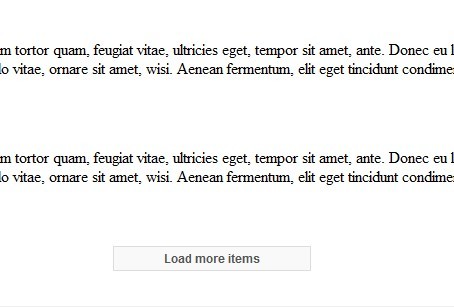
ias.js (Infinite Ajax Scroll) is a jQuery and pure (vanilla) JavaScript plugin that helps you create SEO-friendly, progressively enhanced infinite scrolling effect with ajax technique for loading more items of your page when scroll down.
Note that the latest Infinite Ajax Scroll (v3.0+) has dropped the jQuery support. You can use it as a vanilla JavaScript library.
What is Infinite Scroll?
Infinite Scroll is an awesome and powerful effect that applied to many modern websites like pinterest, facebook, twitter and etc. It provides a basic mechanism for triggering more contents to be loaded when the bottom of the page is reached.
You might also like:
Table Of Contents:
How to use it (v3.x, Vanilla JS version):
1. Install and import the Infinite Ajax Scroll.
# NPM
$ npm install @webcreate/infinite-ajax-scroll --save
import InfiniteAjaxScroll from '@webcreate/infinite-ajax-scroll';
2. Or load the UMD version of the Infinite Ajax Scroll library from a CDN.
<script src="https://unpkg.com/@webcreate/infinite-ajax-scroll@latest/dist/infinite-ajax-scroll.min.js"></script>
<!-- OR -->
<script src="https://cdn.jsdelivr.net/npm/@webcreate/infinite-ajax-scroll@latest/dist/infinite-ajax-scroll.min.js"></script>
3. The HTML for the infinite scroll view.
<div class="container">
  <div class="item">...</div>
  <div class="item">...</div>
  <div class="item">...</div>
  ...
</div>

<div class="pagination">
  <a href="page2.html" class="next">Next</a>
</div>
4. Initialize the Infinite Ajax Scroll and done.
let ias = new InfiniteAjaxScroll('.container', {
    item: '.item',
    next: '.next',
    pagination: '.pagination'
});
5. All possible options.
let ias = new InfiniteAjaxScroll('.container', {

    // item selector
    item: '.item',

    // selector of the next link
    next: '.next',

    // pagination selector
    pagination: '.pagination',

    // or 'JSON'
    responseType: 'document',

    // by default the plugin binds Infinite Ajax Scroll to scroll and resize events
    // set the option to false and bind your own events using the bind() method
    bind: true,

    // selector of scrollable container
    scrollContainer: window,

    // config the loading spinner
    // string|Object|boolean
    spinner: false,

    // event logger
    // Object|boolean
    logger: true,

    // auto loads content on scroll
    loadOnScroll: true,

    // by default Infinite Ajax Scroll starts loading new items when the user scrolls to the bottom of the last item.
    // the negativeMargin (in pixels) will be subtracted from the items' offset, allowing you to load new pages sooner.
    negativeMargin: 0,

    // configure a trigger
    // string|Element|Object|boolean
    trigger: false,

    // when enabled, and the content is shorter than the scroll container, Infinite Ajax Scroll will load the next page(s) until the content is taller than the scroll container.
    // when disabled the responsibility to load the next page is in the hands of the developer. This can be done by calling next manually.
    prefill: true,

});
6. API methods.
// bind/unbind events
ias.bind();

// load next page manually
ias.next();

// load an URL and return a promise
ias.load(URL);

// append an array of element to the parent
ias.append(items, parent);

// disable/enable load on scroll
ias.disableLoadOnScroll();
ias.enableLoadOnScroll();
7. Event handlers.
ias.on('ready', function(e){
  // do something
});

ias.on('binded', function(e){
  // do something
});

ias.on('unbinded', function(e){
  // do something
});

ias.on('scrolled', function(e){
  // props:
  // scroll.y: Current vertical scroll position from the top of the page (can be negative)
  // scroll.x: Current horizontal scroll position from the left of the page (can be negative)
  // scroll.deltaY: Delta between current vertical scroll position and previous position
  // scroll.deltaX: Delta between current horizontal scroll position and previous position
});

ias.on('resized', function(e){
  // props:
  // scroll: Object with x y coord of the current scroll position
});

ias.on('hit', function(e){
  // props:
  // distance: The distance to the scroll threshold in pixels
});

ias.on('next', function(e){
  // props:
  // pageIndex: The page index of the next page (the page that is about to be loaded)
});

ias.on('nexted', function(e){
  // props:
  // pageIndex: The page index of the next page (the page that is about to be loaded)
});

ias.on('load', function(e){
  // props:
  // url: The url that is about to be requested
  // xhr: The configured XMLHttpRequest that is going to be used
});

ias.on('loaded', function(e){
  // props:
  // items: Array of items that have loaded and will be appended. These items match the selector given in the next option
  // url: The url that is about to be requested
  // xhr: The configured XMLHttpRequest that is going to be used
});

ias.on('error', function(e){
  // props:
  // url: The url that is about to be requested
  // method: The method used to fetch the url ("GET", "POST", etc)
  // xhr: The configured XMLHttpRequest that is going to be used
});

ias.on('append', function(e){
  // props:
  // items: Array of items that will be appended
  // parent: The element to which the items will be appended
  // appendFn: Function used to append items to the container
});

ias.on('appended', function(e){
  // props:
  // items: Array of items that have been appended
  // parent: The element to which the items have been appended
});

ias.on('last', function(e){
  // do something
});

ias.on('page', function(e){
  // props:
  // pageIndex: The page index of the current page
  // url: Url of the page
  // title: Title of the page
  // sentinel: Sentinel element. Element used to determine on which page the user is
});

ias.on('prefill', function(e){
  // do something
});

ias.on('prefilled', function(e){
  // do something
});
How to use it (v2.x, jQuery version):
1. Add the latest jQuery library and ias.js script to your head section of the page.
<script src="/path/to/jquery.min.js"></script>
<script src="/path/to/jquery-ias.min.js"></script>
2. Create list items and a navigation link with the CSS class of 'next' as follows:
<div id="content">
  <div class="listing">
    <div class="post"> <strong>Item 1</strong>
      <p>...</p>
    </div>
    <div class="post"> <strong>Item 2</strong>
      <p>...</p>
    </div>
  </div>
  <div class="navigation">
    <ul>
      <li>1</li>
      <li class="next-posts">
        <a href="page2.html" class="next">2</a>
      </li>
    </ul>
  </div>
</div>
3. Initialize the plugin on document ready and done.
$(document).ready(function() {
  jQuery.ias({
    item: '.post',
    container: '.listing',
    next: '.next',
    pagination: '.navigation'
  });
});
4. Available extensions:
- History: Allows to back to the previous page.
- None Left: Custom content when there's no result.
- Paging: Triggers an event on page change.
- Spinner: Custom loading spinner.
- Trigger: Custom trigger element to load more content.
var ias = jQuery.ias();

// trigger extension
ias.extension(new IASTriggerExtension({
  text: 'Load more items'
}));

// paging extension
jQuery.ias().extension(new IASPagingExtension());
jQuery.ias().on('pageChange', function(pageNum, scrollOffset, url) {
  console.log(
    "Welcome at page " + pageNum + ", " +
    "the original url of this page would be: " + url
  );
});

// None Left extension
ias.extension(new IASNoneLeftExtension({
  text: 'You reached the end.', // optionally
}));

// history extension
ias.extension(new IASTriggerExtension({
  prev: '.previous'
}));
jQuery.ias().prev(); // loads the previous page

// spinner extension
ias.extension(new IASSpinnerExtension({
  src: 'spinner.gif' // optionally
}));
5. All plugin options to customize the infinite scroll effect.
jQuery.ias({

  // item selector
  item: '.item',

  // container selector
  container: '.listing',

  // navigation selector
  next: '.next',

  // specifies the pagination control
  pagination: false,

  // delay in ms
  delay: 600,

  // the offset to trigger the infinite scroll
  negativeMargin: 10,

  // initializes the plugin on document ready
  initialize: true

});
6. API methods.
jQuery.ias().bind();
jQuery.ias().destroy();
jQuery.ias().initialize();
jQuery.ias().reinitialize();
jQuery.ias().next();
jQuery.ias().on('eventName', function(){});
jQuery.ias().off('eventName', function(){});
jQuery.ias().one('eventName', function(){});
jQuery.ias().unbind();
7. Event handlers.
var ias = jQuery.ias();

ias.on('scroll', function(scrollOffset, scrollThreshold) {
  // on scroll
})

ias.on('load', function(event) {
  // do something
})

ias.on('loaded', function(data, items) {
  // do something
})

ias.on('render', function(items) {
  // before rendering
})

ias.on('rendered', function(items) {
  // after rendered
})

ias.on('noneLeft', function() {
  // when reaching the bottom
})

ias.on('next', function(url) {
  // when the next page should be loaded
})
Changelog:
v3.1.0 (2023-04-10)
- Added prev option
- Added prev event
- Added preved event
- Added top event
- Added first event
- Added prepend event
- Added prepended event
v3.0.1 (2022-09-14)
- Fixed prefill not filling past the scroll threshold
v3.0.0beta 5 (2019-12-13)
- Fixed scope issues when using two or more instances on a single page
v3.0.0beta 4 (2019-07-14)
- v3.0
- Doc updated
v2.3.2 (2018-06-05)
- Update
v2.2.3 (2018-03-15)
- Improved documentation
- Fix: Cannot read property 'Deferred' of undefined (in jQuery noConflict mode)
- Small tweaks
v2.2.2 (2017-06-23)
- Fix: render callback is not executed when using a custom render function
- Fix: unpredictable behaviour when multiple instances used the same selectors for sub-elements
- Stop ajax responder if instance was destroyed or reinitialized
- Code tweaks
v2.2.1 (2016-06-16)
- Fix: prevent multiple initialisations causing duplicate items
- Fix scoping bug in container getter
- Stop ajax responder if instance was destroyed or reinitialized
v2.2.0 (2015-01-16)
- Improved documentation on delay and negativeMargin options
- Added FAQ to support documentation
- Added Wordpress cookbook
- Fix: Maintain history state object when changing pages (longzheng)
- Fix: no longer caching $itemsContainer (fixes #153)
- Fix: really destroy instance on destroy method (fixes #160)
- Fix: Replaced deprecated size() with .length (fixes #162)
- Fix: Reworked binding and unbinding (fixes various issues with unbinding)
- Fix: Bail out when device doesn't support onScroll event (like Opera Mini) (fixes #146 by fflewddur)
- Added reinitialize method
v2.1.3 (2014-10-03)
- Improve compatibility support when Prototype is used along with jQuery
v2.1.1 (2014-05-14)
- Changed argument of load event from url to event object
- Fixed prev() return value
v2.1.0 (2014-02-23)
- Added History extension
- Added ready event
- Added loaded event (load is now triggered before loading starts)
- Added rendered event (render is now triggered before rendering starts)
- Added priority to callbacks
- Added initialize call for extensions
- Added one method
v2.0.0 (2014-02-01)
- Completely rewritten
- Extensible through extensions
- Extensible through events
- Added an extensive test suite
v1.1.0 (2014-01-29)
- Typo and spelling fixes (threshold)
- Added customTriggerProc
- Fixed triggerPageThreshold when zero
- Added onScroll event
- Improved compatibility with jQuery 1.4
- Fixed noneLeft
This awesome jQuery plugin is developed by webcreate. For more Advanced Usages, please check the demo page or visit the official website.