Brackets.js: Tournament Brackets for JavaScript
| File Size: | 144 KB |
|---|---|
| Views Total: | 24035 |
| Last Update: | |
| Publish Date: | |
| Official Website: | Go to website |
| License: | MIT |
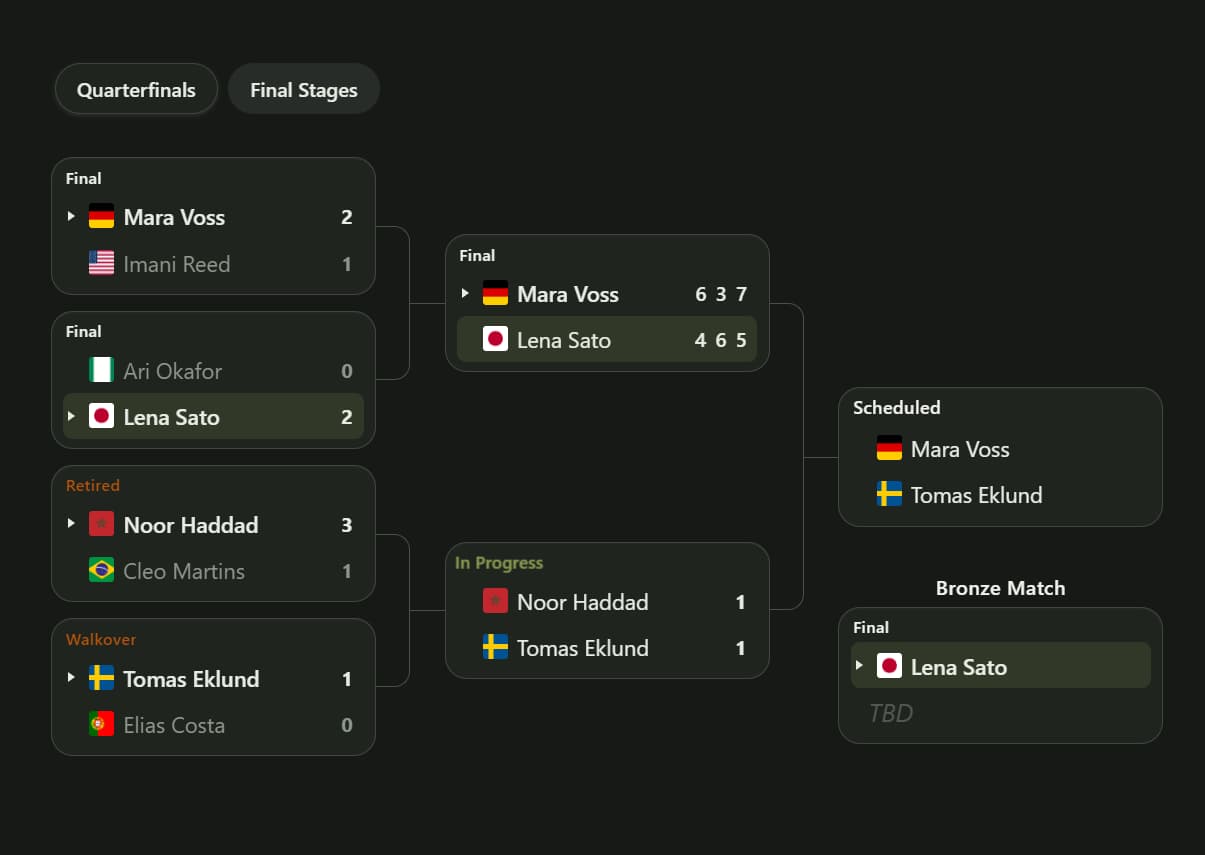
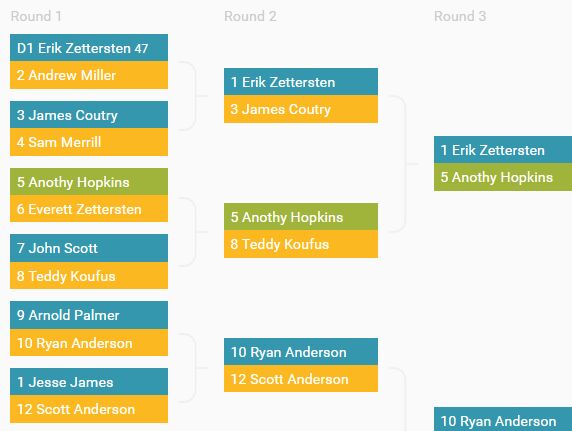
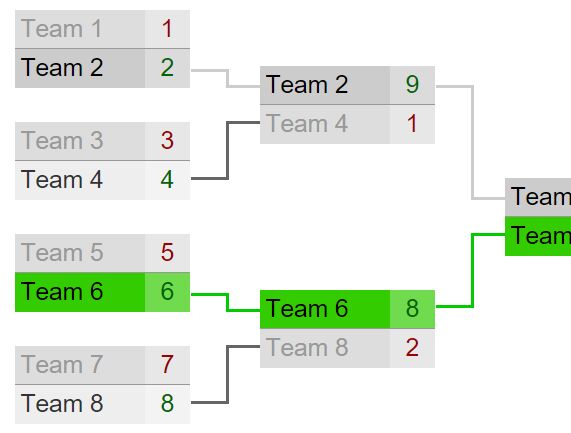
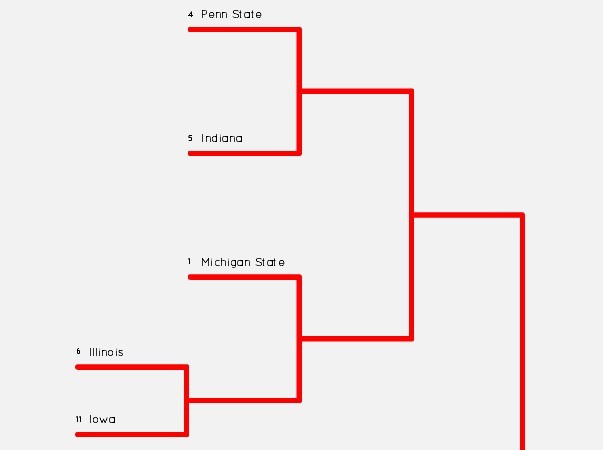
Brackets.js is a beautiful, responsive, single-elimination tournament bracket generator for web applications.
It is the next-generation successor to the original jQuery Brackets.js plugin and now supports Vanilla JavaScript, jQuery, React, and Angular through one shared core.
The library allows you to render read-only brackets from your application data, including winners, scores, match statuses, byes, round titles, and optional third-place matches.
Note that it does not calculate results or provide an editor. Your application supplies the current tournament state.
Features:
- Nested match arrays drive read-only single-elimination bracket layouts.
- Automatic first-round padding and winner advancement for tournament byes.
- Single-result scores, multi-set scores, and superscript tie-break values.
- Scheduled, in-progress, final, retired, and walkover status badges.
- Optional third-place matches pull competitors from semifinal losers.
- Clickable round navigation for focusing on later tournament stages.
- Built-in default and dark themes with CSS custom properties.
- Live bracket updates through a stable API instance.
- TypeScript types for options, players, matches, state, and the instance API.
- Reduced-motion handling for entrance effects and active-match pulses.
How To Use It
Installation
Install the package from npm. The main package contains the Vanilla JavaScript ESM build, stylesheet, TypeScript declarations, jQuery adapter, React component, and Angular component
npm install @ali.camargo/tournament-brackets
Basic Usage
Create an empty DIV container for your tournament bracket:
<div id="tournament-bracket"></div>
Import the JavaScript core and stylesheet, define the tournament rounds, and create the bracket:
import { Brackets } from '@ali.camargo/tournament-brackets';
import '@ali.camargo/tournament-brackets/style.css';

const rounds = [
  [
    {
      player1: {
        id: 'falcons',
        name: 'Falcons',
        winner: true
      },
      player2: {
        id: 'comets',
        name: 'Comets'
      },
      score: [3, 1],
      status: 'final'
    },
    {
      player1: {
        id: 'wolves',
        name: 'Wolves'
      },
      player2: {
        id: 'titans',
        name: 'Titans',
        winner: true
      },
      score: [0, 2],
      status: 'final'
    }
  ],
  [
    {
      player1: {
        id: 'falcons',
        name: 'Falcons'
      },
      player2: {
        id: 'titans',
        name: 'Titans',
        winner: true
      },
      score: [1, 2],
      status: 'final'
    }
  ]
];

const bracketElement = document.querySelector('#tournament-bracket');

const bracket = Brackets.create(bracketElement, {
  rounds: rounds,
  titles: true,
  showScores: 'auto',
  roundNav: true,
  theme: 'default'
});
Tournament Data
Players
Each match accepts player1 and player2 objects. A player can contain these fields:
id(String | Number): Stable competitor identifier. Brackets.js converts it to a string internally.name(String): Text displayed in the player row.winner(Boolean): Marks this player as the match winner whenwinnerIdis not set on the match.url(String): Optional HTTP URL or relative path applied to the player name.image(String): Optional player or team image. The image column appears when at least one player has an image.score(Number): Optional per-player score for a single-result match.
The first round does not need a power-of-two number of populated competitors. Brackets.js pads the round with byes and advances unopposed players.
Matches
A match can contain these fields:
player1(Player | null): Competitor in the first slot.player2(Player | null): Competitor in the second slot.winnerId(String | Number): Winner identifier. This takes precedence over each player'swinnerflag.score(Array): Single-result, set-based, or tie-break score data.scoreType(String): Usesetsfor multi-period scores.status(String): Match status badge value.
Score Formats
Use a two-item array for a football score or another single-result match:
const finalMatch = {
  player1: { id: 'harbor', name: 'Harbor FC', winner: true },
  player2: { id: 'union', name: 'Union FC' },
  score: [2, 1]
};
Use one score pair per set for tennis and other multi-period formats:
const tennisMatch = {
  player1: { id: 'lee', name: 'M. Lee', winner: true },
  player2: { id: 'ortiz', name: 'R. Ortiz' },
  score: [
    [6, 4],
    [3, 6],
    [7, 5]
  ],
  scoreType: 'sets'
};
Nested score pairs add superscript tie-break values:
const tieBreakMatch = {
  player1: { id: 'chen', name: 'L. Chen', winner: true },
  player2: { id: 'patel', name: 'A. Patel' },
  score: [
    [[6, 7], [7, 9]],
    [[7, 6], [7, 2]],
    [6, 3],
    [6, 4]
  ],
  scoreType: 'sets'
};
The player rows display the main score and the nested extra value as a superscript. A single-result match can also place score directly on both player objects.
Match Statuses
Set status to one of these values:
scheduled: The match has not started.in_progress: The match is currently active.final: The result is complete.retired: A competitor retired.walkover: A competitor advanced through a walkover.
Brackets.js infers the status when status is absent. A match with a winner becomes final, a match with a score becomes in_progress, and a match with neither becomes scheduled.
All Configuration Options
rounds(Match[][], required): Nested arrays that define every tournament round and match.titles(Boolean | String[], defaultfalse): Settruefor automatic round labels or pass custom labels in round order.thirdPlace(Boolean | Match, defaultfalse): Adds a third-place match from the semifinal losers. Pass a match object to seed its players, score, status, or winner.radius(Number | String, default8): Sets the card corner radius. Numbers use pixels.0creates square corners.matchWidth(Number | String | null, defaultnull): Sets the match card column width. Numbers use pixels. The stylesheet uses 168 pixels by default or 200 pixels when scores appear.showScores(Boolean | 'auto', default'auto'): Shows scores always, hides them, or displays them when at least one match contains score data.roundNav(Boolean, defaultfalse): Adds clickable round controls. Late rounds collapse into a combined "Semifinals & Championship" stage.viewFromRound(Number, default0): Selects the first visible round when round navigation is active.theme('default' | 'dark', default'default'): Selects the built-in visual theme.labels(Object): Replaces automatic round, champion, third-place, late-stage, and status text.onChange(Function | null, defaultnull): Receives the serialized bracket state after round data changes.onRoundChange(Function | null, defaultnull): Receives the selected round index after navigation changes.
HTML Data Attributes
Four options can also come from attributes on the mount element:
<div
  id="tournament-bracket"
  data-third-place="true"
  data-radius="12"
  data-match-width="220"
  data-round-nav="true">
</div>
Updating A Bracket
Use setRounds() after polling an API, receiving a WebSocket message, or saving an administrator update:
async function refreshBracket() {
  const response = await fetch('/api/tournaments/summer-cup');
  const data = await response.json();

  bracket.setRounds(data.rounds, data.thirdPlace);
}
The update reuses the existing .jb-root element and replaces its contents. The selected starting round remains inside the available round range.
API Methods
// Create a bracket and return its API instance.
const bracket = Brackets.create(element, options);

// Replace all tournament rounds.
// The optional second argument controls the third-place match.
bracket.setRounds(nextRounds, thirdPlace);

// Return a serializable copy of the current state.
const state = bracket.getState();

// Change the first visible stage used by round navigation.
bracket.setViewFromRound(2);

// Remove event listeners, clear the mount element, and release the instance.
bracket.destroy();
Calling Brackets.create() again on the same element destroys the previous instance before mounting the replacement.
Change Callbacks
Use onChange to receive the current serialized state after data updates:
const bracket = Brackets.create(bracketElement, {
  rounds: rounds,
  onChange: function (state) {
    console.log(state.rounds);
  }
});
Use onRoundChange to synchronize another control with the selected stage:
const bracket = Brackets.create(bracketElement, {
  rounds: rounds,
  roundNav: true,
  onRoundChange: function (roundIndex) {
    document.querySelector('#current-stage').textContent =
      'Visible round: ' + (roundIndex + 1);
  }
});
These callbacks are option-based integration hooks. The core does not dispatch custom DOM events.
Advanced Utility Exports
The main entry also exports pure data and formatting helpers for applications that manage bracket state outside the renderer:
create(element, options): Standalone factory equivalent toBrackets.create().normalizePlayer(player): Normalizes a player identifier, name, URL, and image.normalizeRounds(rounds, options): Builds normalized rounds, pads byes, and returns the optional third-place match.setWinner(state, roundIndex, matchIndex, playerId): Returns new state with the selected winner advanced through later rounds.getSerializableState(state): Returns a plain state object suitable for application storage or transport.getSemifinalRoundIndex(rounds): Returns the index of the two-match semifinal round.getFinalRoundIndex(rounds): Returns the final round index.normalizeScore(score, scoreType): Converts supported score input into the internal single-result or set format.resolveMatchScore(match, player1, player2): Reads score data from the match or player objects.formatScoreForSlot(score, slotIndex): Returns display text for one player slot.appendScoreForSlot(element, score, slotIndex): Appends score nodes to a target element.resolveMatchStatus(match): Normalizes an explicit status or infers one from the winner and score.formatStatusLabel(status, labels): Returns the display label for a status value.sanitizeUrl(value): Accepts HTTP URLs and relative paths while rejecting unsupported URL schemes.formatRadius(value): Converts numeric radii into pixel values and preserves valid CSS lengths.MATCH_STATUSES: Contains the five accepted status strings.
jQuery Integration
The jQuery adapter keeps the plugin-style setup used by the original project:
import $ from 'jquery';
import '@ali.camargo/tournament-brackets/jquery';
import '@ali.camargo/tournament-brackets/style.css';

$('.tournament-bracket').brackets({
  rounds: rounds,
  titles: true,
  thirdPlace: true,
  theme: 'default'
});

const bracket = $('.tournament-bracket').data('brackets');
bracket.setViewFromRound(1);
React Integration
The React adapter requires react and react-dom version 17 or newer:
import { useMemo, useRef } from 'react';
import { Brackets } from '@ali.camargo/tournament-brackets/react';
import type { BracketsApi } from '@ali.camargo/tournament-brackets';
import '@ali.camargo/tournament-brackets/style.css';

function PlayoffBracket({ tournament }) {
  const bracketRef = useRef<BracketsApi>(null);

  const rounds = useMemo(function () {
    return tournament.rounds;
  }, [tournament.rounds]);

  return (
    <Brackets
      ref={bracketRef}
      rounds={rounds}
      titles
      thirdPlace
      roundNav
      theme="dark"
      onChange={(state) => console.log(state)}
    />
  );
}
The component props mirror the Vanilla JavaScript options and add className and style for the host element. Its ref exposes getState, setRounds, setViewFromRound, and destroy.
Keep the rounds reference stable when onChange updates parent state. A new array identity triggers a live setRounds() update. The viewFromRound prop sets and imperatively synchronizes the starting stage, but round navigation can change the internal stage until the application passes a new value or calls setViewFromRound().
Angular Integration
The Angular adapter requires @angular/core version 17 or newer and targets standalone applications:
import { Component, ViewChild } from '@angular/core';
import { BracketsComponent } from '@ali.camargo/tournament-brackets/angular';
import type { BracketsState } from '@ali.camargo/tournament-brackets';
import '@ali.camargo/tournament-brackets/style.css';
import { tournamentRounds } from './tournament-data';

@Component({
  standalone: true,
  imports: [BracketsComponent],
  template: `
    <tb-brackets
      [rounds]="rounds"
      theme="dark"
      [titles]="true"
      [thirdPlace]="true"
      [roundNav]="true"
      (change)="handleChange($event)"
      (roundChange)="handleRoundChange($event)"
    />
  `
})
export class PlayoffPage {
  @ViewChild(BracketsComponent) brackets!: BracketsComponent;

  rounds = tournamentRounds;

  handleChange(state: BracketsState) {
    console.log(state);
  }

  handleRoundChange(roundIndex: number) {
    console.log(roundIndex);
  }
}
The component inputs mirror the core options and add class and style on the host wrapper. The change and roundChange outputs expose the two core callbacks. @ViewChild provides the same four instance methods as the React ref.
Styling And Customization
Select the built-in dark theme through the theme option:
const bracket = Brackets.create(bracketElement, {
  rounds: rounds,
  theme: 'dark'
});
Override the documented CSS custom properties on .jb-root for a project-specific theme:
.jb-root {
  --jb-bg: #f3f5f7;
  --jb-surface: #ffffff;
  --jb-border: #bcc7d1;
  --jb-text: #17212b;
  --jb-accent: #2457d6;
  --jb-winner: #147a4b;
  --jb-radius: 10px;
}
radius and matchWidth also set instance-level sizing values. Match cards with scores use a wider default column.
The renderer adds a short left-to-right entrance effect after each paint. Matches with in_progress status use a subtle badge pulse. Both effects stop under prefers-reduced-motion: reduce.
Alternatives:
- Build Responsive Tournament Brackets with Flexbox and SCSS
- Drawing Tournament Brackets with jQuery - Brackets.js
- Single Elimination Tournament Bracket Generator In jQuery - Gracket.js
- jQuery Plugin For Customizable Tournament Brackets - Bracket
- React Tournament Bracket Component
FAQs:
Q: Can users click on a match to advance a winner?
A: No. Brackets.js is a read‑only display component. To update the bracket, modify your round data and call api.setRounds(newRounds). The bracket re‑renders with the new winners and scores.
Q: How do I show live in‑progress matches?
A: Set status: 'in_progress' on a match object. If you only provide a score without a winner, the status is automatically inferred as in_progress. The badge pulses subtly to indicate live play.
Q: Does Brackets.js support double‑elimination or round‑robin?
A: No. The library is designed exclusively for single‑elimination tournaments. Double‑elimination and group stages are not supported in the current version.
Q: Is there a Vue adapter?
A: A Vue adapter is on the project roadmap but not yet released. For now, you can use the vanilla core directly in a Vue component by mounting it in the mounted hook and calling destroy in beforeUnmount.
Q: What happens when the first round does not contain a power-of-two field?
A: Brackets.js pads the first round with byes. A player with no opponent advances to the next round automatically.
Q: Why did content inside the bracket container disappear after an update?
A: The renderer replaces the mount element's children during each paint. Keep captions, buttons, and other interface elements outside the mount element.
Changelog:
2026-08-08
- feat: add Vue Brackets adapter
2026-07-31
- New version!
2015-06-27
- Fix overflow hidden
2015-06-09
- Fix box-sizing style
This awesome jQuery plugin is developed by aliCamargoM. For more Advanced Usages, please check the demo page or visit the official website.