Circular Corner Loader with jQuery and CSS3 - jmyloader
| File Size: | 323 KB |
|---|---|
| Views Total: | 2241 |
| Last Update: | |
| Publish Date: | |
| Official Website: | Go to website |
| License: | MIT |
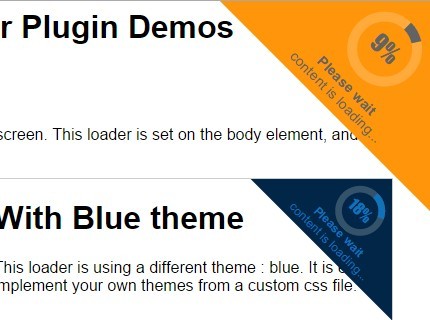
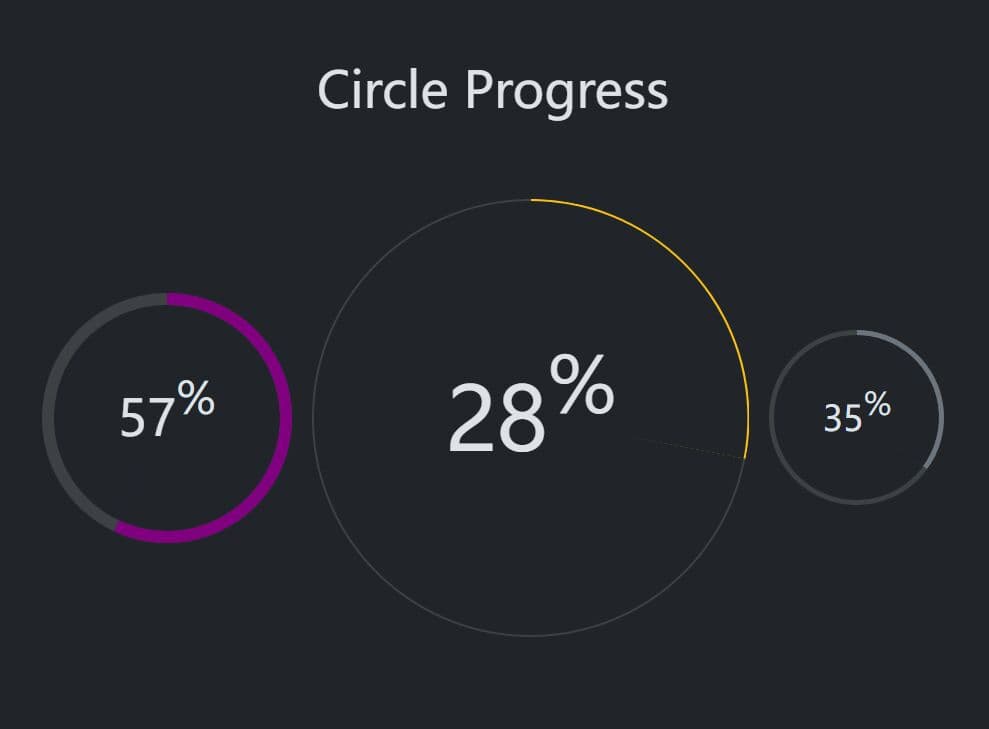
jmyloader is a jQuery plugin that creates a circular content loader at the top right of the screen to indicate the loading progress. Made with D3.js, doughnut.js, CSS3 and jQuery.
See also:
- CProgress - jQuery Circular Progress Bar Plugin
- Smooth Circle Chart Plugin with jQuery and CSS3 - Circle Charts
- Animated Circular Progress Bar with jQuery and Canvas - Circle Progress
- Circular Percentage Loader Plugin with jQuery and Canvas - ClassyLoader
- Percentage Loader - jQuery Progress Bar Plugin
- Customizable Circular Progress Bar with jQuery and CSS3 - Circle Diagram
How to use it:
1. Load jQuery library and the jQuery jmyloader plugin in the document.
<script src="//ajax.googleapis.com/ajax/libs/jquery/1.11.2/jquery.min.js"></script>
<script src="js/build/jmyloader-full.min.js"></script>
2. Load the required jmyloader.css in the head section of the document.
<link href="css/jmyloader.css" rel="stylesheet">
3. Call the plugin to display a content loader on page load. This loader is set on the body element, and can be used by any element of the page.
$('body').jMyLoader();
4. Available options.
$('body').jMyLoader({
/**
* size of the loader. A value in pixels should be given.
*/
size : 300,

/**
* should the loader be hidden at start. (so we can show it later).
*/
hideAtStart : false,

/**
* class to be added to the container at the initialization.
*/
initClass : 'has-jmyloader',

/**
* main class to be added to the jmyloader element.
*/
mainClass : 'jmyloader',

/**
* class to be added to the container that will contain jmyloader.
*/
containerClass : 'jmyloader-container',

/**
* class to be added to the wrapper.
*/
wrapperClass : 'jmyloader-wrapper',

/**
* class to be added when jmyloader is visible.
*/
visibleClass : 'visible',

/**
* theme to be applied. This theme should be defined in a css file.
* Existing themes : 'blue'
*/
theme : null,

/**
* What type of spinner is required.
* 2 options : 'doughnut' for the animated doughnut chart, or
* image for any animated or fixed image.
*/
spinner : 'doughnut',

/**
* image to load in case the spinner is an image.
* this image should be in the css directory of the plugin.
*/
spinner_image : 'spinner.gif',

/**
* What text is to be displayed.
*/
text : '<strong>Please wait</strong><br>content is loading...',
/**
* Mainly for internal use. Don't touch.
*/
jmlId : 0,

/**
* Doughnut settings.
*/
doughnut : {

  /**
  * width of the doughnut.
  * A value in pixels, or auto to size it automatically.
  */
  width : "auto",

  /**
  * Height of the doughnut.
  * A value in pixels, or auto to size it automatically.
  */
  height : "auto",

  /**
  * Size of the text inside the doughnut (percent).
  */
  textSize : "auto",

  /**
  * Duration of the animation.
  */
  duration : 500,

  /**
  * Duration of the transition.
  * It is the animation of the doughnut from one value to another one.
  */
  transition : 200,

  /**
  * Thickness of the doughnut.
  * A value in pixels, or auto to size it automatically.
  */
  thickness : "auto"

  }
},

radius : 0,
nbItems : 0,
currentItem : 0,

});
This awesome jQuery plugin is developed by kevinmuller. For more Advanced Usages, please check the demo page or visit the official website.