Configurable Virtual Terminal Emulator With jQuery - jAnsiVT
| File Size: | 29 KB |
|---|---|
| Views Total: | 572 |
| Last Update: | |
| Publish Date: | |
| Official Website: | Go to website |
| License: | MIT |
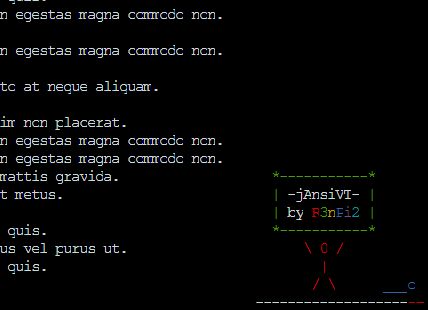
jAnsiVT is a jQuery plugin that makes it easy to create a fully configurable virtual terminal window Ansi/Ascii support in your web application. The plugin is licensed under the GNU Affero General Public License version 3.
How to use it:
1. Add jQuery library and the jQuery jAnsiVT plugin's files to the webpage.
<script src="jquery.min.js"></script>
<script src="jansivt.js"></script>
<link href="jansivt.css" rel="stylesheet"></link>
2. Create a container for the virtual terminal.
<div id="terminal">Loading terminal...</div>
3. Initialize the plugin with default options as follow:
var terminal = $('#terminal').jAnsiVT({
    // options here
});
4. Display a basic message in the virtual terminal.
terminal.write("Hello World");
5. Plugin's default configuration options.
var terminal = $('#terminal').jAnsiVT({

    // number of Terminal columns
    cols: 80,

    // number of Terminal rows
    rows: 25,

    // number of lines that will be saved on scroll buffer
    scrollSize: 100,

    // font size
    fontSize: 16,

    // array of 16 elements containing hex color codes.
    vtColors: [],

    // predefined color scheme
    colorScheme: 'gnomeTango',

    // title of Teminal
    title: "jAnsiVT",

    // intercept keyboard events and write them into terminal
    getKeyboard: false,

    // ignore font-weight: bold
    ignoreBold: false,

    // avoid scrollbar from hiding last colum
    changeWidthOnScroll: false,

    // callbacks
    onChangeTitle: function(title){},
    onKeyboardInput: function(k){},

});
5. Predefined color schemes.
greyOnBlack : [
  //0: black (normal)
  '#000000',
  //1: red (normal)
  '#aa0000',
  //2: green (normal)
  '#00aa00',
  //3: yellow (normal)
  '#aa5500',
  //4: blue (normal)
  '#0000aa',
  //5: magenta (normal)
  '#aa00aa',
  //6: cyan (normal)
  '#00aaaa',
  //7: white (normal)
  '#aaaaaa',
  //8: black (bold)
  '#000000',
  //9: red (bold)
  '#ff5555',
  //10: green (bold)
  '#55ff55',
  //11: yellow (bold)
  '#ffff55',
  //12: blue (bold)
  '#5555ff',
  //13: magenta (bold)
  '#ff55ff',
  //14: cyan (bold)
  '#55ffff',
  //15: white (bold)
  '#ffffff'
],
whiteOnBlack : [
  '#000000',
  '#aa0000',
  '#00aa00',
  '#aa5500',
  '#0000aa',
  '#aa00aa',
  '#00aaaa',
  '#ffffff',
  '#000000',
  '#ff5555',
  '#55ff55',
  '#ffff55',
  '#5555ff',
  '#ff55ff',
  '#55ffff',
  '#ffffff'
],
blackOnWhite: [
  '#ffffff',
  '#aa0000',
  '#00aa00',
  '#aa5500',
  '#0000aa',
  '#aa00aa',
  '#00aaaa',
  '#000000',
  '#ffffff',
  '#ff5555',
  '#55ff55',
  '#ffff55',
  '#5555ff',
  '#ff55ff',
  '#55ffff',
  '#000000'
],
blackOnLightYellow: [
  '#ffffdd',
  '#aa0000',
  '#00aa00',
  '#aa5500',
  '#0000aa',
  '#aa00aa',
  '#00aaaa',
  '#000000',
  '#ffffdd',
  '#ff5555',
  '#55ff55',
  '#ffff55',
  '#5555ff',
  '#ff55ff',
  '#55ffff',
  '#000000'
],
blackOnGrey: [
  '#aaaaaa',
  '#aa0000',
  '#00aa00',
  '#aa5500',
  '#0000aa',
  '#aa00aa',
  '#00aaaa',
  '#000000',
  '#aaaaaa',
  '#ff5555',
  '#55ff55',
  '#ffff55',
  '#5555ff',
  '#ff55ff',
  '#55ffff',
  '#000000'
],
blackAndWhite: [
  '#ffffff',
  '#000000',
  '#000000',
  '#000000',
  '#000000',
  '#000000',
  '#000000',
  '#000000',
  '#ffffff',
  '#000000',
  '#000000',
  '#000000',
  '#000000',
  '#000000',
  '#000000',
  '#000000'
],
whiteAndBlack: [
  '#000000',
  '#ffffff',
  '#ffffff',
  '#ffffff',
  '#ffffff',
  '#ffffff',
  '#ffffff',
  '#ffffff',
  '#000000',
  '#ffffff',
  '#ffffff',
  '#ffffff',
  '#ffffff',
  '#ffffff',
  '#ffffff',
  '#ffffff'
],
greyAndBlack: [
  '#000000',
  '#aaaaaa',
  '#aaaaaa',
  '#aaaaaa',
  '#aaaaaa',
  '#aaaaaa',
  '#aaaaaa',
  '#aaaaaa',
  '#000000',
  '#aaaaaa',
  '#aaaaaa',
  '#aaaaaa',
  '#aaaaaa',
  '#aaaaaa',
  '#aaaaaa',
  '#aaaaaa'
],
greenAndBlack: [
  '#000000',
  '#33ff66',
  '#33ff66',
  '#33ff66',
  '#33ff66',
  '#33ff66',
  '#33ff66',
  '#33ff66',
  '#000000',
  '#33ff66',
  '#33ff66',
  '#33ff66',
  '#33ff66',
  '#33ff66',
  '#33ff66',
  '#33ff66'
],
vt100: [
  '#000000',
  '#00ff00',
  '#00ff00',
  '#00ff00',
  '#00ff00',
  '#00ff00',
  '#00ff00',
  '#00ff00',
  '#000000',
  '#00ff00',
  '#00ff00',
  '#00ff00',
  '#00ff00',
  '#00ff00',
  '#00ff00',
  '#00ff00'
],
/* Tango palette */
gnomeTango: [
  '#000000',
  '#cc0000',
  '#4e9a06',
  '#c4a000',
  '#3465a4',
  '#75507b',
  '#06989a',
  '#d3d7cf',
  '#555753',
  '#ef2929',
  '#8ae234',
  '#fce94f',
  '#729fcf',
  '#ad7fa8',
  '#34e2e2',
  '#eeeeec'
],
/* Linux palette */
gnomeLinux: [
  '#000000',
  '#aa0000',
  '#00aa00',
  '#aa5500',
  '#0000aa',
  '#aa00aa',
  '#00aaaa',
  '#aaaaaa',
  '#555555',
  '#ff5555',
  '#55ff55',
  '#ffff55',
  '#5555ff',
  '#ff55ff',
  '#55ffff',
  '#ffffff'
],
/* XTerm palette */
gnomeXTerm: [
  '#000000',
  '#cd0000',
  '#00cd00',
  '#cdcd00',
  '#0000ee',
  '#cd00cd',
  '#00cdcd',
  '#e5e5e5',
  '#7f7f7f',
  '#ff0000',
  '#00ff00',
  '#ffff00',
  '#5c5cff',
  '#ff00ff',
  '#00ffff',
  '#ffffff'
],
/* RXVT palette */
gnomeRXVT: [
  '#000000',
  '#cd0000',
  '#00cd00',
  '#cdcd00',
  '#0000cd',
  '#cd00cd',
  '#00cdcd',
  '#faebd7',
  '#404040',
  '#ff0000',
  '#00ff00',
  '#ffff00',
  '#0000ff',
  '#ff00ff',
  '#00ffff',
  '#ffffff'
],
/* Solarized palette (1.0.0beta2): http://ethanschoonover.com/solarized */
gnomeSolarized: [
  '#073642',
  '#dc322f',
  '#859900',
  '#b58900',
  '#268bd2',
  '#d33682',
  '#2aa198',
  '#eee8d5',
  '#002b36',
  '#cb4b16',
  '#586e75',
  '#657b83',
  '#839496',
  '#6c71c4',
  '#93a1a1',
  '#fdf6e3'
],
6. Public methods.
// Writes a message
terminal.write("Hello World");

// resizes teminal
terminal.resize(width,height);

// changes font size
terminal.changeFontSize(size);

// updates display
terminal.updateDisplay();

// Returns settings object.
terminal.getSettings();

// Returns terminal display as a jQuery object.
terminal.getDisplay();

// Returns terminal scroll as a jQuery object.
terminal.getScroll();
This awesome jQuery plugin is developed by R3nPi2. For more Advanced Usages, please check the demo page or visit the official website.