Customizable Horizontal List Scroller Plugin With jQuery - Web Ticker
| File Size: | 21.7 KB |
|---|---|
| Views Total: | 4330 |
| Last Update: | |
| Publish Date: | |
| Official Website: | Go to website |
| License: | MIT |
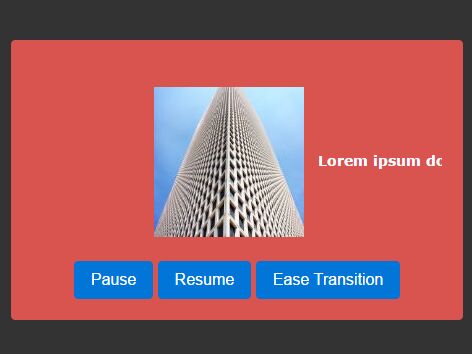
Web Ticker is a simple yet fully customizable JQuery scroller plugin which allows to scroll horizontally and infinitely through a list of web content (and even RSS feeds) with smooth transition effects.
How to use it:
1. To get started you need to load the jQuery web ticker plugin after jQuery library as follows:
<script src="//code.jquery.com/jquery.min.js"></script>
<script src="jquery.webticker.js"></script>
2. Create a list of web content you want to scroll through.
<ul id="example" >
  <li>Item 1</li>
  <li>Item 2</li>
  <li><img src='3.jpg'></li>
  ...
</ul>
3. Call the function on the html list and done.
$("#example").webTicker();
4. Customize the Web Ticker plugin by passing in the following options to the webTicker() function on init.
$("#example").webTicker({

  // scrolling speed
  // pixels per second
  speed: 50,

  // 'left' or 'right'
  direction: 'left',

  // start in moving state or a paused state
  moving: true,

  // start outside of the visible area
  startEmpty: true,

  // duplicated if necessary to remove any white space
  duplicate: false,

  // RSS feed support
  rssurl: false,

  // pause on hover
  hoverpause: true,

  // The time (in minutes) it takes to refresh the RSS Feed
  rssfrequency: 0,

  // Defines if the data update will reset the ticker including only new items or update items inline
  updatetype: 'reset',

  // custom transition effect
  transition: 'linear',

  // height of the scroller
  height: '30px',

  // maskleft and maskright require a width setting in your css to work
  maskleft: '',
  maskright: '',

  // width of the Mask
  maskwidth: 0

});
5. Pause the scroller.
$("#example").webTicker('stop');
6. Resume the scroller.
$("#example").webTicker('cont');
7. Update the scroller.
$("#example").webTicker('update',
  '<li>Item 1</li>
   <li>Item 2</li>
   <li>Item 3</li>
  'swap',
  true,
  false
);
8. Change the transition effect.
$("#example").webTicker('transition', 'ease');
// or
$("#example").webTicker('transition', 'linear');
This awesome jQuery plugin is developed by mazedigital. For more Advanced Usages, please check the demo page or visit the official website.