Dynamic Tree View Plugin With Checkbox Support - jQuery Treejs
| File Size: | 11.7 KB |
|---|---|
| Views Total: | 11202 |
| Last Update: | |
| Publish Date: | |
| Official Website: | Go to website |
| License: | MIT |
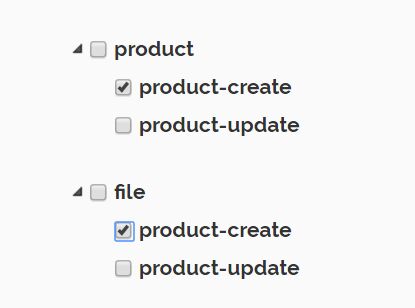
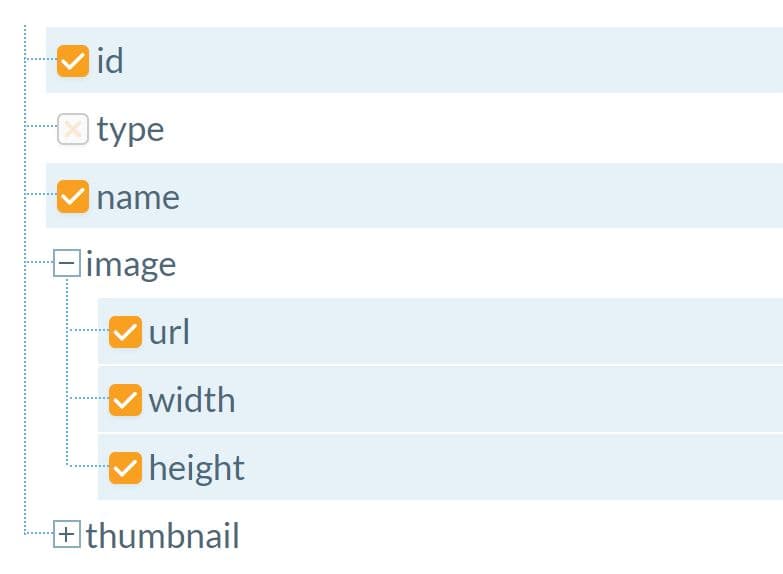
Treejs is a lightweight, extendable, and configurable jQuery plugin that provides interactive, AJAX enabled trees to show HTML & JSON data in a collapsible tree structure with checkboxes.
How to use it:
1. Import jQuery library and the jQuery Treejs plugin's JavaScript & CSS files into the html file.
<script src="jquery.min.js"></script>
<script src="treejs.js"></script>
<link rel="stylesheet" href="treejs.css">
2. Create a DIV container in which you want to present the tree view.
<div id="tree" class="tree"></div>
3. The sample JSON objects for the tree view.
var jsonObj ={
   "4":{
      "parentNodeId":"4",
      "parentNodeTxt":"product",
      "childNodes":[
         {
            "id":"5",
            "name":"product-create"
         },
         {
            "id":"6",
            "name":"product-update"
         }
      ]
   },
   "9":{
      "parentNodeId":"9",
      "parentNodeTxt":"file",
      "childNodes":[
         {
            "id":"5",
            "name":"product-create"
         },
         {
            "id":"6",
            "name":"product-update"
         }
      ]
   }
};
4. You can initialize the TreeJS by using the below code:
$("#tree").treejs({
  sourceType  : 'json',
  dataSource  : jsonObj
});
5. If you'd like to load external HTML data into the tree view via AJAX requests:
$("#tree").treejs({
  url: 'data.php',
  sourceType: 'html'
});
6. Set the initial state of the tree view to 'Open' or 'Close'.
$("#tree").treejs({
  url: 'data.php',
  sourceType: 'html',
  initialState: 'open'
});
7. API.
// Get all cheked parent nodes:
$("#tree").getCheckedParentNodes();

// Get all un-cheked parent nodes:
$("#tree").getUncheckedParentNodes();

// Get all cheked child nodes:
$("#tree").getCheckedChildNodes();

// Get all un-cheked child nodes:
$("#tree").getUncheckedChildNodes();

// Refresh tree:
$("#tree").refresh();
This awesome jQuery plugin is developed by pandeyz. For more Advanced Usages, please check the demo page or visit the official website.