Handling Conditional Elements Based On User Input - jQuery dataDisplay.js
| File Size: | 652 KB |
|---|---|
| Views Total: | 875 |
| Last Update: | |
| Publish Date: | |
| Official Website: | Go to website |
| License: | MIT |
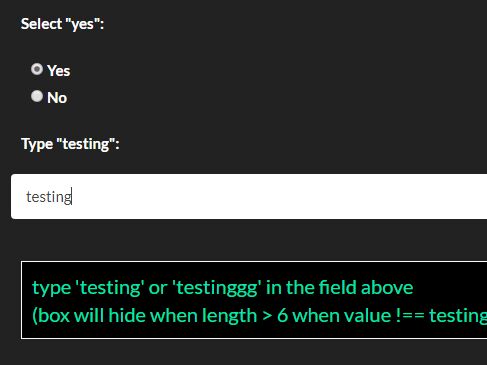
dataDisplay.js is a jQuery plugin for handling conditional elements that allows to control the display of DOM elements based on user input.
Basic usage:
1. Include the jQuery dataDisplay.js after loading jQuery library.
<script src="//code.jquery.com/jquery.min.js"></script>
<script src="jquery.dataDisplay.min.js"></script>
2. Initialize the plugin on the target container.
$('#container').dataDisplay();
3. Define the conditions in the 'data-display' attribute as these:
<div id="container">
  <label for="yes">
      <input type="radio" name="radioTest" value="yes" id="yes" checked/> Yes</label>
  <label for="no">
      <input type="radio" name="radioTest" value="no" id="no"/> No</label>
  <b>Type "testing":</b>
  <input name="inputTest" type="value"/>
  <div class="dataDisplay"
      data-display="
          {radioTest} == 'yes' && (length({inputTest}) is less than or equal to 6); ||
          {radioTest} == 'yes' && ({inputTest} is equal to 'testing' || {inputTest} is equal to 'testinggg'); ||
          {inputTest} is equal to 'testing' || {inputTest}=='testinggg' :: $this.css('background','black'); ||
          {inputTest} is equal to 'testing' :: $this.css('color','white');$this.css('font-size','20px');$this.css('border','1px solid #fff'); ||
          {inputTest} is equal to 'testinggg' :: $this.css('color','yellow');$this.css('border','1px solid yellow');"
      data-display-resets="
          $this.css('color', 'black');
          $this.css('font-size', '16px');
          $this.css('background', '#fff');
          $this.css('border', '1px solid #000');">
      <a>type 'testing' or 'testinggg' in the field above</a>
      <a>(box will hide when length > 6 when value !== testing or testinggg)</a>
  </div>
  <div class="dataDisplay"
      data-display="
          {radioTest} == 'no';">
      <a>select the 'yes' radio field above</a>
  </div>
</div>
4. Helper methods included:
data-display="{input} == "value";"
data-display="!empty({input});"
data-display="empty({input});"
data-display="length({input}) > 10;"
data-display="{input} is greater than or equal to 10;"
data-display="{input} is less than or equal to 10;"
data-display="{input} is greater than 10;"
data-display="{input} is less than 10;"
data-display="{input} is equal to 10;"
5. Default plugin options:
$('#container').dataDisplay({
  eventName: ".dataDisplay",
  dataAttr: "dataDisplay",
  condsAttr: "data-display",
  resetsAttr: "data-display-resets",
  initFire: true,
  keyEventsFire: ture, // recheck conditions on keyup
  funcs: {}, // for custom helper methods
});
This awesome jQuery plugin is developed by assetinfo. For more Advanced Usages, please check the demo page or visit the official website.