Add Interactive SVG Markers to Images - jQuery mapsvgmarker
| File Size: | 20.7 KB |
|---|---|
| Views Total: | 127 |
| Last Update: | |
| Publish Date: | |
| Official Website: | Go to website |
| License: | MIT |
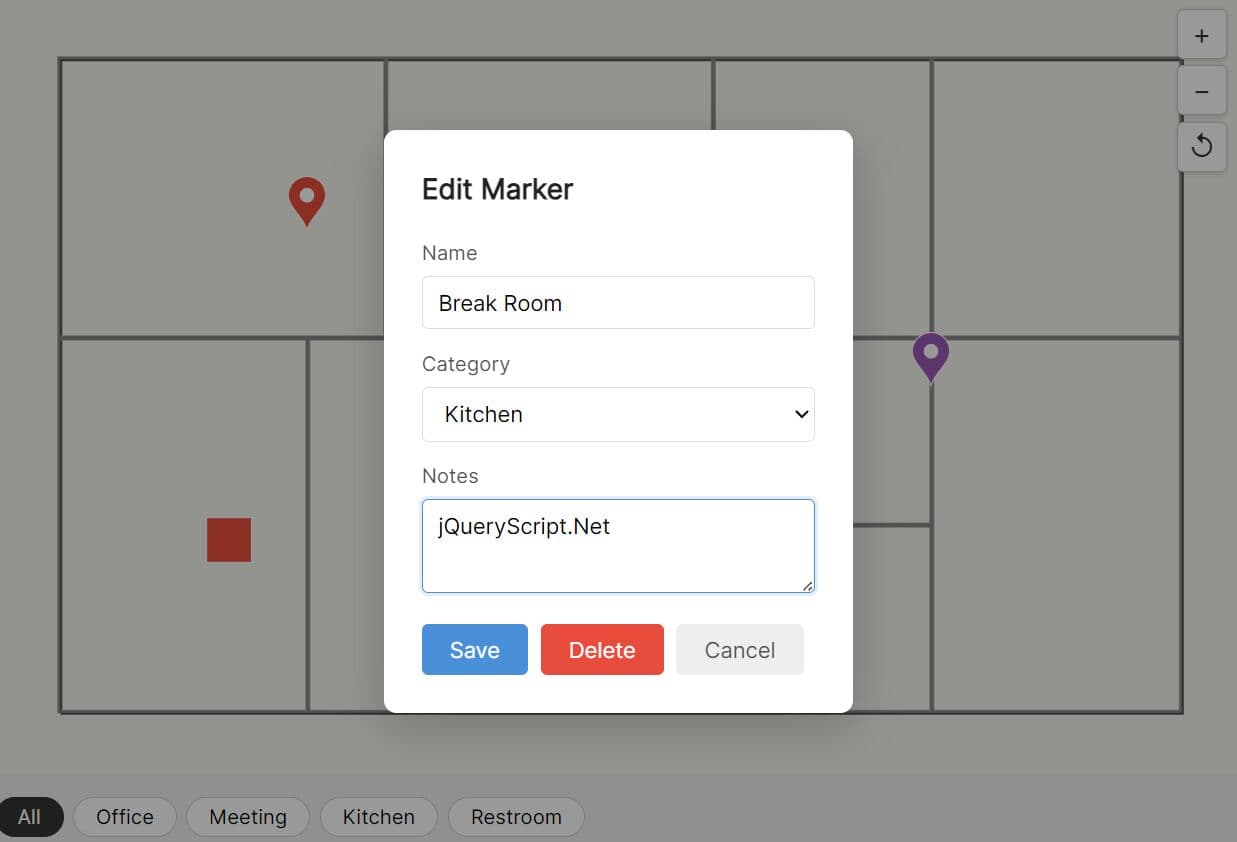
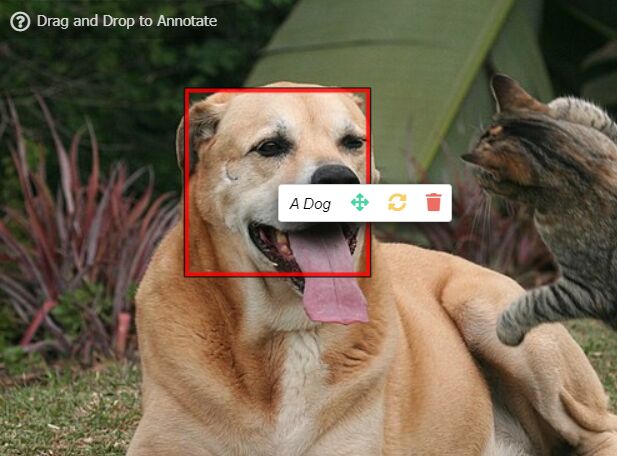
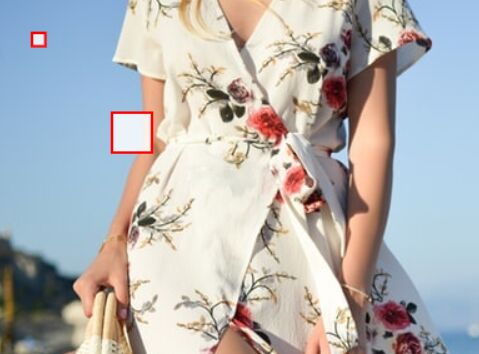
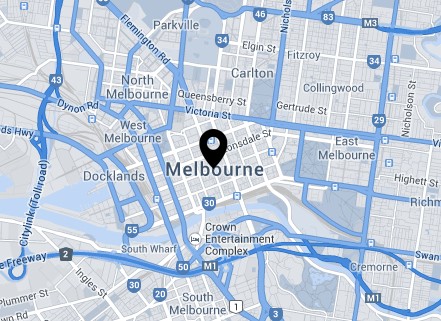
mapsvgmarker is a lightweight jQuery image annotation plugin that adds editable, draggable, SVG-based markers to any images.
The plugin generates markers at native image resolution through an SVG layer, so pins stay geometrically accurate at any zoom level.
Features:
- Three built-in marker shapes (circle, square, pin).
- Per-marker overrides for shape, color, and size.
- Filterable marker categories.
- Mousewheel and button zoom controls with configurable minimum, maximum, and step values.
- Drag-to-pan the image canvas and drag-to-reposition individual markers on the same canvas.
- Modal marker editor with a configurable field schema.
- Promise-based
loadsupport for async data fetching. - Touch event support for mobile drag interactions on both markers and the image canvas.
Use Cases:
- Real estate platforms display interactive floor plans with clickable room details.
- Event management dashboards track vendor booth locations on a static exhibition map.
- Facility management apps let users drop an image note on a building schematic to report maintenance issues.
- Gaming community sites map out loot locations on custom level screenshots.
How to use it:
1. Download the plugin and load the following files in the HTML document.
<link rel="stylesheet" href="/path/to/jquery-mapsvgmarker.css">
<script src="/path/to/cdn/jquery.min.js"></script>
<script src="/path/to/jquery-mapsvgmarker.js"></script>
2. Create a container element and call .mapSvgMarker() on it. Clicking anywhere on the image opens the "New Marker" modal. After saving, the save callback fires immediately with the updated array.
<div id="floorplan"></div>
$('#floorplan').mapSvgMarker({

  // Path to the background image
  imageSrc: 'office-level2.png',

  // Global marker appearance defaults
  defaultMarker: {
    shape: 'pin',
    size: 28,
    color: '#3498db'
  },

  // Field schema for the modal form
  fields: [
    { key: 'room',    label: 'Room Name', type: 'text' },
    { key: 'zone',    label: 'Zone',      type: 'select', options: ['Alpha', 'Beta', 'Gamma'] },
    { key: 'details', label: 'Details',   type: 'textarea' }
  ],

  // Load saved markers from localStorage on init
  load: () => JSON.parse(localStorage.getItem('floorMarkers') || '[]'),

  // Persist the full marker array after every change
  save: (markers) => localStorage.setItem('floorMarkers', JSON.stringify(markers)),

  // Show filter buttons using the 'zone' field values
  filterKey: 'zone'

});
3. Each marker object can override the global defaultMarker values. This is useful when you need to visually distinguish marker categories:
// Add a green square marker programmatically
$('#floorplan').mapSvgMarker('addMarker', {
  x: 320,   // image-native pixel X coordinate
  y: 215,   // image-native pixel Y coordinate
  data: {
    room: 'Server Room',
    zone: 'Beta',
    details: 'Rack rows 3 and 4'
  },
  color: '#27ae60',  // per-marker color override
  shape: 'square',   // per-marker shape override
  size: 22           // per-marker size override
});
4. The load option accepts a function that returns a Promise. This defers marker rendering until the fetch resolves:
$('#floorplan').mapSvgMarker({
  imageSrc: 'warehouse-layout.png',
  fields: [
    { key: 'label',  label: 'Label',    type: 'text' },
    { key: 'status', label: 'Status',   type: 'select', options: ['Active', 'Inactive'] }
  ],

  // Async load from your REST endpoint
  load: () => fetch('/api/markers/warehouse').then(r => r.json()),

  // Push the updated array back to the server on every change
  save: (markers) => {
    fetch('/api/markers/warehouse', {
      method: 'POST',
      headers: { 'Content-Type': 'application/json' },
      body: JSON.stringify(markers)
    });
  }
});
5. All configuration options:
imageSrc(string): URL of the background image. If omitted, the plugin reads thesrcof the first<img>child found inside the container. Defaults tonull.defaultMarker(object): Global marker appearance. Accepts three sub-properties:shape('circle','square','pin', or a raw<svg>…</svg>string),size(number in pixels), andcolor(CSS hex string). Defaults to{ shape: 'pin', size: 24, color: '#e74c3c' }.fields(array): Modal field schema. Each entry takeskey,label,type('text','textarea', or'select'), and an optionaloptionsarray for select fields. Defaults to[].load(function): Called on init. Must return a marker array or a Promise that resolves to one. Defaults tonull.save(function): Called after every create, update, delete, or drag operation. Receives the full markers array as its first argument. Defaults tonull.zoomEnabled(boolean): Activates mousewheel zoom on the container. Defaults totrue.zoomMin(number): Minimum permitted zoom level. Defaults to0.5.zoomMax(number): Maximum permitted zoom level. Defaults to5.zoomStep(number): Zoom increment applied per wheel tick or button click. Defaults to0.25.zoomControls(boolean): Shows the +/−/reset button overlay on the container. Defaults totrue.panEnabled(boolean): Activates drag-to-pan on the image canvas. Defaults totrue.draggable(boolean): Lets users drag existing markers to new positions. Defaults totrue.dragThreshold(number): Pixel distance the pointer must travel from mousedown before the interaction switches from click mode to drag mode. Defaults to5.filterKey(string): Data field key used to populate the filter bar. The referenced field must be of type'select'withoptionsdefined. Defaults tonull.onMarkerClick(function): Callback fired when a marker is clicked. Receives the marker object.onModalOpen(function): Callback fired when the modal opens. Receives the marker ID, ornullfor new markers.onModalClose(function): Callback fired when the modal closes by any means.onSave(function): Callback fired after a marker is saved. Receives the full markers array.onDelete(function): Callback fired after a marker is deleted. Receives the deleted marker's ID string.
$('#floorplan').mapSvgMarker({
  imageSrc: null,
  defaultMarker: {
    shape: 'pin', // 'circle' | 'square' | 'pin' | '<svg>…</svg>'
    size: 24,
    color: '#e74c3c'
  },
  fields: [],
  load: null,
  save: null,
  zoomEnabled: true,
  zoomMin: 0.5,
  zoomMax: 5,
  zoomStep: 0.25,
  zoomControls: true,
  panEnabled: true,
  draggable: true,
  dragThreshold: 5,
  filterKey: null,
  onMarkerClick: null,
  onModalOpen: null,
  onModalClose: null,
  onSave: null,
  onDelete: null
});
6. API methods:
// Returns a deep copy of all current markers as an array
$('#floorplan').mapSvgMarker('getMarkers');

// Returns a single marker object by its ID string
$('#floorplan').mapSvgMarker('getMarker', 'msm-2-k9p3x1');

// Programmatically adds a marker and returns the new marker ID
$('#floorplan').mapSvgMarker('addMarker', {
  x: 410,
  y: 190,
  data: { room: 'Breakout Room', zone: 'Alpha', details: 'Capacity: 8 seats' },
  color: '#8e44ad',
  shape: 'circle',
  size: 20
});

// Updates an existing marker's data or appearance by ID
$('#floorplan').mapSvgMarker('updateMarker', 'msm-2-k9p3x1', {
  data: { room: 'Relocated Lab', zone: 'Gamma' },
  color: '#e67e22'
});

// Removes a single marker by ID
$('#floorplan').mapSvgMarker('removeMarker', 'msm-2-k9p3x1');

// Replaces all current markers with a new array
$('#floorplan').mapSvgMarker('loadMarkers', [
  { id: 'msm-1-aaa', x: 200, y: 150, data: { room: 'Lab A', zone: 'Beta' } },
  { id: 'msm-2-bbb', x: 350, y: 300, data: { room: 'Storage', zone: 'Gamma' } }
]);

// Filters visible markers to those where data[key] === value
$('#floorplan').mapSvgMarker('setFilter', 'zone', 'Alpha');

// Clears any active filter and restores all markers
$('#floorplan').mapSvgMarker('clearFilter');

// Sets zoom to a specific level (clamped to zoomMin / zoomMax)
$('#floorplan').mapSvgMarker('zoomTo', 2.5);

// Resets zoom to 1x and returns pan to the origin
$('#floorplan').mapSvgMarker('resetView');

// Re-renders all markers; call after external data mutations
$('#floorplan').mapSvgMarker('refresh');

// Removes the plugin, unbinds all events, and empties the container
$('#floorplan').mapSvgMarker('destroy');
7. Events:
// Fires when a user clicks an existing marker
$('#floorplan').on('markerClick.mapSvgMarker', function(e, data) {
  console.log('Marker clicked:', data.marker);
});

// Fires when the modal opens; markerId is null for new markers
$('#floorplan').on('modalOpen.mapSvgMarker', function(e, data) {
  console.log('Editing marker ID:', data.markerId);
});

// Fires when the modal closes by any means (save, delete, cancel)
$('#floorplan').on('modalClose.mapSvgMarker', function(e) {
  console.log('Modal closed');
});

// Fires after a marker is saved; carries the full updated array
$('#floorplan').on('markerSave.mapSvgMarker', function(e, data) {
  console.log('Marker count:', data.markers.length);
});

// Fires after a marker is deleted; carries the removed ID
$('#floorplan').on('markerDelete.mapSvgMarker', function(e, data) {
  console.log('Removed marker ID:', data.id);
});

// Fires continuously while a marker is being dragged
$('#floorplan').on('markerDrag.mapSvgMarker', function(e, data) {
  console.log('New position:', data.marker.x, data.marker.y);
});

// Fires after any zoom or pan change
$('#floorplan').on('viewChange.mapSvgMarker', function(e, data) {
  console.log('Zoom level:', data.zoom, '| Pan X:', data.panX, '| Pan Y:', data.panY);
});
Alternatives:
- Annotorious: A standalone annotation library that supports polygon, rectangle, and point annotations on images.
- 10 Best Image Annotation Tools In JavaScript
FAQs:
Q: Can I use jquery-mapsvgmarker with a remote image served from a different domain?
A: The plugin loads the image as a standard <img> tag, so the browser's CORS rules govern the image request itself. The SVG overlay performs no pixel reads, so placing markers works fine across origins.
Q: My markers shift position after I resize the browser window. How do I correct this?
A: Marker coordinates are stored in image-native pixels and the SVG viewBox matches those dimensions exactly. The plugin includes a resize stub on window but does not trigger a full re-render automatically. Add your own resize handler and call $('#floorplan').mapSvgMarker('refresh') inside it. This forces the plugin to recalculate the SVG's bounding rectangle and re-draw all marker positions correctly.
Q: Can I use a custom SVG icon as a marker shape?
A: Yes. Set shape to a raw SVG string (for example, '<svg xmlns="http://www.w3.org/2000/svg" viewBox="0 0 24 24">…</svg>') in defaultMarker or in a per-marker override object. The plugin parses the string into a <g> element and appends its child nodes into the marker group.
Q: The filter bar does not appear even though I set filterKey. What is missing?
A: The filter bar requires three things to be true simultaneously: filterKey must match a key value in your fields array, that field's type must be 'select', and the field must have an options array defined. The plugin reads those option values to generate the filter buttons. Fields of type text or textarea never produce filter buttons.
This awesome jQuery plugin is developed by dev-lop77. For more Advanced Usages, please check the demo page or visit the official website.