jQuery Plugin To Manage Bootstrap Alert Messages - alert.lib.js
| File Size: | 15.1 KB |
|---|---|
| Views Total: | 1068 |
| Last Update: | |
| Publish Date: | |
| Official Website: | Go to website |
| License: | MIT |
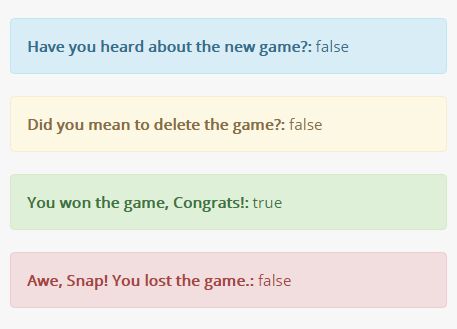
alert.lib.js is a minimal jQuery plugin allows to you to displays alert messages to end users using Bootstrap's alerts component. Supports both Bootstrap 3 and 4.
How to use it:
1. The plugin requires Bootstrap's style sheet loaded in the head section of the webpage.
<link rel="stylesheet" href="/path/to/bootstrap.min.css">
2. Create the HTML template for the Bootstrap alert messages.
<div id="alert" class="hide alert alert-dismissable">
  <span class="title"></span>
  <span class="message"></span>
</div>
3. Load both jQuery library and the jQuery alert.lib.js at the bottom of the webpage.
<script src="//code.jquery.com/jquery.min.js"></script>
<script src="alert.lib.js"></script>
4. Create alert messages and pass the following parameters to the $.alert function:
- element: target element
- timeout: timeout in milliseconds to auto close the alert message
- title: alert title
- message: alert message
- close_btn: show/hide close button
// $.alert(element, timeout, title, message, close_btn)
$.alert("#alert", 5000, "Info Message", false).info();
$.alert("#alert", 5000, "Warning Message", false).warning();
$.alert("#alert", 5000, "Success Message", true).success();
$.alert("#alert", 5000, "Danger message", false).danger();
5. The CSS to position your alert messages.
.alert {
  position: relative;
  top: 0;
  left: 0;
  right:0;
  z-index:999;
  margin-left: auto;
  margin-right: auto;
}
This awesome jQuery plugin is developed by ubergeekzone. For more Advanced Usages, please check the demo page or visit the official website.