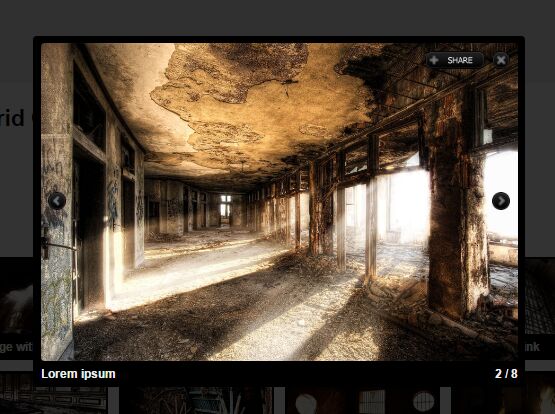
Responsive Tiled Grid Gallery Plugin with jQuery - CSTiles
| File Size: | 1.5 MB |
|---|---|
| Views Total: | 8961 |
| Last Update: | |
| Publish Date: | |
| Official Website: | Go to website |
| License: | MIT |
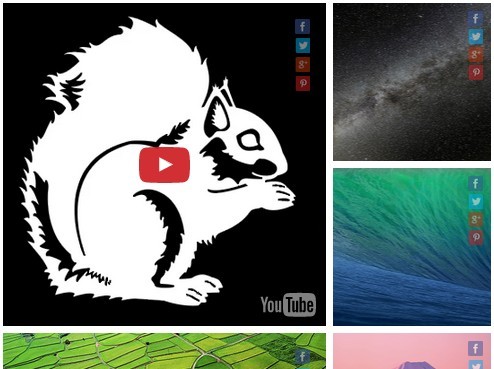
CSTiles is a simple-to-use jQuery plugin for generating a fully responsive, justified, customizable and tiled mosaic grid from a group of html elements (e.g. images, video, iframes).
How to use it:
1. Include jQuery library and the jQuery CSTiles plugin's JS and CSS files on the web page.
<link rel="stylesheet" href="css/CSTiles-1.1.0.css">
<script src="//code.jquery.com/jquery-1.11.3.min.js"></script>
<script src="js/jquery.CSTiles-1.1.0.min.js"></script>
2. Include the jQuery CSShare plugin if you want display social share buttons on tiles.
<link rel="stylesheet" href="css/CSShare-1.0.0.css">
<script src="js/jquery.CSShare-1.0.0.min.js"></script>
3. Insert a group of html elements to the grid gallery and use data-cstiles-* attributes to specify the options for each tile.
<div class="cstiles"
     data-cstiles-size="4,auto"
     data-cstiles-margin="5">
    <div class="cstiles__item"
         data-cstiles-size="1"
         data-cstiles-image_src="images/1.jpg">
    </div>
    <div class="cstiles__item"
         data-cstiles-size="1,2">
      <img class="cstiles__item-image" src="images/2.jpg">
    </div>
    <div class="cstiles__item"
         data-cstiles-size="1"
         data-cstiles-order="1"
         data-cstiles-order-tablet="1">
      <img class="cstiles__item-image" src="images/3.jpg">
    </div>
    ...
</div>
4. Call the CSTiles() method on the top container and we're ready to go.
$(".cstiles").CSTiles();
5. There are several options which can be passed to CSTiles() as an object:
size: [4,"auto"],
autoMove: true,
autoClone: true,
margin: 0,
animate: {
  "zoom":true,
  "share":true
},
adaptivSize: {
  "big-desktop": [6,"auto"],
  "desktop": [4,"auto"],
  "tablet": [3,"auto"],
  "phone-landscape": [2,"auto"],
  "phone": [1,"auto"]
},
adaptivMedia: {
  "big-desktop":"screen and (min-width: 1279px)",
  "desktop":"screen and (max-width: 1279px)",
  "tablet":"screen and (max-width: 1023px)",
  "phone-landscape":"screen and (max-width: 767px)",
  "phone":"screen and (max-width: 479px)"
},
shareTile: true,

// // ["facebook","twitter","vkontakte","odnoklassniki","google","yahoo","misterwong","moimir","friendfeed","yandex","webmoney","vkrugu","juick","pinterest","myspace","googlebookmark","stumbleupon","instapaper","email","springpad","print","linkedin","readability","pinme","surfingbird","webdiscover","memori","livejournal","blogger","liveinternet","evernote","bobrdobr","moemesto","formspring","yazakladki","moikrug","bookmark","digg","tumblr","delicious"]
shareTypes: ["twitter","facebook","vkontakte","print"],
imagePosition: ["center","center"]
This awesome jQuery plugin is developed by CrazySquirrel. For more Advanced Usages, please check the demo page or visit the official website.